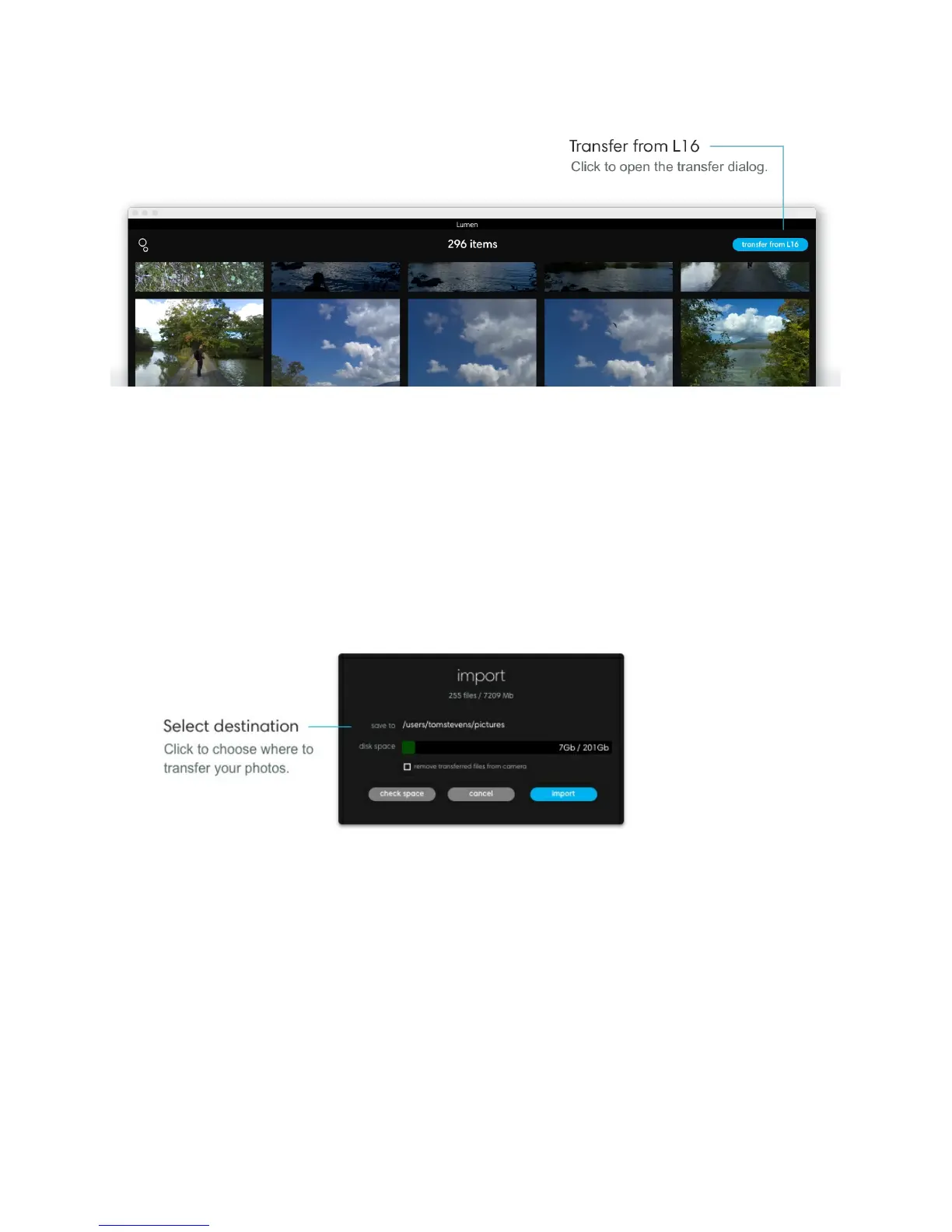
Note: If your camera is locked, no images will appear in the transfer dialog. Once you unlock
your camera, you will see your images appear.
Transfer all photos. In the transfer dialog, click "All" to select all photos on your L16. Click
the transfer icon in the top right corner to choose where to transfer your photos. Click
"import" to begin transferring your photos.
Remove transferred files from camera. Click this check box if you want to remove your
photos from your camera as they are being transferred.
Transfer selected photos. If you want to select specific images to transfer, click photos to
select them individually. Click the transfer icon in the top right corner to choose where to
transfer your photos. Click "import" to begin transferring your photos.



 To Next Page