Focus
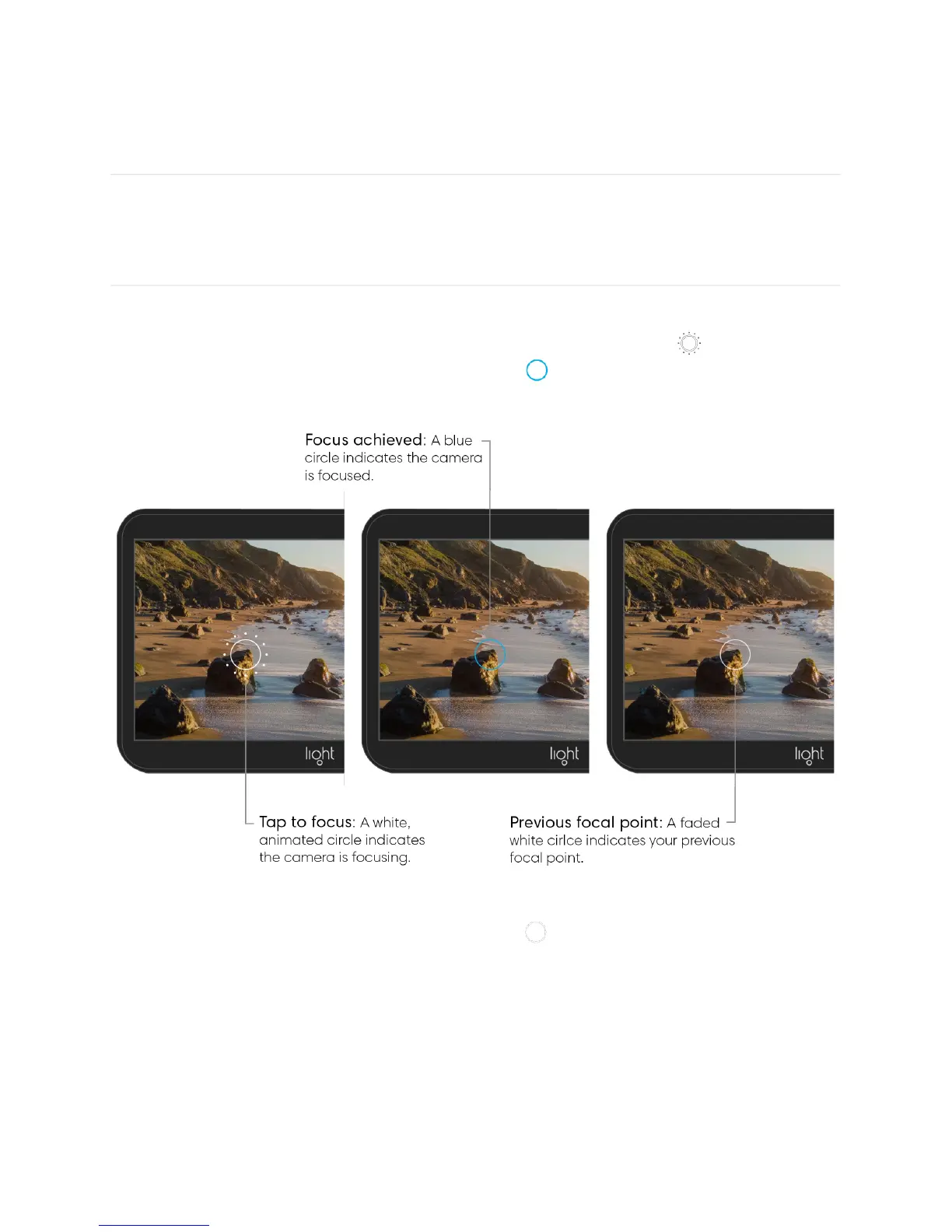
Tap to focus. In manual or auto mode, tap your desired focus object on the touchscreen to
focus the camera at that location and distance. An animated circle icon indicates the
camera is focusing and a final solid, blue circle icon indicates that focus has been
achieved.
After 3 seconds, the blue focus circle fades to white at your previous focal point.
Half-shutter press to focus. Instead of tap to focus, you can also half-press the shutter
button to start the focusing sequence at your current focal point (indicated by a faded, white
circle). An animated circle icon indicates the camera is focusing and a final solid, blue circle
icon indicates that focus has been achieved.
Note: The L16 uses mirrors to position lenses based on where you tap to focus. Because of
this, if you are ever unsure whether you have focused properly, just tap again, or half-press
the shutter button, to refocus.



 To Next Page