Organize your photos
Favorite a photo. While viewing a photo, tap the star icon to mark it as a favorite. A
solid star icon indicates a photo has been favorited.
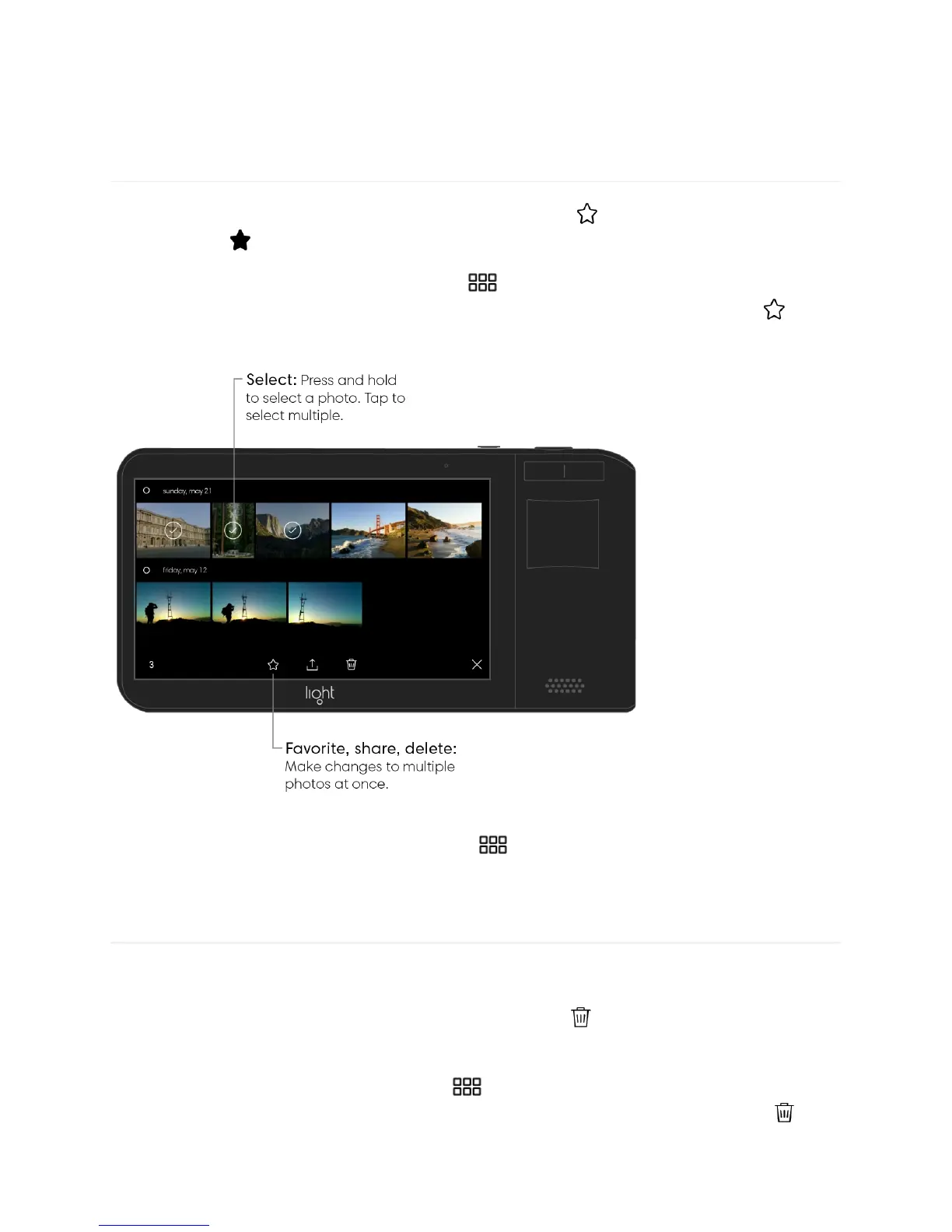
Favorite multiple photos. Tap the grid icon to see all of your photo, then press and
hold on an image to select it. Tap to select any other photos then tap the star icon to
mark them as favorites.
View your favorite photos. Tap the grid icon to see all of your photos, then tap “all” in
the top left corner followed by “favorited.”
Delete a photo. While viewing a photo, tap the trash icon to delete it. If you accidentally
delete a photo, you can tap “undo” to bring it back.
Delete multiple photos. Tap the grid icon to see all of your photos, then press and
hold on an image to select it. Tap to select any other photos then tap the trash icon to
delete them.



 To Next Page