EasyManua.ls Logo

LINET Virtuoso 3 Series - User Manual

LINET Virtuoso 3 Series
65 pages
Print Icon
To Next Page IconTo Next Page
Loading...
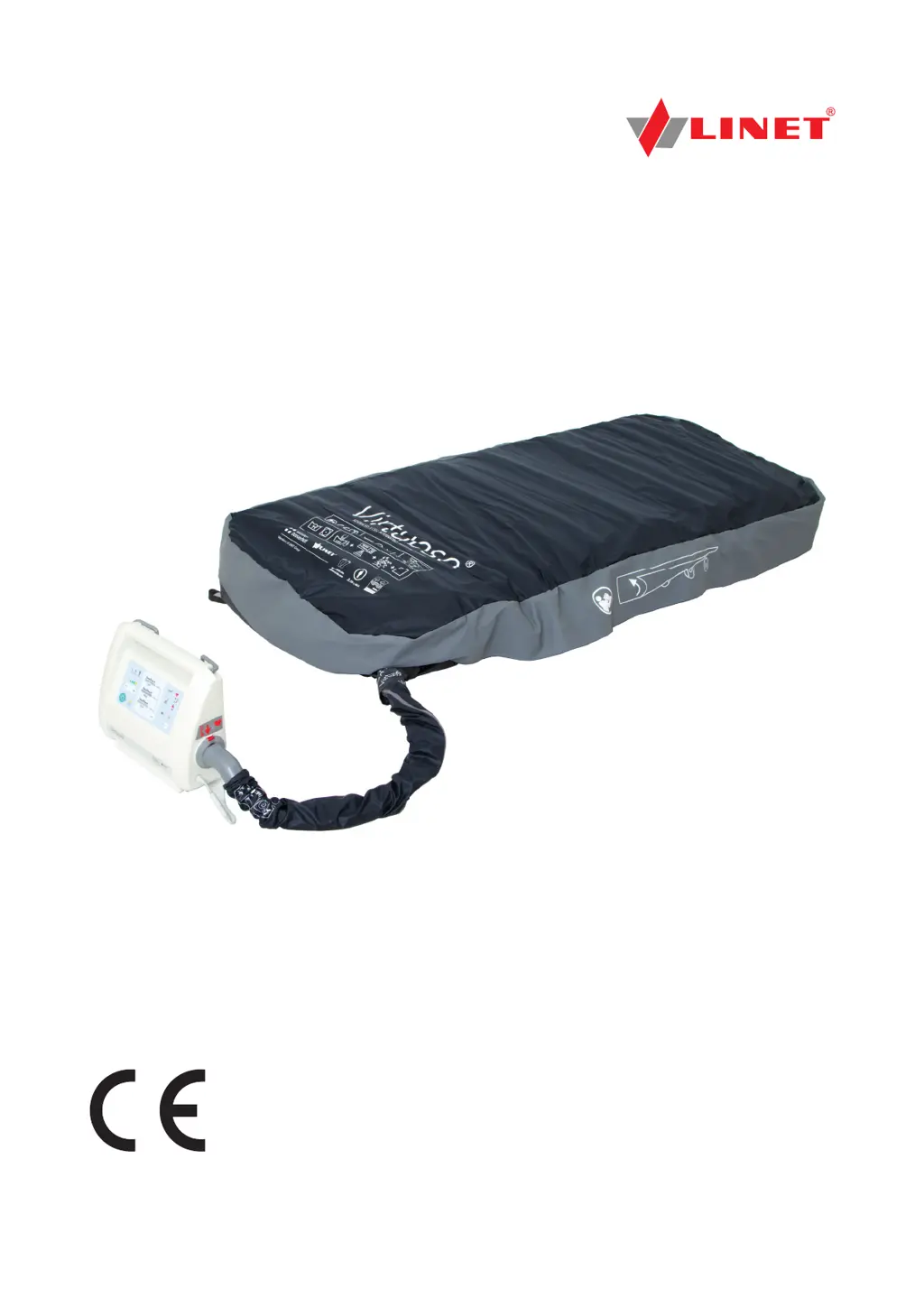
Virtuoso
®
Air Mattress System - SERIES 3
D9U003VB3-0101
Version: 04
Publication Date: 2020-05
Instructions for Use
and Technical Description

Table of Contents

Questions and Answers

  • J
    Johnny CummingsAug 15, 2025
    What to do if LINET Indoor Furnishing mattress is not working?
    • W
      William SullivanAug 15, 2025
      If your LINET Indoor Furnishing mattress isn't working, there are several things you can check: * Ensure the mains power switch on the side of the SCU is in the 'on' position (I) and the green mains power indicator on the control panel is lit. * Verify the mains power cord is properly plugged into the rear of the SCU and that the protective cover is in place. * Confirm the SCU is plugged into a mains outlet and that the outlet has been switched on. * If available, connect the accumulator back-up pack.
  • R
    Ricky JarvisAug 18, 2025
    What to do if my LINET Indoor Furnishing mattress is not working?
    • M
      Mary ShawAug 18, 2025
      If your LINET Indoor Furnishing mattress isn't working, consider the following: * Mute the audio alert, then count how many times the alert light flashes (from 1 to 6 times). If the issue remains, turn the SCU power off and then back on.
  • M
    Meghan DiazAug 21, 2025
    How to fix LINET Indoor Furnishing mattress that is not working?
    • G
      guerraclintonAug 21, 2025
      If your LINET Indoor Furnishing mattress isn't working, you can try the following: * Check that the umbilical air pipes are not severely bent, twisted, or trapped in the bed frame. * Ensure the air connector is properly in place. * Confirm that the correct mattress type is being used (not Virtuoso series 1, 2, or Precioso). * If possible, unzip the mattress cover and check that the mattress is not badly folded up under the patient and that there is no obvious sound of escaping air.
  • P
    Patrick NguyenAug 25, 2025
    What to do if LINET Indoor Furnishing controls are not working?
    • Q
      qmeadowsAug 25, 2025
      If the controls on your LINET Indoor Furnishing are not working, try this: Press and hold the green GO button for 3 seconds, and then try the controls again. If the problem continues, turn the SCU power off and then back on.
  • A
    Adam WallaceAug 28, 2025
    How to release stuck LINET Indoor Furnishing air connector?
    • K
      Kimberly HernandezAug 28, 2025
      To release an air connector that will not release properly on your LINET Indoor Furnishing, press the red CPR release button next to the air connector and remove the air connector with a gentle lifting action.
  • J
    jasonnewmanAug 31, 2025
    Why LINET Indoor Furnishing Fowler Boost Indicator does not come on?
    • C
      cummingsheidiSep 1, 2025
      If the Fowler Boost Indicator on your LINET Indoor Furnishing does not come on, check that the backrest is raised to an angle of at least 30 degrees and that the Fowler Boost Cable is connected properly to the SCU.
  • D
    Dean MoranSep 4, 2025
    What to do if LINET Indoor Furnishing Fowler Boost Indicator stays on with backrest down?
    • S
      sellersjenniferSep 4, 2025
      If the Fowler Boost Indicator stays on with the backrest down on your LINET Indoor Furnishing, check that the Fowler Boost Cable is connected properly to the SCU and visually inspect the cable for damage. Note that if a seating system is connected instead of a mattress, this is a valid indication.
  • G
    Gordon CunninghamSep 7, 2025
    What to do if LINET Indoor Furnishing cushion is connected and not working?
    • J
      Jacob NorrisSep 7, 2025
      If the cushion connected to your LINET Indoor Furnishing is not working, check that the air connector is properly in place.
  • T
    tammymarquezSep 12, 2025
    How to secure LINET Indoor Furnishing mattress moving around on bed frame?
    • J
      jonesjeffreySep 12, 2025
      If your LINET Indoor Furnishing mattress is moving around on the bed frame, check that the mattress securing straps have been attached to the bed frame correctly.

Summary

Symbols and Definitions

Warning Notices

Explains types of danger warnings and their structure.

Instructions

Describes the structure of instructions.

Lists

Explains the structure of bulleted lists.

Symbols on the Package

Symbols and Labels on the Product

Labels

Acoustic Signalisation

Abbreviations

Intended Use

User Population

Defines the intended users and patients for the system.

Contraindications

Lists conditions under which the mattress system should not be used.

Operator

Specifies who operates the system.

Product Description

Virtuoso Overlay

Describes the Virtuoso Overlay configuration.

Virtuoso Mattress Replacement (Air + Foam Base)

Details the Virtuoso Mattress Replacement with Air + Foam Base.

Virtuoso Mattress Replacement (Air + Static Air Base)

Explains the Virtuoso Mattress Replacement with Air + Static Air Base.

Virtuoso Mattress Replacement (Air + Alternating Air Base)

Describes the Virtuoso Mattress Replacement with Air + Alternating Air Base.

Virtuoso With Head & Heel Zoner (Air + Alternating Air Base)

Details the Virtuoso With Head & Heel Zoner configuration.

Virtuoso Pro

Describes the Virtuoso Pro mattress configuration.

Cover (all configurations)

Details the mattress cover for all configurations.

Base Cover (all configurations)

Explains the base cover for all configurations.

SCU (System Control Unit)

Describes the System Control Unit (SCU).

Control Panel Description

Technical Specification

Mechanical Specifications (Virtuoso Overlay)

Lists mechanical specs for the Virtuoso Overlay.

Mechanical Specifications (Virtuoso Mattress Replacement (Air + Foam Base))

Details mechanical specs for Virtuoso Mattress Replacement (Air + Foam Base).

Mechanical Specifications (Virtuoso Mattress Replacement (Air + Static Air Base))

Lists mechanical specs for Virtuoso Mattress Replacement (Air + Static Air Base).

Mechanical Specifications (Virtuoso Mattress Replacement (Air + Alternating Air Base))

Details mechanical specs for Virtuoso Mattress Replacement (Air + Alternating Air Base).

Mechanical Specifications (Virtuoso With Head & Heel Zoner (Air + Alternating Air Base))

Lists mechanical specs for Virtuoso With Head & Heel Zoner.

Mechanical Specifications (Virtuoso Pro)

Details mechanical specs for Virtuoso Pro.

Mechanical Specifications (Seat cushion)

Lists mechanical specs for the Seat cushion.

Mechanical Specifications (SCU and Accumulator)

Details mechanical specs for SCU and Accumulator.

Electrical Specifications

Lists electrical specifications for the system.

Environment Conditions

Outlines environmental conditions for use, storage, and transport.

Electromagnetic Compatibility

Details electromagnetic compatibility requirements and guidelines.

Use and Storage Conditions

Storage

Provides instructions for storing the SCU and mattress.

Scope of Delivery and Product Variants

Scope of Delivery

Details the items included in the product delivery.

List of Parts

Lists the components included in the product.

Putting into Service

Mattress

Instructions for installing the mattress on the bed.

SCU (System Control Unit)

Instructions for installing the SCU.

Connecting Mattress and SCU

Details how to connect the mattress to the SCU.

Cable Management System

Provides guidance on managing cables safely.

Before Use

Steps to perform before operating the system.

FIRMWARE

Information about system firmware updates.

Accumulator

Accumulator Charge Status Indicator

Explains how to read the accumulator charge status.

Accumulator Back-up Pack

Details the optional accumulator back-up pack.

Manipulation

Use

General instructions for using the mattress system.

Preparing the Bed for the Patient

Steps to prepare the bed before patient placement.

Controls and Indicators (Control Panel)

Explains the control panel buttons and indicators.

Button GO

Details the function of the GO button.

Mute

Instructions on how to mute audio alerts.

Mains Power Indicator

Explains the mains power indicator status.

Pressure Control

Describes how to adjust and manage pressure levels.

APT Mode

Details the Alternating Pressure Therapy (APT) mode.

Max Mode

Explains the Maximum Inflate Mode (Max Mode).

CLP Mode (Constant Low Pressure Mode)

Describes the Constant Low Pressure Mode (CLP Mode).

Fowler Boost

Explains the Fowler Boost function for patient support.

Micro-Climate Management (MCM)

Details the Micro-Climate Management (MCM) function.

CPR;Air Disconnected Mode

Describes the CPR/Air Disconnected mode.

System Error

Explains system error indicators and actions.

Service

Provides information on recommended service intervals.

CPR (umbilical connected)

Instructions for CPR when SCU is connected.

CPR (umbilical disconnected)

Instructions for CPR when SCU is disconnected.

Transport Mode (Static and Active)

Details transport modes for patient mobility.

Active Transport Mode

Explains the Active Transport Mode.

Power Failure

Instructions for power failure scenarios.

Manual Deflating - Body Zoner

How to manually deflate body zoner cells.

Head Zoner; Heel Zoner

Configuring Head and Heel Zoner cells.

Seating System

Information about using the seating system.

Functioning

Describes how the seating system functions.

Installation of Seat Cushion

Steps for installing the seat cushion.

Replacement Seat Cushion

Instructions for replacing the seat cushion.

Overlay Cushion

Details on using the overlay cushion.

Initial Operation

Steps for initial operation of the seat cushion.

Use

How to use the seat cushion.

Cleaning;Disinfection

Cleaning

General guidelines for cleaning the mattress and SCU.

Routine Cleaning and Disinfection

Procedures for routine cleaning.

Full Cleaning and Disinfection

Steps for thorough cleaning and disinfection.

Removing the Mattress Cover

Instructions on how to remove the mattress cover.

Troubleshooting

Mattress Not Working

Addresses issues with mattress inflation, softness, or alternating function.

SCU Indicator and Control Problems

Troubleshoots issues with SCU lights, controls, and error indicators.

Fowler Boost and Cushion System Issues

Solves problems with Fowler Boost indicator and seating cushion functionality.

Connection and Fitment Problems

Resolves issues with air connector fit, release, and mattress positioning.

Maintenance

Regular Maintenance

Outlines routine maintenance checks and procedures.

Spare Parts

Provides information on obtaining spare parts.

Safety Technical Checks

Details required safety technical checks and their frequency.

Disposal

Environment Protection

Discusses the company's commitment to environmental protection.

Disposal

Provides instructions for disposing of the product and its components.

Standards and Regulations

LINET Virtuoso 3 Series Specifications

General IconGeneral
BrandLINET
ModelVirtuoso 3 Series
CategoryIndoor Furnishing
LanguageEnglish