CHAPTER 8: OPERATION 8-3
ALPHA 552
1.3. Manual function buttons
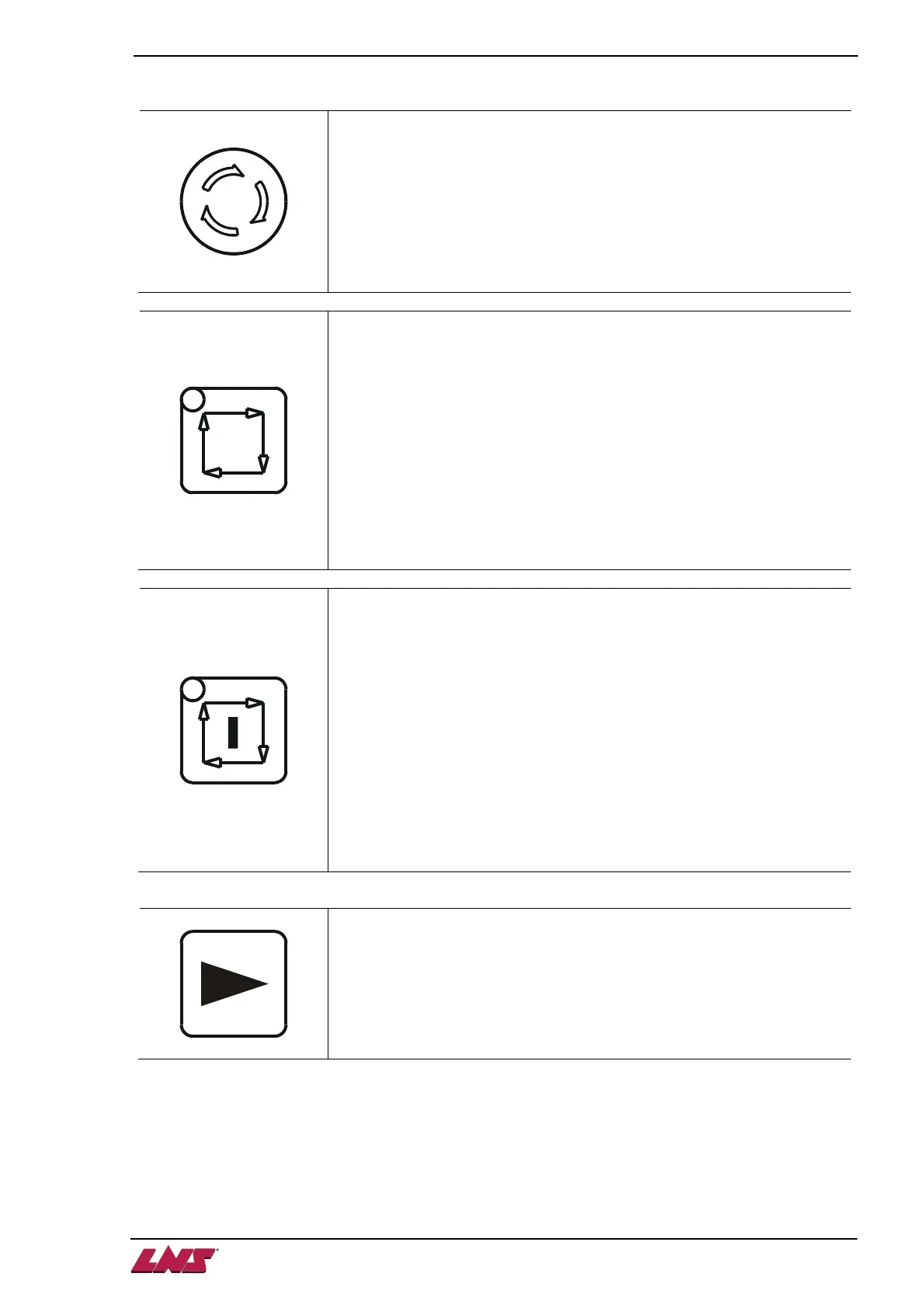
Emergency stop
When a dangerous situation arises, pressing the emergency stop button
immediately interrupts the barfeed system. The barfeed system will send
alarm signal to the lathe and interrupt the lathe if interface is wired
accordingly. Error message e01 will be shown on the HMI display.
To cancel the alarm, release the button by rotating it clockwise and
pressing the MANUAL mode key.
AUTO ready
To switch the barfeeder to AUTOMATIC ready mode. In AUTOMATIC
ready mode, the key LED is ON. The barfeed system is available to be
switched to AUTOMATIC mode.
To switch to AUTOMATIC ready mode, one of the following conditions
must be fulfilled :
• The channel is closed and the pusher is NOT at home position.
OR
• The channel is open and the pusher is at home position and the
measurement device in upper position (sensor SQ1 ON).
AUTO START
To switch the barfeeder to AUTOMATIC mode. In AUTOMATIC mode,
the key LED is ON. The barfeed system is running the automatic
sequence controlled by the lathe.
To switch to AUTOMATIC mode, the following conditions must be
fulfilled:
• the barfeed system in AUTOMATIC READY mode.
AND
• the channel is closed and the pusher is NOT at home position.
OR
• the channel is open, the pusher is at home position and the
measurement device in upper position (sensor SQ1 ON).
Rightward
Move pusher rightward. Only available when the barfeed system is in
MANUAL mode.












 To Next Page