Adjustments – Guide Rail
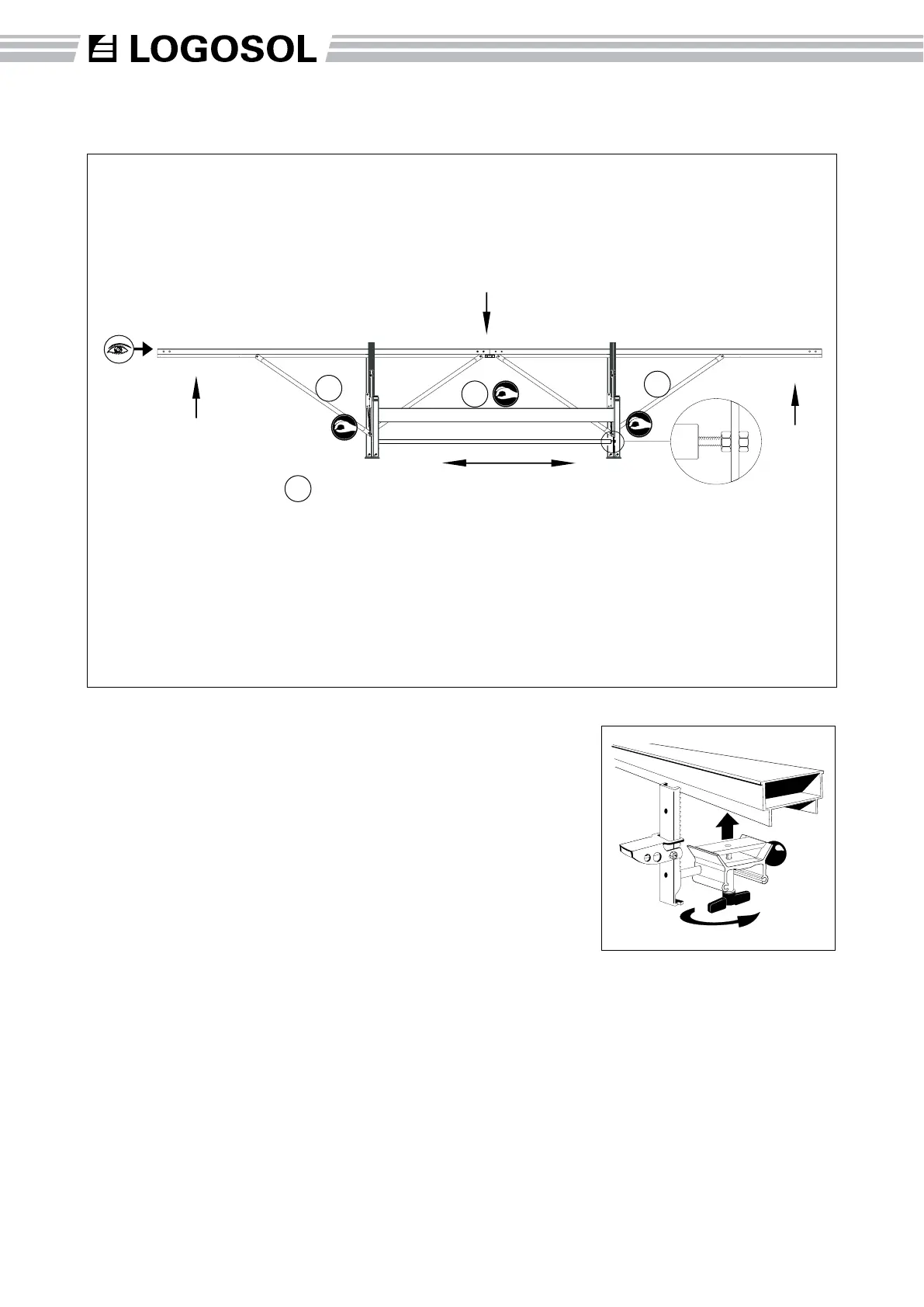
To check the straightness of the
guide rail, remove the carriage
and log grip. Sight along the
guide rail from one of its upper
corners. Any curvature will be
apparent.
(A) Check that the struts in
the middle of the frame are not
rmly tightened either at the top
or the bottom.
(B) Check that struts towards
the ends of the guide rail are not
rmly tightened at the bottom.
Tighten the bolts at the upper
ends by the guide rail.
(C) Adjust the guid e rai l
straightness using the M10
bolt and the inner nut on the
adjusting strut.
Pulling the legs together pulls
the ends of the guide rail down.
Pushing the legs apart brings
the ends of the guide rail up.
After tightening the M10 bolt
and nut at the adjusting strut,
retighten all guide rail strut
bolts.
A
B
B
C
22
Adjustable Log Support
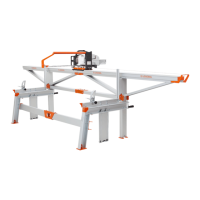
This accessory provides the
ability to stop vibrations when
sawing long logs. The Log
Support is positioned underneath
the rail as show above, then the
arm is adjusted against the log
and tightened in place. It also
can be used to provide support
under boards and enables the
processing of shorter logs.



 To Next Page