EasyManua.ls Logo

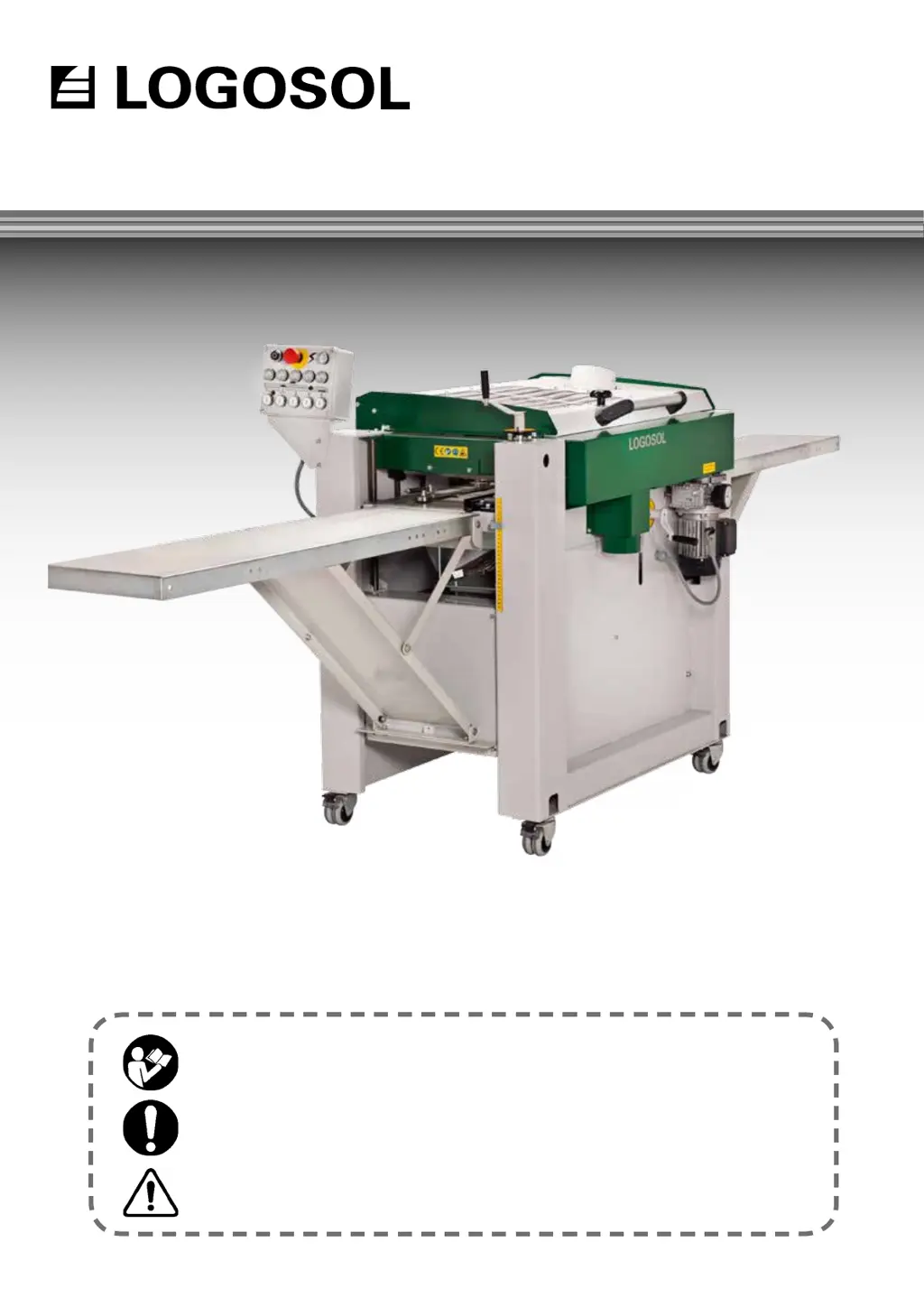
Logosol PH260 - User Manual

Logosol PH260
44 pages
Print Icon
To Next Page IconTo Next Page
Loading...
USER MANUAL
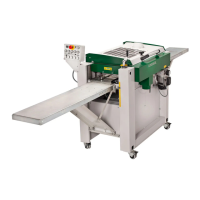
LOGOSOL PH260
Read through the user manual carefully and make sure you understand its contents be-
fore you use the planer/moulder.
This user manual contains important safety instructions.
WARNING! Incorrect use can result in serious personal injury or even death to the oper-
ator or others.
USER MANUAL IN ORIGINAL FORMAT.
ARTICLE NO: 0458-395-0170

Questions and Answers

  • S
    Sarah JonesSep 14, 2025
    Why is it difficult to adjust the height of the machine table on my Logosol PH260?
    • J
      Jaime OlsonSep 14, 2025
      If you're finding it difficult to adjust the height of the machine table on your Logosol Saw, consider the following: * The trapezoidal thread bars, on which the table is suspended, are dirty and not lubricated. Clean and lubricate the trapezoidal thread bars with oil. * There may be a faulty chain transmission. Make sure that the chain runs correctly on the sprockets. * The machine may have been subject to impact which has spoiled the setting of the table. Adjust the table.
  • C
    Connie LewisAug 27, 2025
    How to fix in- and out-feed marks on Logosol PH260 Saw?
    • A
      Amanda MarshallAug 27, 2025
      If you notice in- and out-feed marks when using your Logosol Saw, check the following: * The in- and out-feed tables may be incorrectly adjusted. Ensure they are at the same height as the machine table and aligned, or slightly higher at the outer ends. * The workpieces may not be butted together when fed into the machine. Butt the workpieces end to end. * The feeding pressure of the feed rollers may be incorrectly adjusted. Make sure the feeding pressure is sufficient and the rollers are balanced horizontally over the workpiece. * The workpiece may be bent or warped. Slightly lift the back end when feeding it in. * There might be play in the suspension of the machine table. Check if the table wobbles and read Levelling the machine table.
  • H
    hancockgaryAug 29, 2025
    Why is the workpiece fed jerkily through the Logosol PH260 Saw?
    • D
      Dr. Cathy Gonzalez MDAug 29, 2025
      If the workpiece is being fed jerkily through your Logosol Saw, there are a couple of potential reasons: * The machine table may be covered with resin or rust. Clean it with Logosol’s Machine Cleaner (ref. no. 7500-001-5000) and lubricate it with Logosol’s Low Friction Agent (ref. no. 7500-001-5050). * One of the feed rollers may have been bent. Replace the bent feed roller.
  • E
    Eric ThompsonAug 31, 2025
    Why is the surface of the workpiece’s right side below par with Logosol Saw?
    • G
      gonzalezronaldAug 31, 2025
      If the surface quality of the right side of the workpiece is poor when using your Logosol Saw, it may be because: * The locking handle of the movable side cutter has not been tightened. Ensure you pull the handle tight before planing or moulding.
  • M
    Michael MyersSep 1, 2025
    What to do if the thickness of the board does not correspond to the setting of the scale on Logosol Saw?
    • A
      Ashley JohnsonSep 1, 2025
      If the board thickness doesn't match the scale setting on your Logosol Saw, it could be due to: * Incorrect takeoff setting of the knives in the upper cutter. Set the takeoff to 1 mm using Logosol’s setting block (ref. no. 7500-000-1020) or a magnetic adjuster for the upper cutter (ref. no. 7500-001-0050). * Incorrectly set pointer of the height scale. Machine a test board, measure it, and then set the pointer to that measurement.
  • R
    Randy BrownSep 3, 2025
    Why is there rumbling or vibration in the upper or the lower cutter of my Logosol PH260 Saw?
    • C
      collinssusanSep 3, 2025
      If you're experiencing rumbling or vibration in the upper or lower cutter of your Logosol Saw, consider these possibilities: * The moulding knives may be incorrectly mounted. Clean the cutter and mount the knives and chip breakers correctly. * The moulding knives or planing knives might be incorrectly ground. Grind the knives in pairs to ensure they are identical on opposite sides of the cutter. * The bearing could be defective. Clean the bearing housing and replace the ball bearing. * The belt transmission may be defective. Clean the belt pulleys and replace the Poly V belt.
  • L
    Lisa ShawNov 23, 2025
    What to do if workpiece is fed poorly through Logosol PH260 Saw?
    • B
      Brandi CooperNov 23, 2025
      If the workpiece is not feeding correctly through your Logosol Saw, check these potential causes: * A broken shear pin in the out-feed roller. Replace it after removing the planetary gear. * Accumulation of wood debris and resin in the feed rollers' grooves and on the out-feed roller. Clean with Logosol’s Machine Cleaner (ref. no. 7500-001-5000). * Insufficient pressure from the feed rollers. Increase the feeding pressure and ensure the rollers are balanced horizontally over the workpiece. * Obstruction of the feed rollers' vertical movement by wood debris. Clean the bearing housings. * Accumulation of wood debris around the upper cutter. Remove the debris and increase airflow in the chip extractor. * Resin or rust on the machine table. Clean with Logosol’s Machine Cleaner (re...
  • L
    Lauren HendersonNov 25, 2025
    Why does the width of the machined board differ when using Logosol PH260 Saw?
    • J
      Joshua YangNov 25, 2025
      If the width of the machined board is inconsistent on your Logosol Saw, consider these possible reasons: * The workpiece may be moving away from the side fences because the right-side fences are set incorrectly. Adjust them. * The locking handle of the movable cutter may not be tightened. Ensure it is pulled tight before planing/moulding. * The pressure rollers might be set incorrectly. Adjust the L bracket on which the first two pressure rollers are mounted and also adjust the pressure roller behind cutter 3. * The spring mechanism of the pressure rollers could be stiff. Clean and lubricate the spring mechanisms of the three pressure rollers. * The workpiece may be too small for the machine's set measurement. Choose a wider workpiece or reduce the machine's width setting. * T...
  • T
    taylorraymondSep 12, 2025
    Why is the surface fuzzy around knots on my Logosol Saw?
    • G
      Gerald FoxSep 12, 2025
      If you're getting a fuzzy surface around knots on your Logosol Saw, where the wood fibres' direction varies, check for these issues: * The workpiece has high moisture content. Dry the timber before machining it. * The knives have lost their sharpness. Grind the knives. * The workpiece is of a too soft sort of wood. Choose another material, or sand the workpiece after it has been machined.
  • T
    Tina RichmondSep 9, 2025
    Why does the upper cutter rotate a long time after the Logosol Saw has been shut off?
    • C
      Cathy RobbinsSep 9, 2025
      If the upper cutter of your Logosol Saw takes too long to stop rotating after the machine is shut off, it could be due to: * A blown fuse on the brake card. Replace the glass fuse on the card. * A defective brake card. Replace the defective brake card.

Summary

Safety Instructions

General Safety Precautions

Essential safety warnings and protective measures for machine operation.

Pre-Operation Checks

Critical checks and preparations required before starting the planer/moulder.

Safety Distance Zones

Defines required safe zones around the operating machine to prevent accidents.

Lower Horizontal Cutter

Adjusting Takeoff and Grinding Knives

Steps for setting cutter depth and sharpening planing knives.

Upper Horizontal Cutter

Adjusting the Cutter

Ensuring the upper cutter head is parallel to the machine table.

Side Cutters

Mounting, Removal, and Knife Replacement

Covers installation, removal, knife changes, and initial setup of side cutters.

Feeder System

Levelling the Machine Table

Levelling Procedure

Detailed steps for ensuring the machine table is perfectly level.

Maintenance

Routine Checks and Lubrication

Covers cleaning, lubrication, and checks during regular machine use.

Knives and Knife Handling

Knife Sharpening and Protrusion

Guides on maintaining knife sharpness and setting protrusion limits.

Planing and Moulding Techniques

Troubleshooting Guide

Electrical Diagrams

Logosol PH260 Specifications

General IconGeneral
BrandLogosol
ModelPH260
CategorySaw
LanguageEnglish

Related product manuals