www.longer3d.com support@longer.net
2. Import configuration file
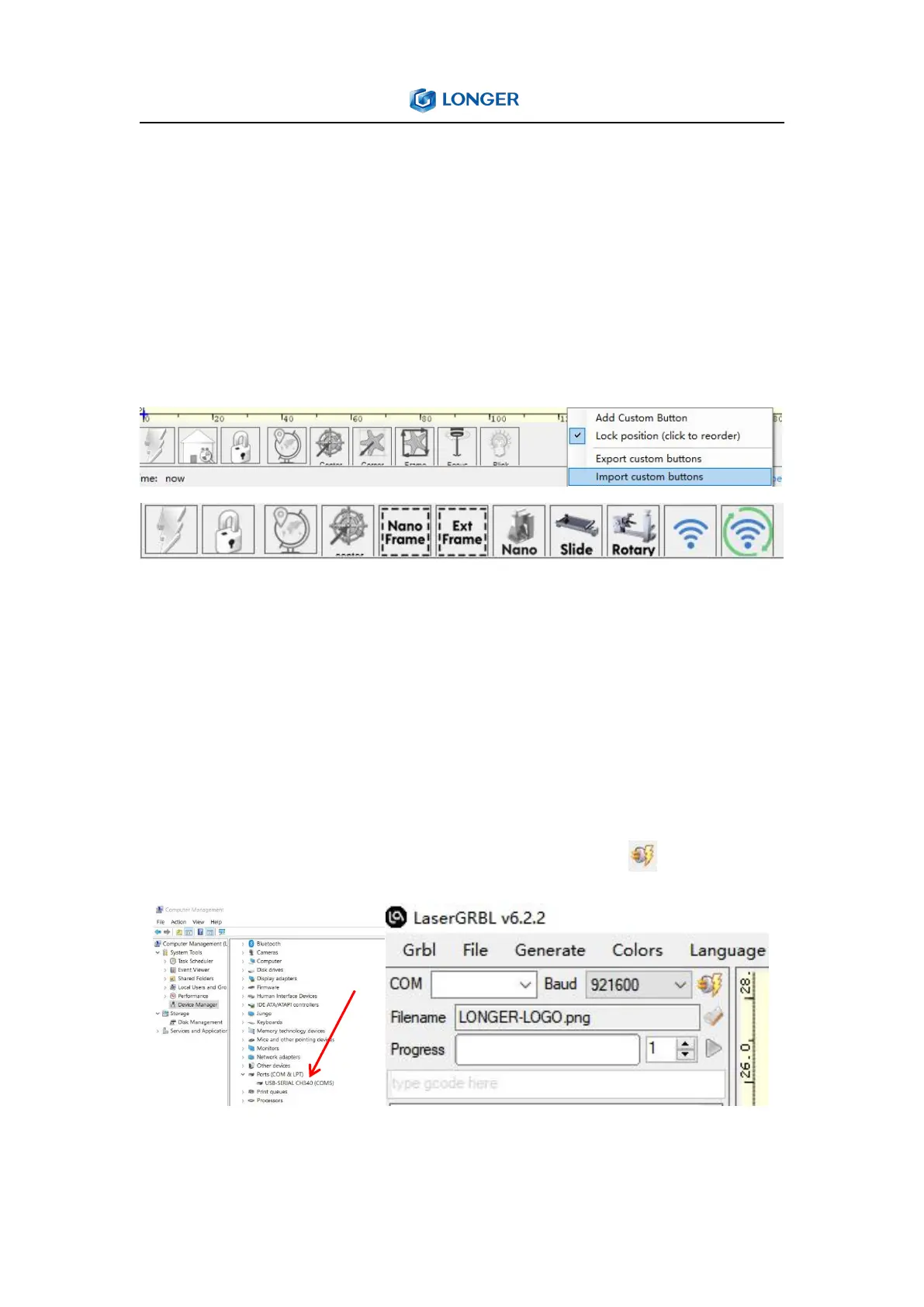
In order to meet the use of NANO in LaserGRBL, it must to import
custom buttons. Right-click in the blank area at the bottom and
select Import custom buttons, open nano.zbn file to import, click
YES to confirm, then there are three new Nano, Slide, Rotary icons.
3. Connect Nano to LaserGRBL
It needs connect the engraver to LaserGRBL software first. For
Windows, it needs to right-click the computer and select Manage,
click Device Manager, click to expand Ports (COM & LPT), find the
port corresponding to the CH340 driver, and then select this port
from the COM port list, set 961200 baud rate, click to connect.
When connected to proper port grbl reply with “welcome message”



 To Next Page