www.longer3d.com support@longer.net
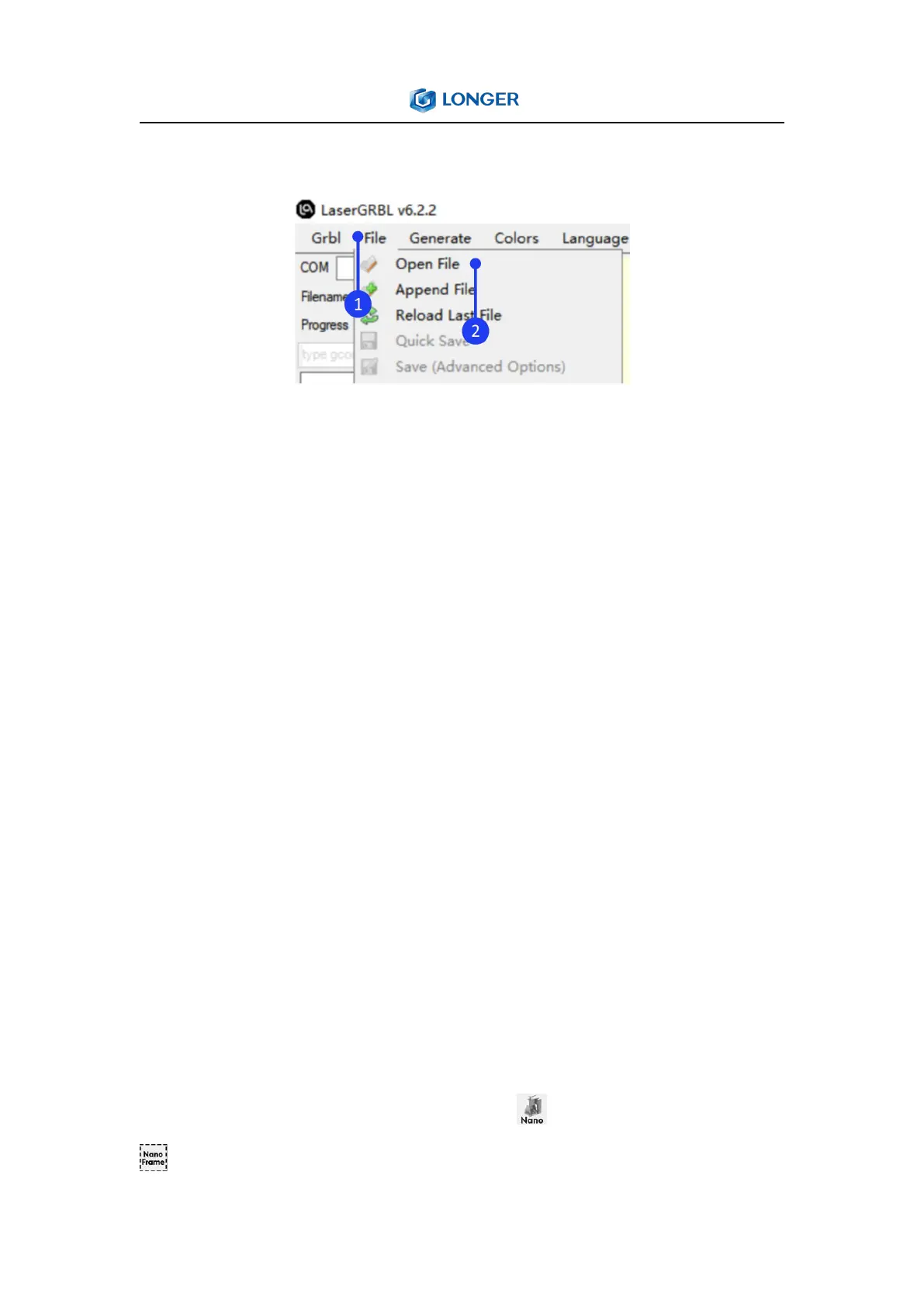
6. How to make a project in the LaserGRBL
Click File > Open File to add the design to be engraved, set the
Quality to 16.67Lines/mm (quality has only two values options,
11.11Lines/mm or 16.67Lines/mm. For those who require high
precision, it can choose 11.11Lines/mm. For those who require high
efficiency, it can choose 16.67Lines/mm), click Next, refer to the
parameter table to set the appropriate engraving power S-MAX and
speed. Please note that the laser mode should be selected as
M3-Constant Power, and the value of S-MAX is 10 times the target
laser power, such as when the laser power is 100%, S-MAX needs to
be set to 1000%, if the laser power is 60%, it needs to be set to
600%. Then set the size of the image to scale the design. If the
design position is outside the working range, it should set the XY
axis offset to adjust the graphics position.
After successfully importing the graphics and setting the parameters,
it needs to set the focus of Nano, click Nano button, then click
Frame button to determine the material placement, and finally



 To Next Page