www.longer3d.com support@longer.net
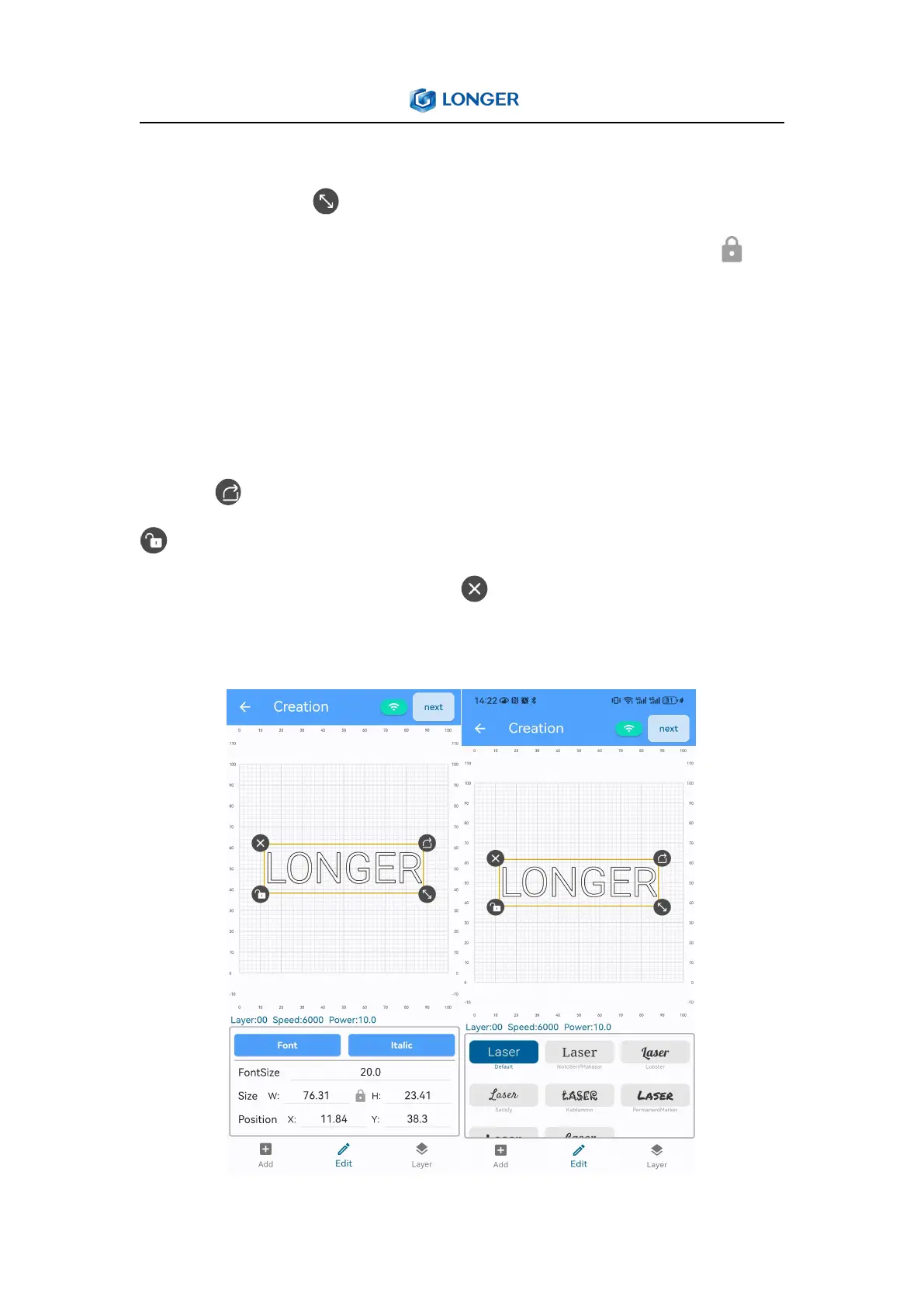
Enter the value in Size to scale the graphic proportionally or hold
down the button to drag. If you need to change the length and
width of the graphic separately, you can click the button to
unlock the proportional lock; enter a value in Position to change the
position of the graphic, or select the graphic and move it within the
canvas by dragging it; enter a value in Rotate can rotate the graphic
counterclockwise to the corresponding angle, or hold down the
button to rotate the graphic at any angle; if you click the button
, the size, position or angle of graphic can only be changed by
entering a value; click the button can delete graphics.
2) Text



 To Next Page