www.longer3d.com support@longer.net
2. Connect to WIFI in AP mode
Note: There are two modes, AP and STA, to connect NANO via WIFI.
The difference is that in AP mode the phone will have no network,
but in STA mode the phone can maintain network.
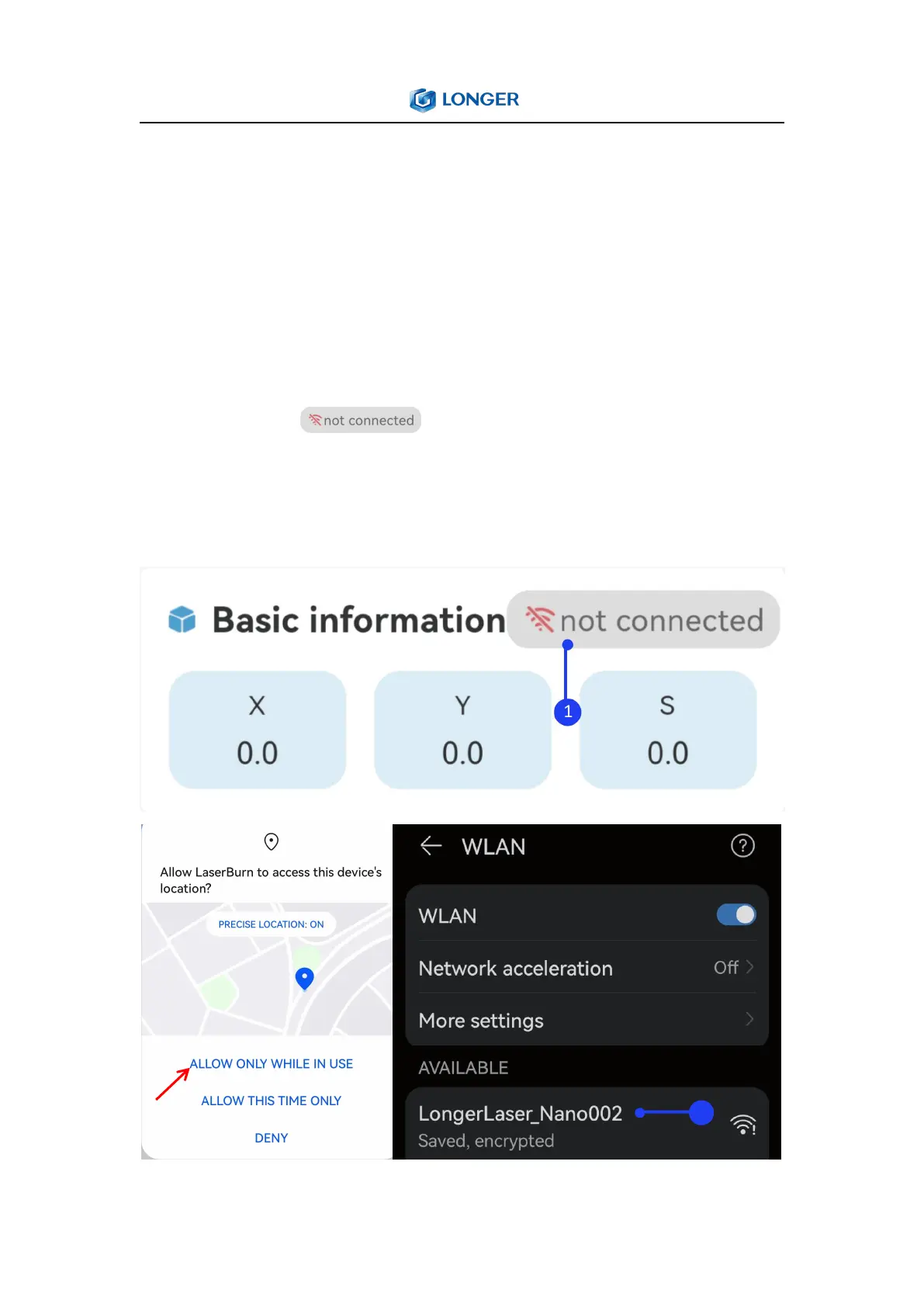
1) Run the LaserBurn APP and enter the Home page, click not
connected icon . when there is a ‘Allow LaserBurn to
access this device’ prompt, you need to click ‘Allow only while in
use’, otherwise you may not be able to search for WIFI of Nano.



 To Next Page