www.longer3d.com support@longer.net
2. Import configuration file
Before using LightBurn with Nano for the first time, it needs to
import the LaserNano.lbdev configuration file, which is in the
software folder of the SD card.
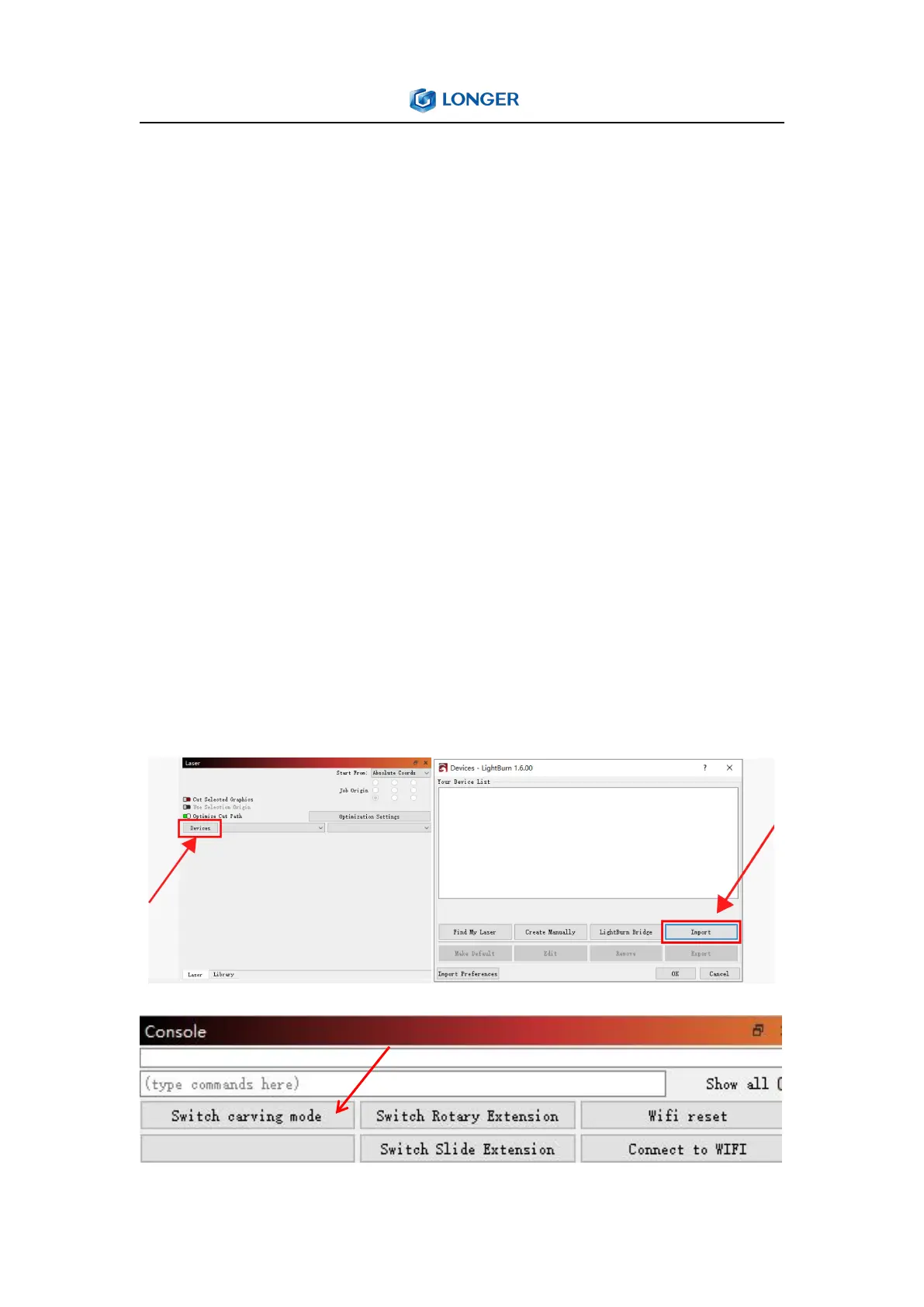
For the first time launching LightBurn, it will prompt a 'New Device
Wizard' or click "Devices" in the laser control module to import the
engraver. Click ‘Import’, select the Nano.lbdev file, and click OK to
add the Nano configuration to LightBurn. The macro commands will
be successfully added in the Console window and Nano device
would appear in the list of devices to the right of the 'Devices'
button in the Laser window when the configuration file is imported
successfully.



 To Next Page