www.longer3d.com support@longer.net
3. Connect to WIFI in STA mode
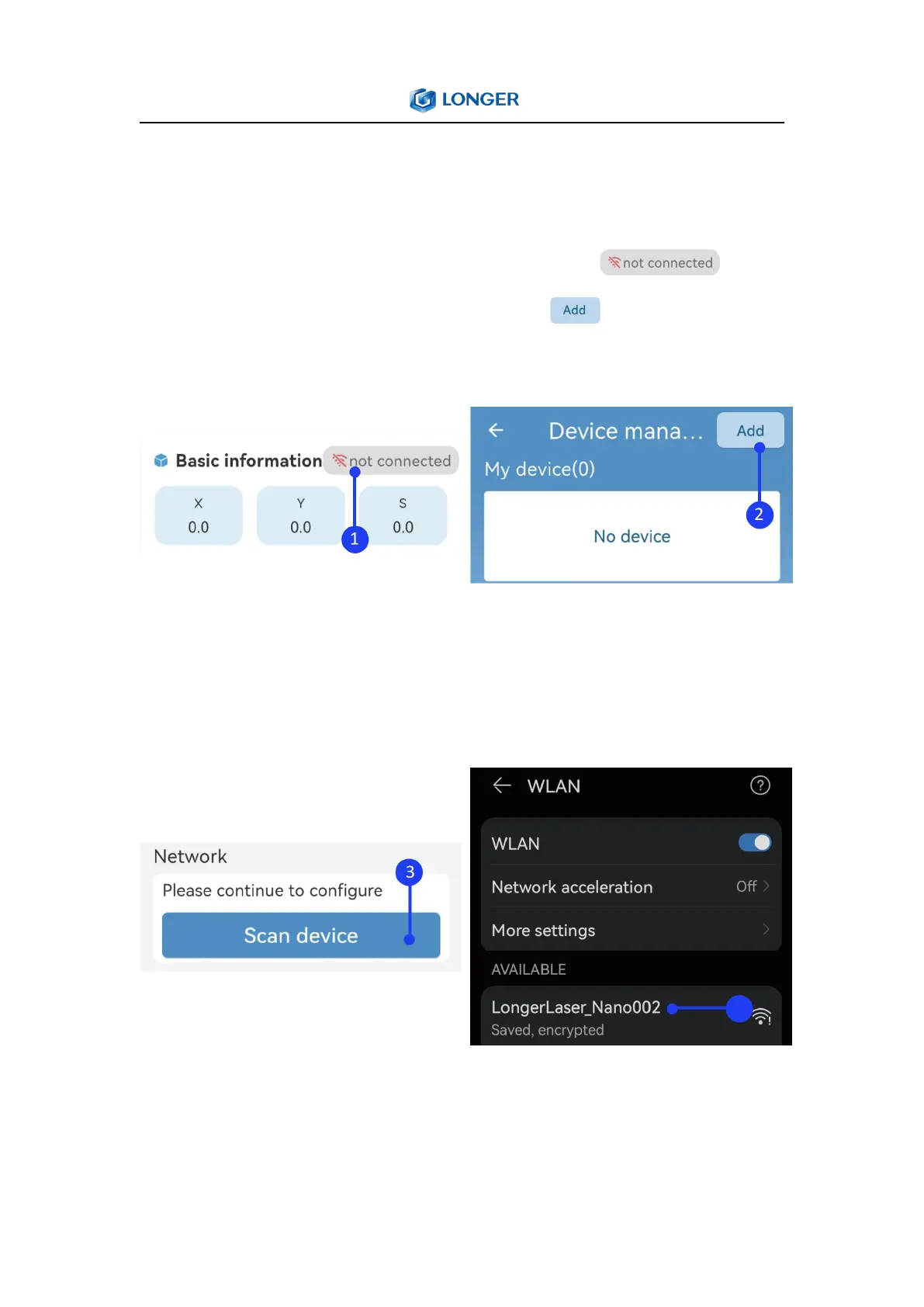
1) Open the WLAN settings on your phone. Run LaserBurn and
enter the Home page, click not connected icon , enter
the network configuration page, click Add in the upper right
corner.
2) Click Scan device, search for the WIFI starting with
LongerLaser_Nano and input password 12345678 to connect the
wifi of Nano.
3) After the connection is successful, return to LaserBurn, select
Set STA mode to connect WIFI of router (only supports 2.4G), and



 To Next Page