www.longer3d.com support@longer.net
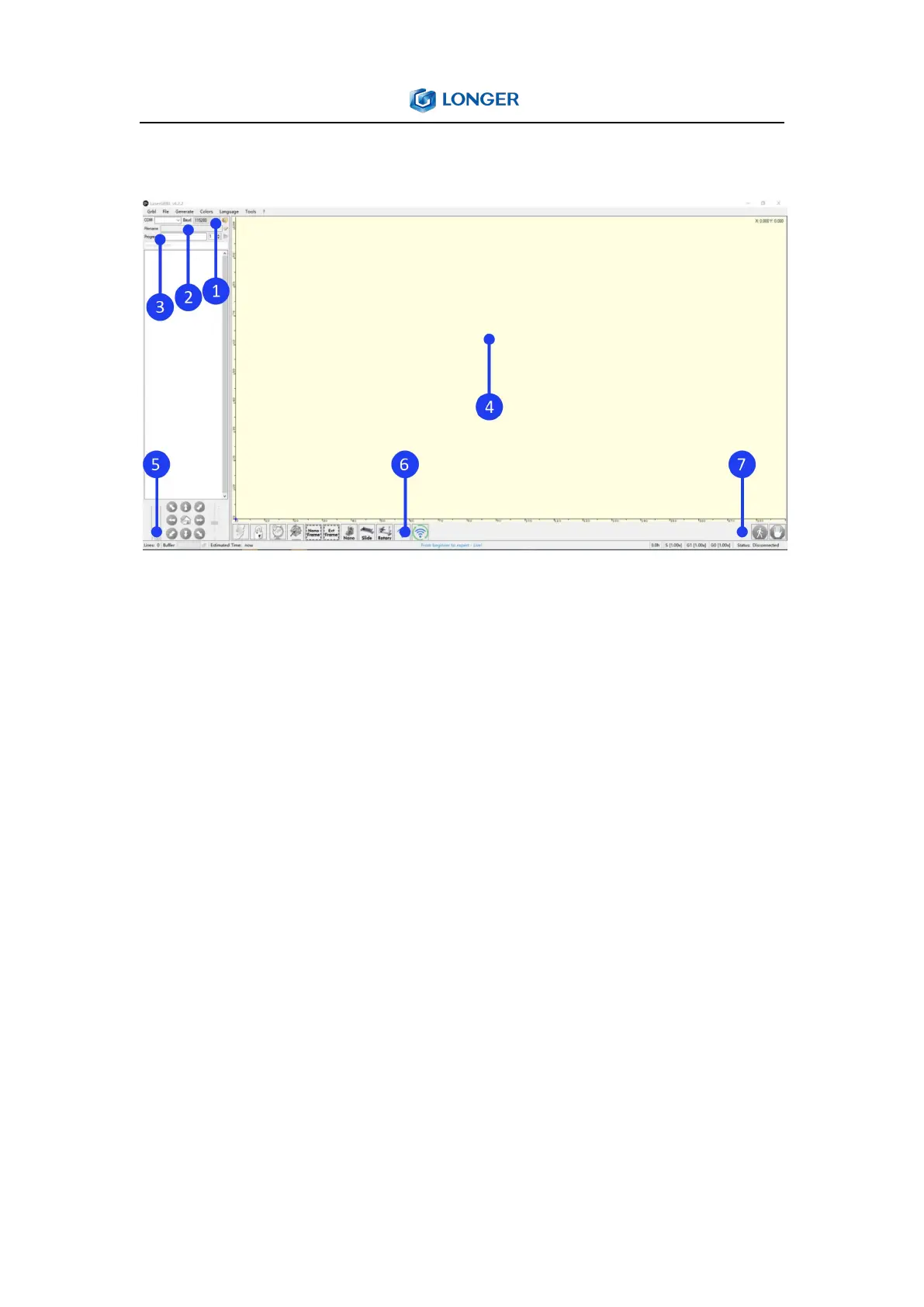
4. The main window of LaserGRBL
① Connection control: here you can select serial port and proper
baud rate for connection.
② File control: this shows loaded filename and engraving process
progress. The green “Play” button will start program execution.
③ Manual commands: it can type any G-Code line here and press
“enter”. Commands will be enqueued to command queue.
④ Engraving preview: this area show final work preview. During
engraving a small blue cross will show current laser position at
runtime.
⑤ Jogging control: allow manual positioning of the laser. The left
vertical slider control movement speed, right slider control step size.



 To Next Page