www.longer3d.com support@longer.net
2) Open the WLAN settings on your phone, search for the WIFI
starting with LongerLaser_Nano and input password 12345678 to
connect the wifi of Nano Pro. If WIFI of LongerLaser_Nano can not
be found, please long press the WIFI reset button on the back of the
Nano Pro until you can hear three buzzers to reset the WIFI, then
search the WIFI list again.
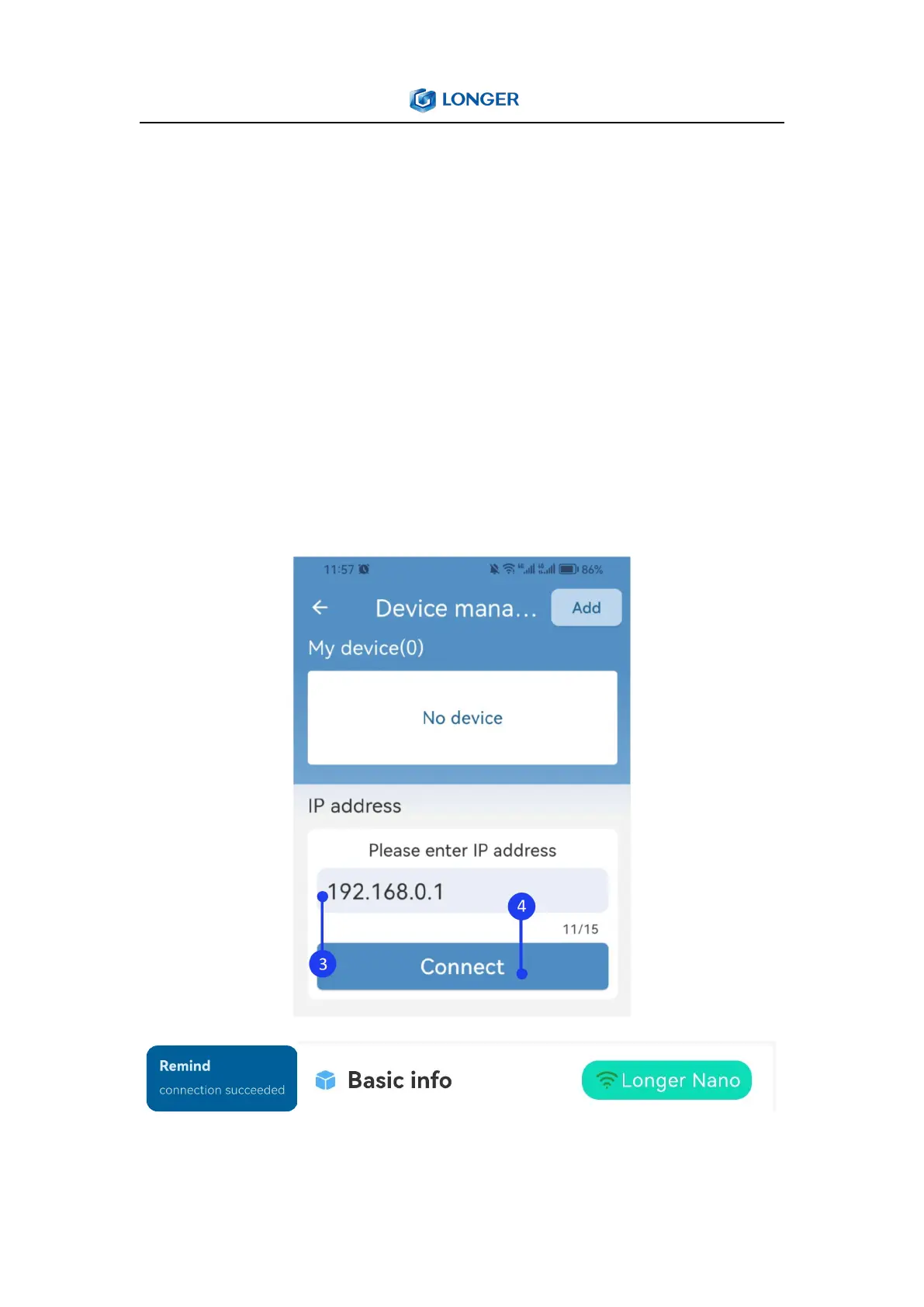
3) Enter the IP address 192.168.0.1 below, click Connect. There will
be a remind ‘connection succeeded’ when connect successful



 To Next Page