www.longer3d.com support@longer.net
2) Connect Nano to LaserGRBL by WIFI in STA mode
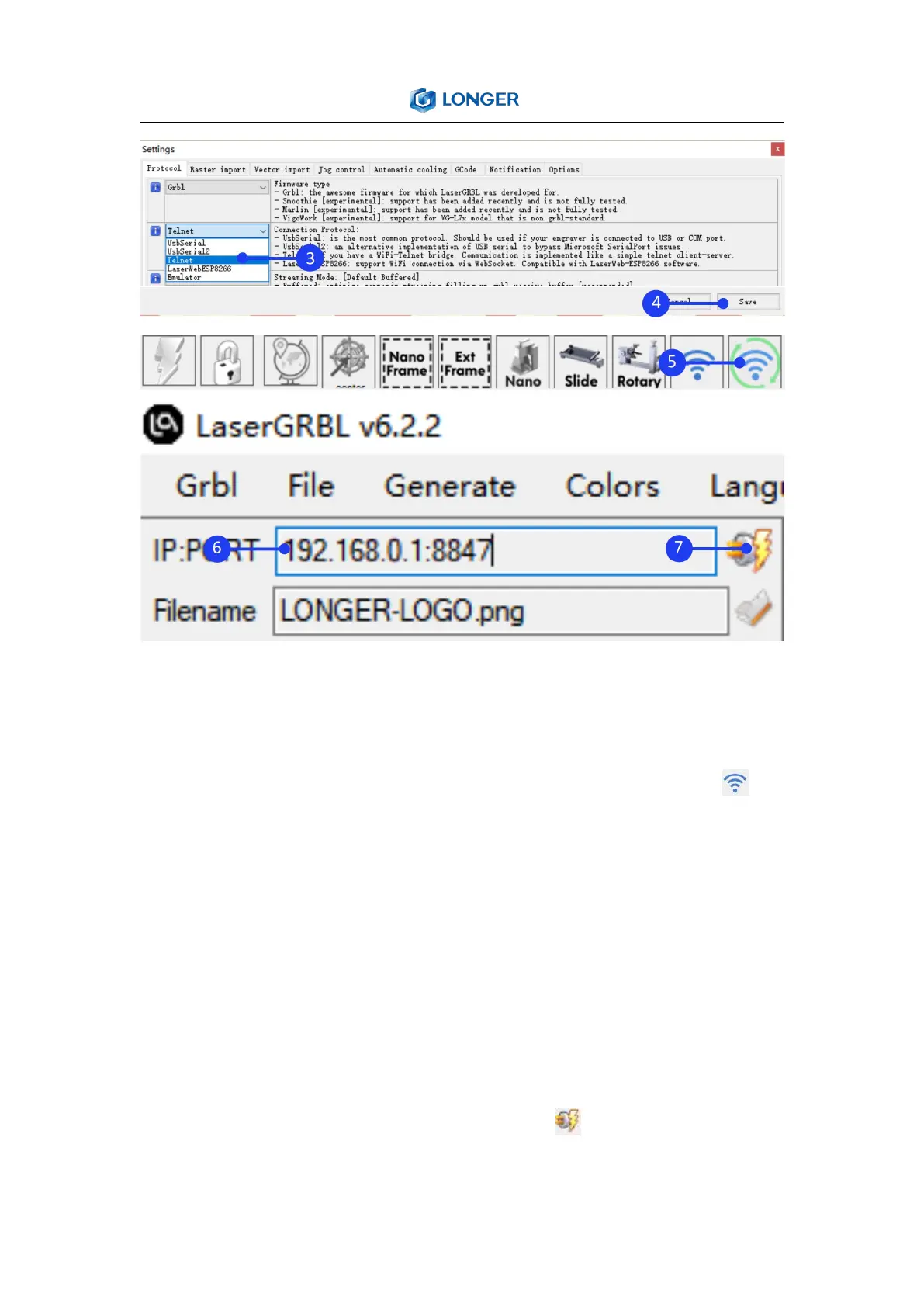
Run the LaserGRBL, click Grbl > Settings, select Telnet in the
Connection Protocol and Save, right click ‘Connect to WiFi’ in
the bottom of the window to change Your_SSID and Your_PassWord
to your WIFI account and password in $sta/ssid and $sta/password
command, click Save, left click ‘Connect to WIFI’ to change it to STA
mode. After the connection is successful, the console prompts the
the IP address. Please note that the computer network and WIFI
must be in the same LAN (local area network). Input IP and port
such as 192.168.1.68:8847 in IP:PORT, click to connect



 To Next Page