www.longer3d.com support@longer.net
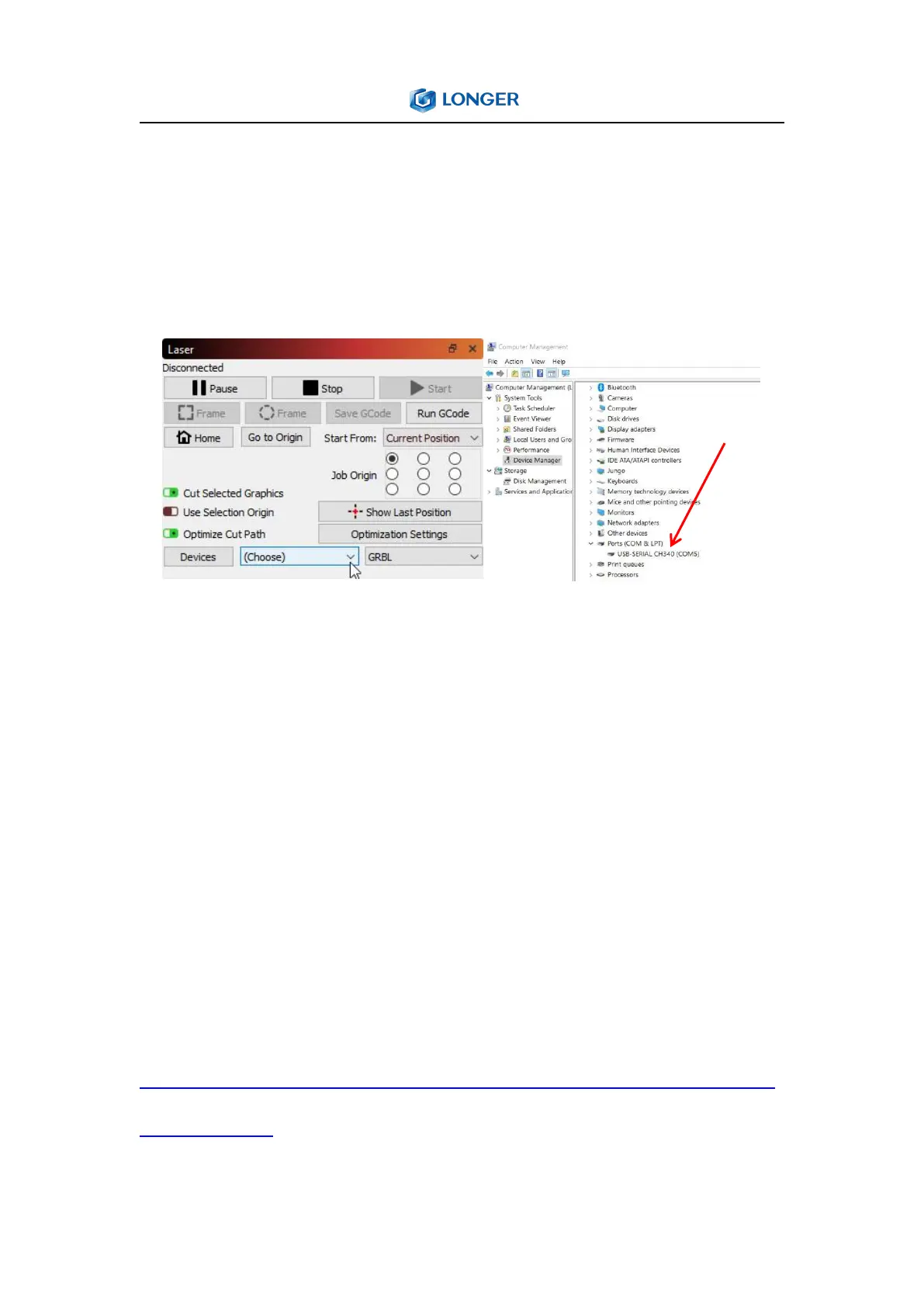
find the port corresponding to the CH340 driver, and then select
this port in the LightBurn, that is to manually choose the right port
that the engraver is connected to, by clicking where you see
'(Choose)' in the Laser Window.
For MacOS, please go to About this Mac > Overview > System
Report, select USB under Hardware, there will be USB Serial if the
driver is installed automatically, and select cu.wchusbserial14230
port in the LightBurn by clicking where you see '(Choose)' in the
Laser Window.
If no ports are listed in the drop-down, it means that no engravers
were found, which could mean that it is not plugged in correctly,
isn't powered, or the PC is missing a driver. It needs to download
CH340 driver from the link and double click it to install:
https://drive.google.com/drive/folders/1Sc-TKuez-mz--38Vp6DeL-p
GmQcQdHW4.



 To Next Page