Replacing the Hard Drive19
The system comes with a pre-installed 3.5" SATA hard drive. You can replace the hard drive with
one up to a maximum size of 10TB.
19.1 Removing the Hard Drive
CAUTION
Make sure that the system is OFF and the power adapter is disconnected before removing/installing a hard drive.
To remove the hard drive:
1. Power off the system, and unplug all cabling from the system.
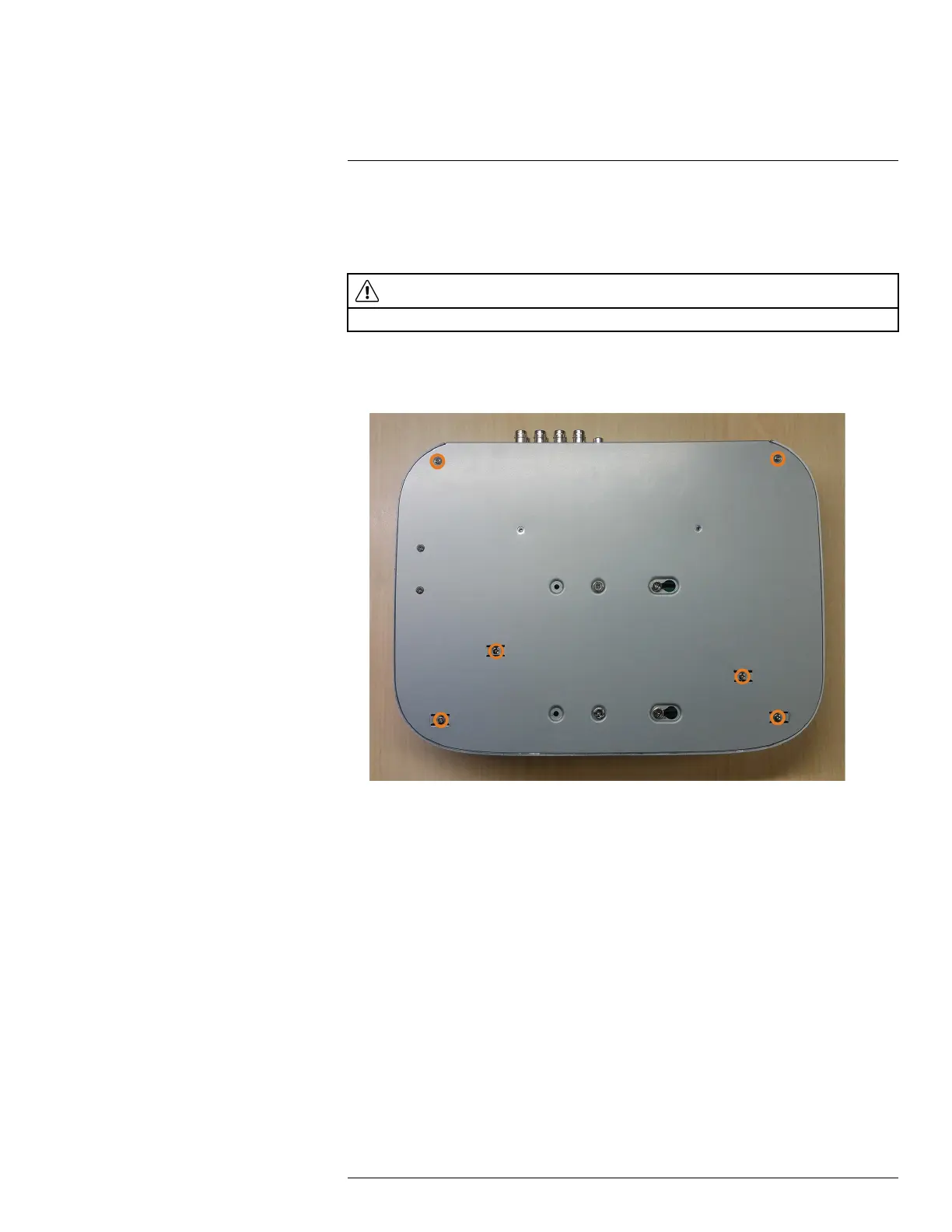
2. Turn the recorder over. Remove the bottom panel screws (6×).
#LX400111; r. 1.0/55872/56018; en-US 90



 To Next Page