EasyManua.ls Logo

Lorex LW1741 - User Manual

Lorex LW1741
212 pages
Print Icon
To Next Page IconTo Next Page
Loading...
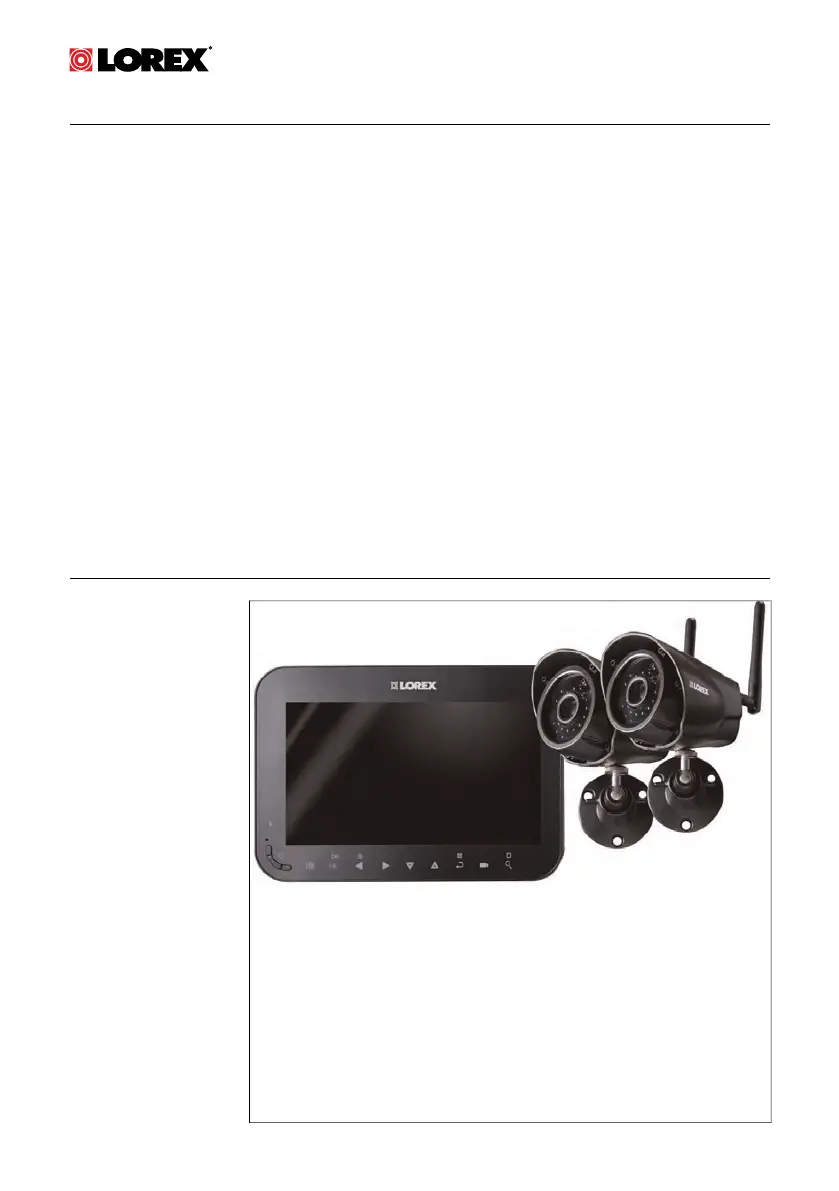
USER’S GUIDE
LW1740 / LW2740
SERIES
English / Français / Español

Table of Contents

Questions and Answers

  • M
    Michael LeeSep 10, 2025
    How to troubleshoot no picture on Lorex LW1741 Security System camera?
    • E
      Erica BarrySep 10, 2025
      If you're not getting any picture from your Lorex Security System camera, first check that the camera has power and is turned on, along with the receiver. Ensure the camera is within the receiver's range. If the receiver’s battery is dead, connect it to a power outlet using the included power adapter. Also, the camera channel might be de-activated. In this case you should activate the channel.
  • K
    Karen BairdSep 12, 2025
    What to do if the picture is dropping on Lorex LW1741?
    • J
      Jason NelsonSep 12, 2025
      If your Lorex Security System camera picture is dropping, try moving the camera closer to the receiver, repositioning the camera or receiver to improve reception, and ensuring the antenna on the receiver is raised.
  • R
    Randy HarrisSep 13, 2025
    Why is there a bright spot in image while viewing Lorex LW1741 camera at night?
    • T
      Timothy ClarkSep 14, 2025
      This bright spot in the image occurs when a Lorex Security System camera is pointed at a window at night. The night vision LEDs produce Infrared light that reflects off the glass. If you need to look outside, install the camera outdoors under shelter.
  • J
    Jennifer EvansSep 16, 2025
    How to fix no audio from Lorex Security System camera?
    • C
      Christian ThomasSep 16, 2025
      If there is no audio from your Lorex Security System camera, make sure the receiver volume is not muted and turn the receiver volume up. Ensure you are viewing your cameras in Single Channel or Auto Sequence Viewing mode, as there is no audio in Quad mode.

Summary

LW1740; LW2740 Series Features

Getting Started

Installing the Camera(s)

Installation Tips

Guidance on planning camera placement and initial checks before permanent installation.

Mounting Positions

Instructions and visual examples for mounting cameras on walls or counters.

Installing the Receiver

Setting the Time

Procedure to configure the system's date and time for accurate recording timestamps.

Camera Overview

LCD Receiver Overview

Front Panel

Detailed description of the receiver's front panel controls and indicators.

Side Panel

Description of the receiver's side panel, including power and microSD card slots.

Rear Panel

Overview of the receiver's rear panel components like antenna, battery compartment, and stand.

Using the System

Understanding the On-screen Display

Explanation of icons and information displayed on the receiver's screen during live view.

Navigating Menu Screen

Guide to navigating the system's menus for configuration and settings.

Viewing Modes

Explanation of different viewing modes: Single Channel, Auto Sequence, and Quad.

Recording

Format Memory

Instructions for formatting the microSD card before initial recording to ensure proper functionality.

Recording Mode Summary

Overview of available recording modes: Manual, Scheduled Continuous, and Scheduled Motion.

Scheduled Recording

Guide to setting up automatic continuous or motion-based recording schedules.

Motion Detection Settings

Adjusting motion detection sensitivity and defining detection areas for cameras.

Enabling File Overwrite

Setting to automatically delete oldest recordings to make space for new ones.

Playback

Video Playback

Instructions for viewing recorded video files directly on the system.

Playback Controls

Explanation of buttons and functions used during video playback.

Deleting Files

How to delete recorded video files or snapshots from the microSD card.

Viewing Video on PC

Steps to view recorded video files on a PC using a microSD card reader.

Settings

Camera Settings

How to adjust camera brightness for each camera's video feed.

Date and Time Settings

Procedure to enable/disable date/time stamps and change date/time formats.

System Configuration

Configuring power saving mode, channel activation, and scan intervals for viewing.

System Maintenance

Instructions for updating firmware and restoring default system settings.

Pairing Additional Cameras

Technical Specifications

General Specifications

Technical details for transmission, range, modulation, and environmental conditions.

Camera Specifications

Technical details for image sensor, resolution, IR range, lens, power, and dimensions.

Receiver Specifications

Technical details for LCD display, resolution, sensitivity, battery, power, and dimensions.

Dimensions

Physical dimensions of the LCD receiver and the camera with its stand.

Troubleshooting

Notices

FCC Notice

Information regarding FCC compliance and potential radio interference.

Industry Canada Notice

Information regarding Industry Canada compliance and radio interference.

Modification

Statement on user modifications and their effect on device operation authority.

RoHS

Compliance statement related to hazardous substances in electronic equipment.

Lorex LW1741 Specifications

General IconGeneral
Camera Resolution1080p
Number of Channels4
Night VisionYes
DVR Channels4
Mobile AccessYes
DVR Storage1TB

Related product manuals