8
3. Getting Started
3.3 SETTING UP THE VIDEO MONITOR
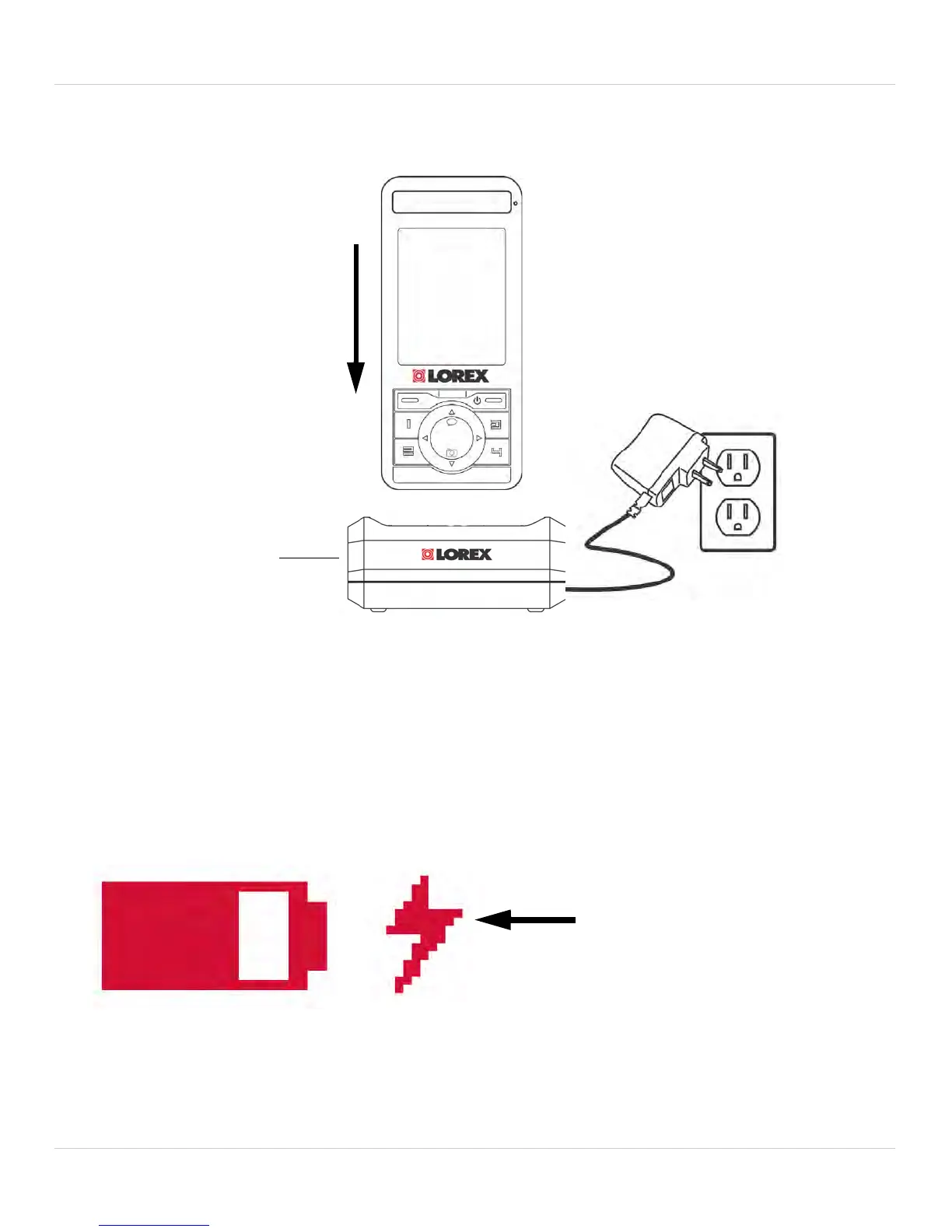
1. Plug the power adapter from the charging cradle into a power outlet.
2. Gently push the monitor into the charging cradle at a slight angle to
align the A
C adapter port on the monitor to the power jack in the
cradle.
• The battery life indicator will show a lightning bolt beside the battery
ic
on when the monitor is charging.
Tip: Charge the monitor for 6 hour
s to fully charge. The monitor can
remain on while charging.



 To Next Page