WM 67971b 09/2017
WM 100 TD and WM 100 TH EN 33
5.4 Performing a function check
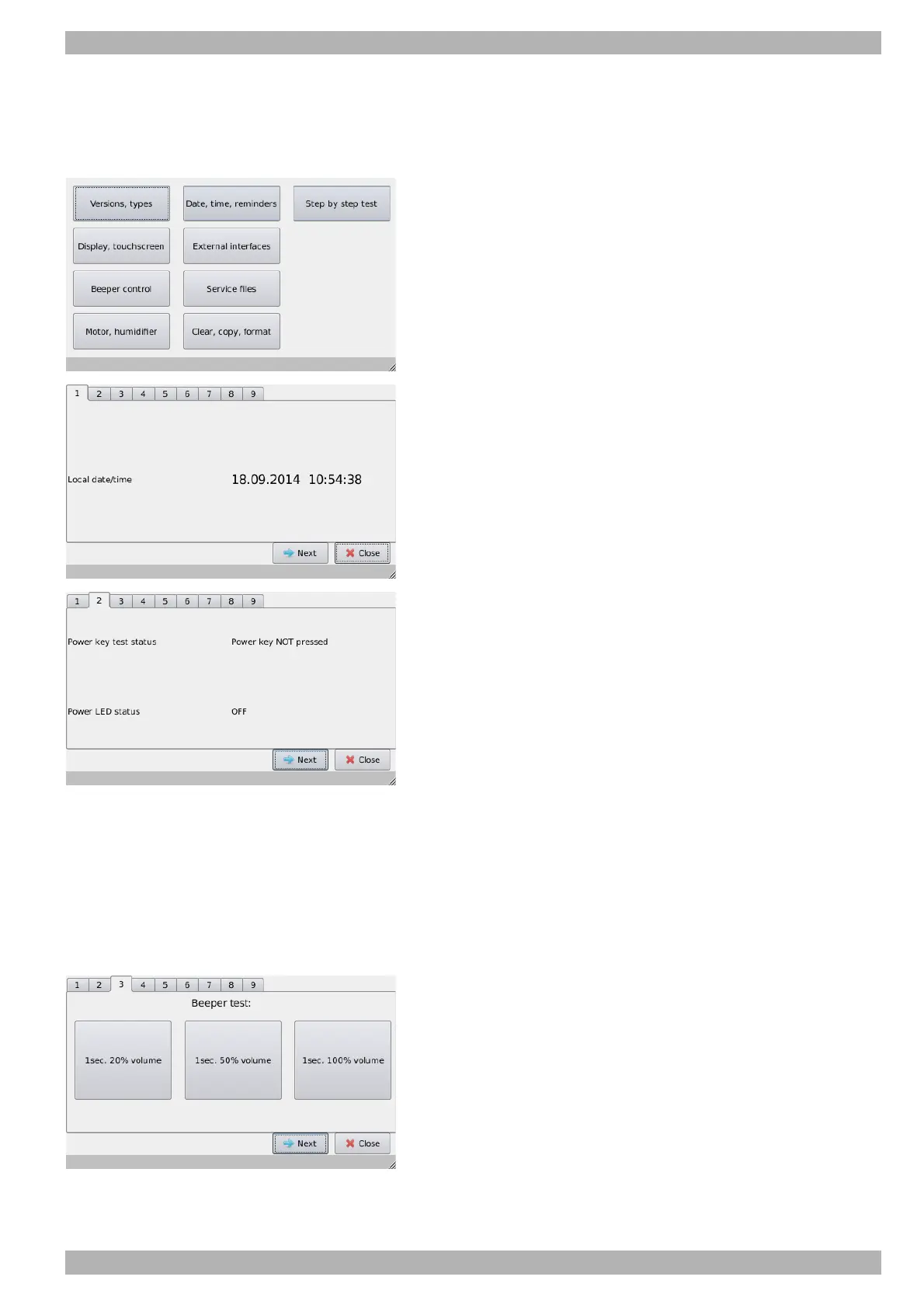
Perform the step-by-step test
1. Activate the Service mode: Connect the service connector
WM 29917 to the system interface.
The Service menu opens after approximately 5 seconds.
2. Press the Step-by-step test field.
3. Step 1: Compare the date and time with a reference clock.
Requirement:
The date and time are correct.
If not, correct them.
4. Press Next.
5. Step 2: Test the On/Off button.
Requirement:
•Display: Power key test status -> Power key NOT pressed
•Display: Power LED status -> OFF
6. Press the On/Off button.
Requirement:
•Display: Power key test status -> Power key pressed
•Display: Power LED status -> ON
• On/Off button lights up green.
7. Press Next.
8. Step 3: Check alarm beeper.
9. Press the 3 buttons for the different volume levels one after the
other.
Requirement:
Audible signals are emitted with three different volumes.
10.Press Next.


 To Next Page
 Loading...