18
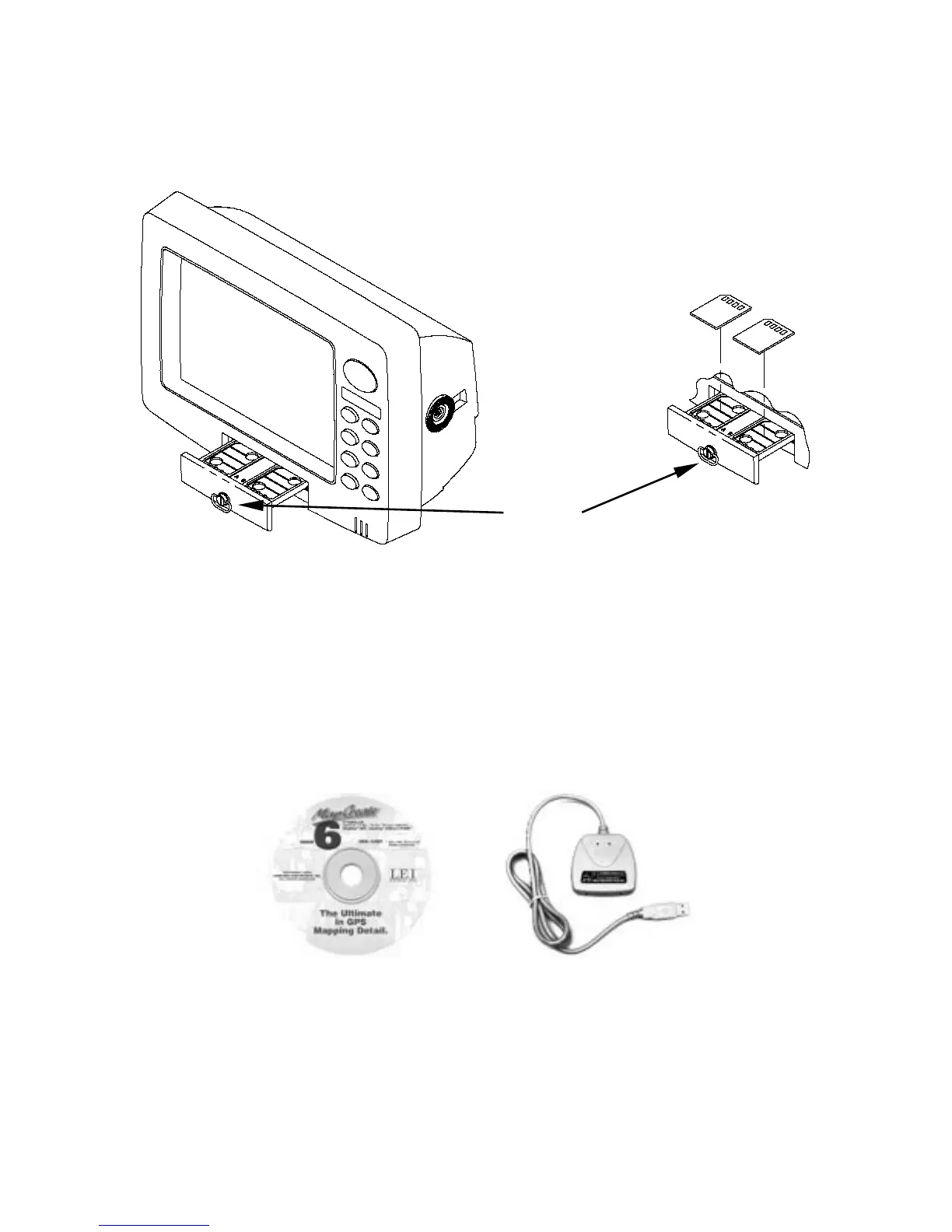
The MMC drawer is located on the front of the case. To install an
MMC, twist the drawer retainer counter-clockwise and pull. The
drawer will come out of the unit. Place the MMC in the drawer face
down (see following figures.)
Memory card drawer on the GlobalMap 6000C and GlobalMap 5000C.
Slide the drawer back into the unit and twist the retainer clockwise.
The MMC is now ready for use.
Other Accessories
MMC and MapCreate
Other available accessories include MMC cards, MMC card readers and
MapCreate™ 6 custom mapping software for your computer. MMC card
readers are available in USB and parallel port versions.
MapCreate™ 6 CD-ROM, left; MMC card reader for USB ports, right.
Insert cards face down
Drawer
retainer















 To Next Page