51
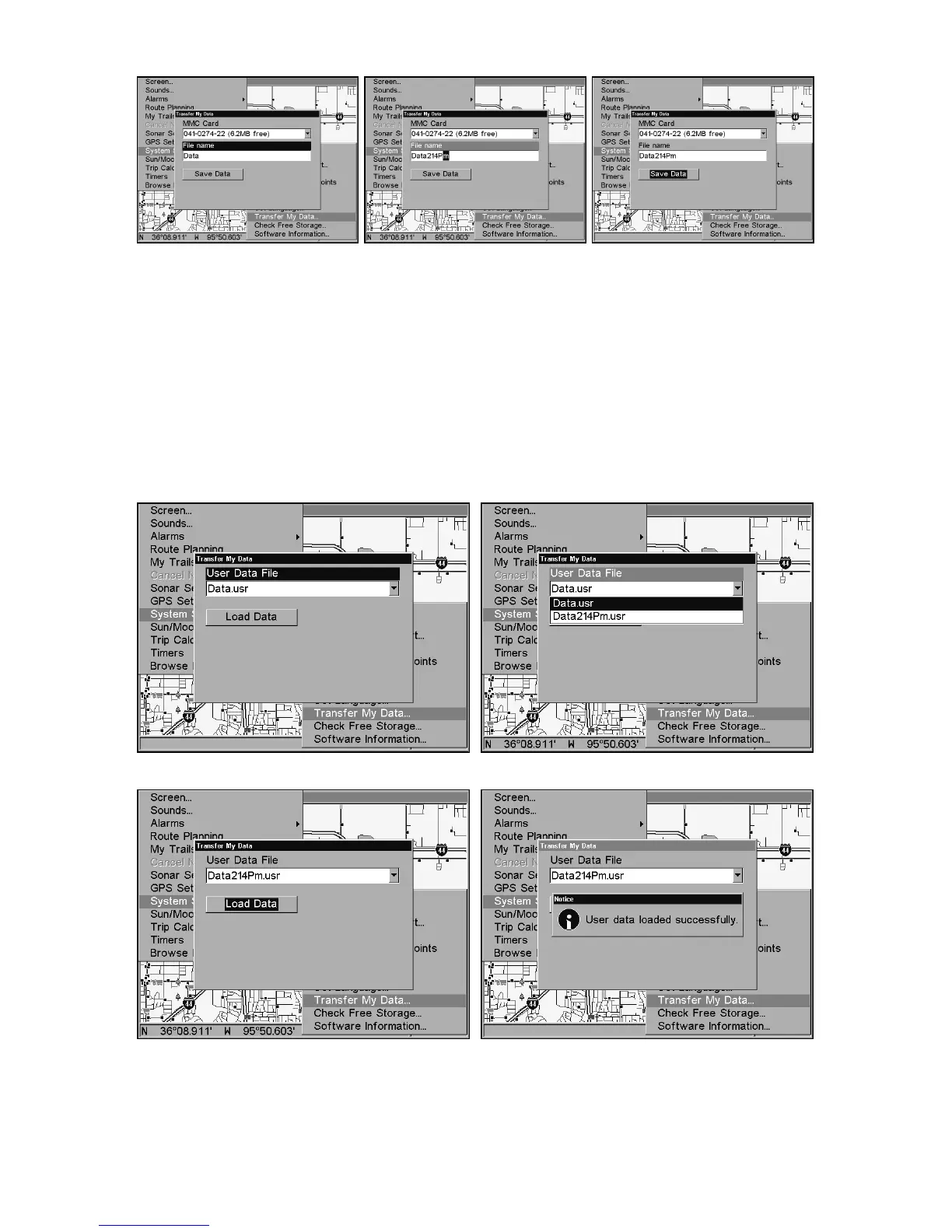
From left to right, these figures show the menu sequence for naming and
saving a GPS Data File from the GlobalMap's memory to an MMC.
4. Loading to unit memory: There may be more than one GPS Data
File (*.USR) on the card. To select a file, press
ENT
to activate the selec-
tion box, use ↓ or ↑ to highlight the file, then press
ENT
to accept the
selection. Next, press ↓ to
L
OAD
|
ENT
. The unit will display a completion
message when the data transfer is finished. To return to the Page view,
press
EXIT
|
EXIT
|
EXIT
|
EXIT
.
These figures show the menu sequence for loading a GPS Data File
from an MMC into the GlobalMap's memory.
Figure 3.
Figure 2.
Figure 1.
Figure 4.















 To Next Page