83
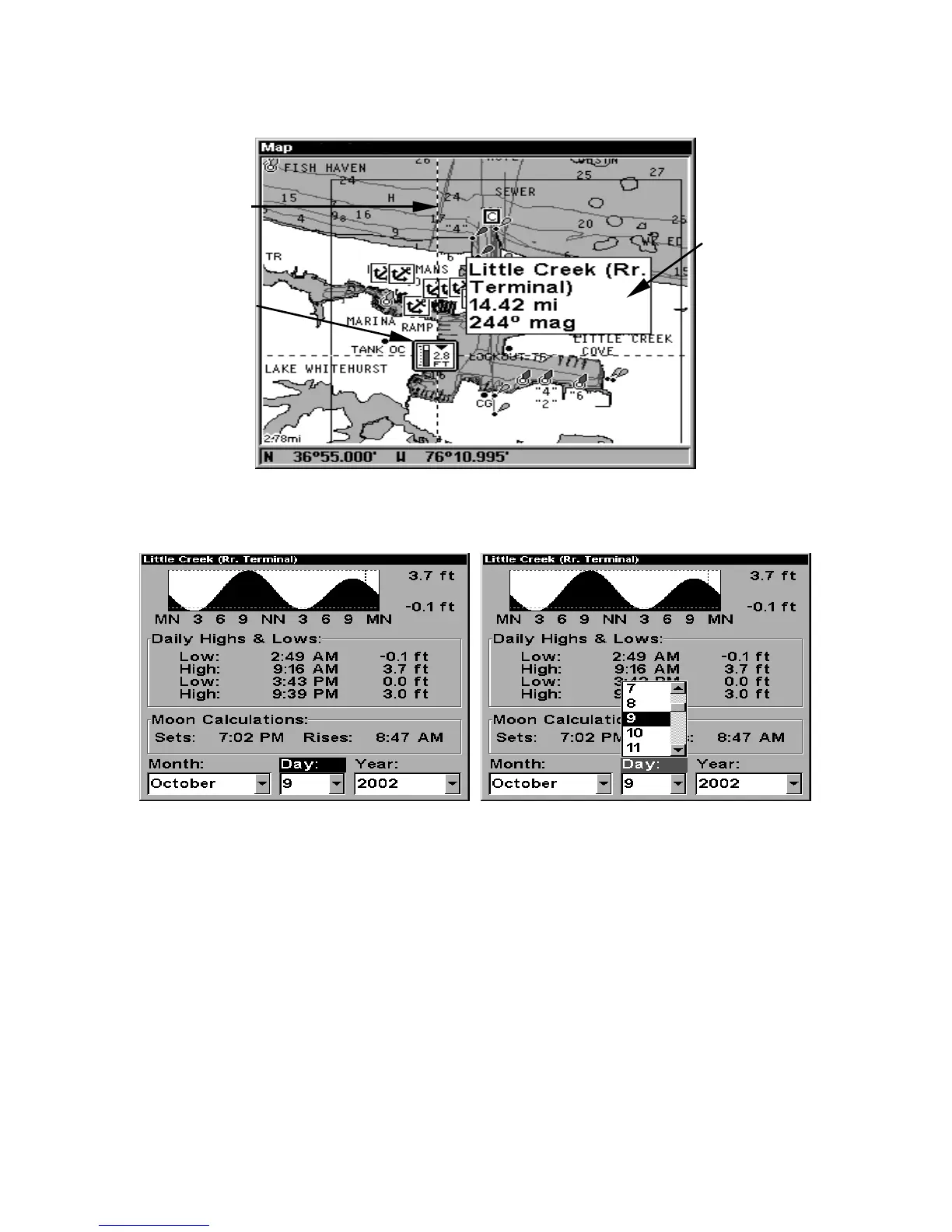
2. After selecting the Tide Station icon, press
WPT
to display the Tide
Information screen.
Navionics chart showing Tide Station icon selected by cursor.
In the example above, the tide is at 2.8 feet and falling,
as shown by the down arrow at the top of the icon.
Tide Information screen.
The Tide Information screen displays daily tidal data for this station on
this date at the present time. The graph at the top of the screen is an
approximate view of the tidal range pattern for the day, from midnight
(MN), to noon (NN) to midnight (MN). The dotted line across the graph
is the Mean Lower Low Water line (MLLW).
The height scale on the top right side of the graph changes, based upon
the maximum range of the tide for that day. The MLLW line also ad-
justs its position as the height scale changes.
You can look up tidal data for other dates by changing the month, day
and year selection boxes. To select another date:
Tide Station
icon
Cursor line
Pop-up
name box















 To Next Page