Chapter 6 High-speed Link Service
6-10
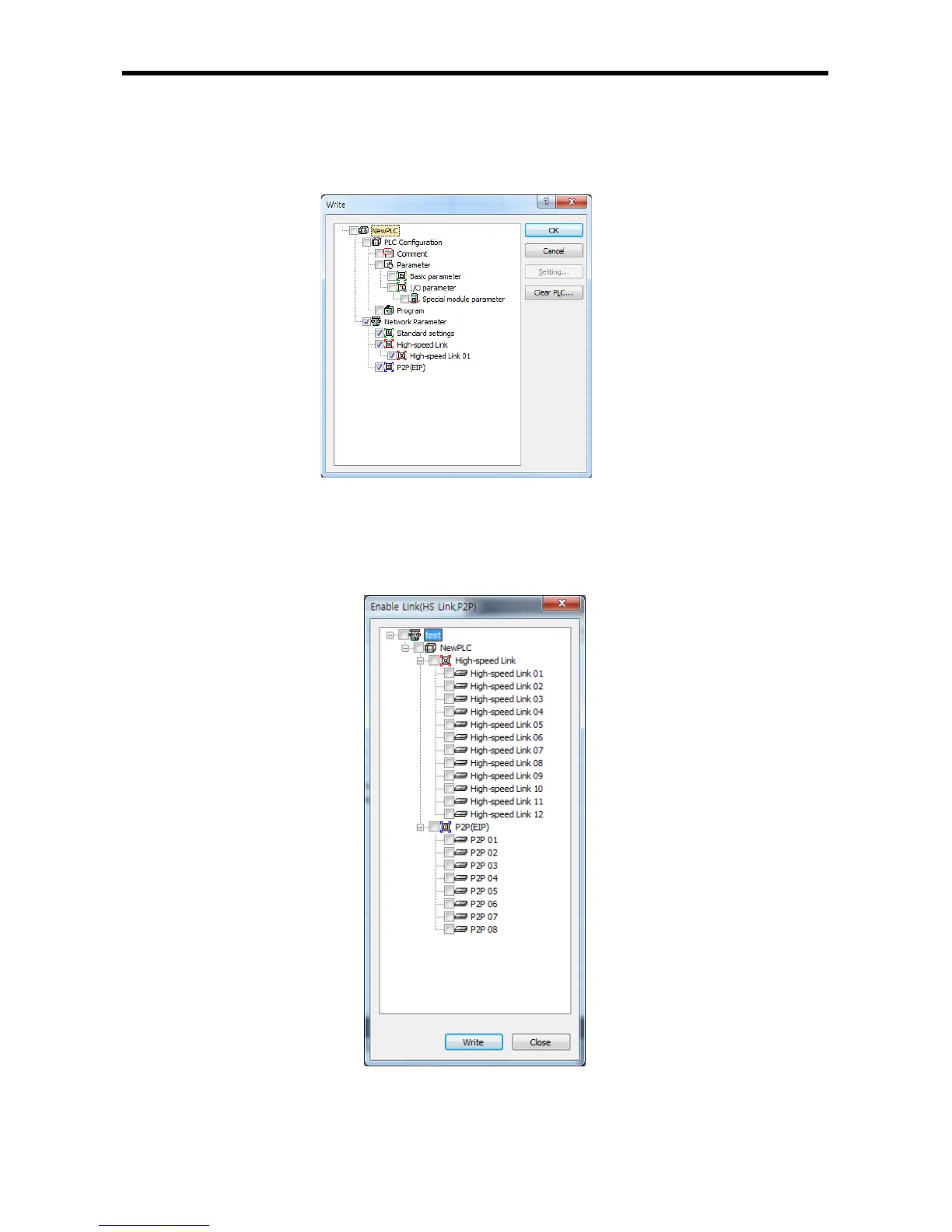
(5) Downloading High-speed link parameters.
After High-speed link parameters setting is complete, select [Online] - [Write (standard settings,
HS link, P2P)] on XG5000, check applicable High-speed link and then click [OK].
[Fig. 6.4.7] Write Parameters Screen
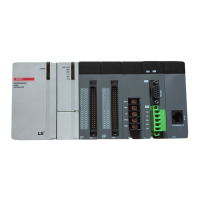
(6) High-speed link parameters enable
Select [Online] – [Communication module setting] - [Enable Link] on XG5000, check applicable
High-speed link and click [Write]. If High-speed link enabled, HS LED will be turned ON on the
module’s LED display to start High-speed link.
[Fig. 6.4.8] Link Enable Screen


 To Next Page