EasyManua.ls Logo

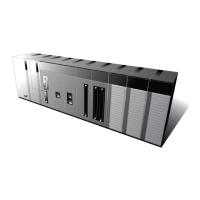
LSIS XGT Series - User Manual

LSIS XGT Series
909 pages
Print Icon
To Next Page IconTo Next Page
Loading...
Right choice for ultimate yield
LSIS strives to maximize customers' profit in gratitude of choosing us for your partner.
Programmable Logic Controller
Standalone Motion Controller
Users Manual
Read this manual carefully before
installing, wiring, operating, servicing
or inspecting this equipment.
Keep this manual within easy reach
for quick reference.
XMC-E32A
XGT Series
www.lsis.com

Table of Contents

Questions and Answers

  • R
    Robin JordanAug 12, 2025
    How to fix P2P setting error warning in LSIS XGT when connecting to XG5000?
    • A
      Alex HayesAug 12, 2025
      To resolve a P2P setting error warning during XG5000 connection, follow these steps: 1. In the Enable Link menu of XG5000, verify the P2P setting number and remove any incorrectly selected P2P numbers. 2. After disconnecting XG-PD, reconnect XG5000 and check again.
  • B
    Barbara McfarlandAug 16, 2025
    Why Tx/Rx LED of Cnet I/F doesn’t flicker after completing tough communication setting on LSIS XGT?
    • R
      Richard GriffithAug 16, 2025
      If tough communication setting is completed, Tx/Rx LED of Cnet I/F doesn’t flicker, consider the following possible causes: * If the CPU is in stop mode, connect XG5000 and check the CPU mode. If it's in stop mode, change it to RUN. * If there's a mismatch in communication standard parameters between the client and server, connect XG-PD and go to [File] – [Open from PLC]. Check the standard settings of the module acting as the client and server. * If there's an Enable Link setting error, enable the correct P2P link after executing the P2P parameter.
  • A
    Antonio HallAug 19, 2025
    Why is communication not normal or not executed repeatedly on LSIS XGT?
    • M
      Melinda RobinsonAug 19, 2025
      If, in a multi-drop configuration, more than one server sends a frame, execute 1:1 communication with the server to verify proper operation. Additionally, implement an interlock to prevent servers from sending frames simultaneously. If there is a connection error in the wiring communication line, change the cable or check the cable connection. If using RS-485 (Half duplex) and the timing of the TRX signal is not coincident, increase the delay time of both the client and server. If transmission or reception is incomplete and the next process is requested, use handshake in program thoroughly.
  • L
    Laura WelchAug 23, 2025
    What to do if frame monitor misses response frame after setting P2P parameter in LSIS Controller?
    • J
      James KingAug 25, 2025
      If the frame monitor misses the response frame after setting diverse P2P parameters in the P2P block, consider these potential causes: * If the P2P conditional flag is faster than the communication time: 1. Adjust the P2P conditional flag considering the communication time. 2. Note that communication time = transmission time + reception time. Transmission time = conditional flag + CPU Scan Time + reaction time of communication module + data transmission time. Reception time = CPU Scan Time + reaction time of communication module + data transmission time. * If the response time of the partner is slow: Increase the Delay time in the standard settings of XG-PD.
  • D
    Diane MorrisAug 27, 2025
    Why am I unable to analyze TRX frame on LSIS Controller?
    • V
      Veronica RoyAug 27, 2025
      To resolve the issue of being unable to analyze the TRX frame, consider the following potential causes: * If more than one server sends a frame, first, execute 1:1 communication with the server to ensure it functions correctly. Second, implement an interlock to prevent servers from sending frames simultaneously. * If the parity bit setting is not coincident, ensure that the parity bit settings are the same for all devices. * If the stop bit setting is not coincident, ensure that the stop bit settings are the same for all devices. * If the communication speed setting is not coincident, ensure that the communication speed settings are the same for all devices. * In the case of a multi-drop configuration, if terminal resistance is not installed, install terminal resistance.
  • L
    Lisa PerezAug 30, 2025
    What to do if there is a bus error in LSIS Control Unit?
    • H
      hcainAug 30, 2025
      If you encounter a bus error, check the cable for shorts. You may also want to check the module using a different speed.
  • R
    Ryan PerkinsSep 3, 2025
    How to troubleshoot abnormal connection status of a slave in LSIS Control Unit?
    • G
      George RobertsonSep 4, 2025
      To troubleshoot an abnormal connection status of a slave, check the connection of the slave and verify the settings of the slave.
  • A
    Annette MckinneySep 7, 2025
    Why does my LSIS XGT Controller show a system configuration error?
    • C
      Chad SpencerSep 7, 2025
      If the LSIS Controller's hardware structure defined in the software does not match the actual hardware, the system will stop. This can occur due to module type disagreement, module isolation errors, or discrepancies between the I/O mounted on the PLC and the I/O set up in the XG5000 software.

LSIS XGT Series Specifications

General IconGeneral
BrandLSIS
ModelXGT Series
CategoryController
LanguageEnglish

Related product manuals