19
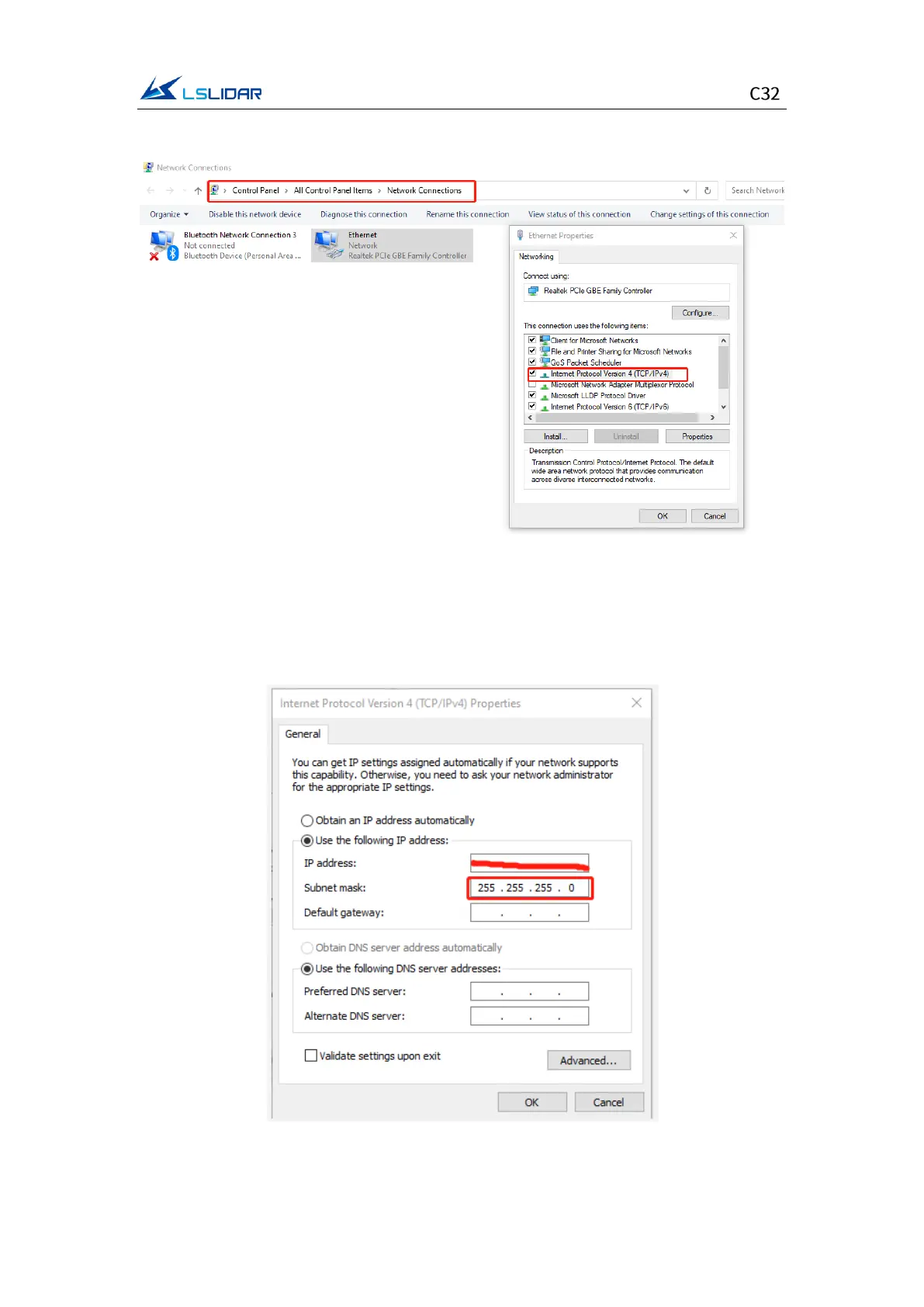
in the pop-up Ethernet properties box, as shown in the figure below.
Figure 4.4 Network Connections
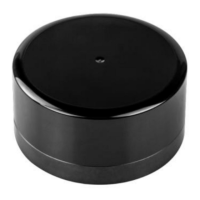
Step 3. In the TCP/IPv4 property settings, set the IP address to the lidar's
destination IP (The default destination IP of the lidar is 192.168.1.102), and the
subnet mask is set to 255.255.255.0.
Figure 4.5 IP Address and Subnet Mask Setting


 To Next Page