20
4) Since the Windows Client needs to obtain a large number of data packets
through the network in a short time, it may be considered as a malicious program
by the network firewall and be prohibited. Therefore, there may be situations in
which the data packet has been sent to the computer by the Wireshark software,
but the client cannot display it.
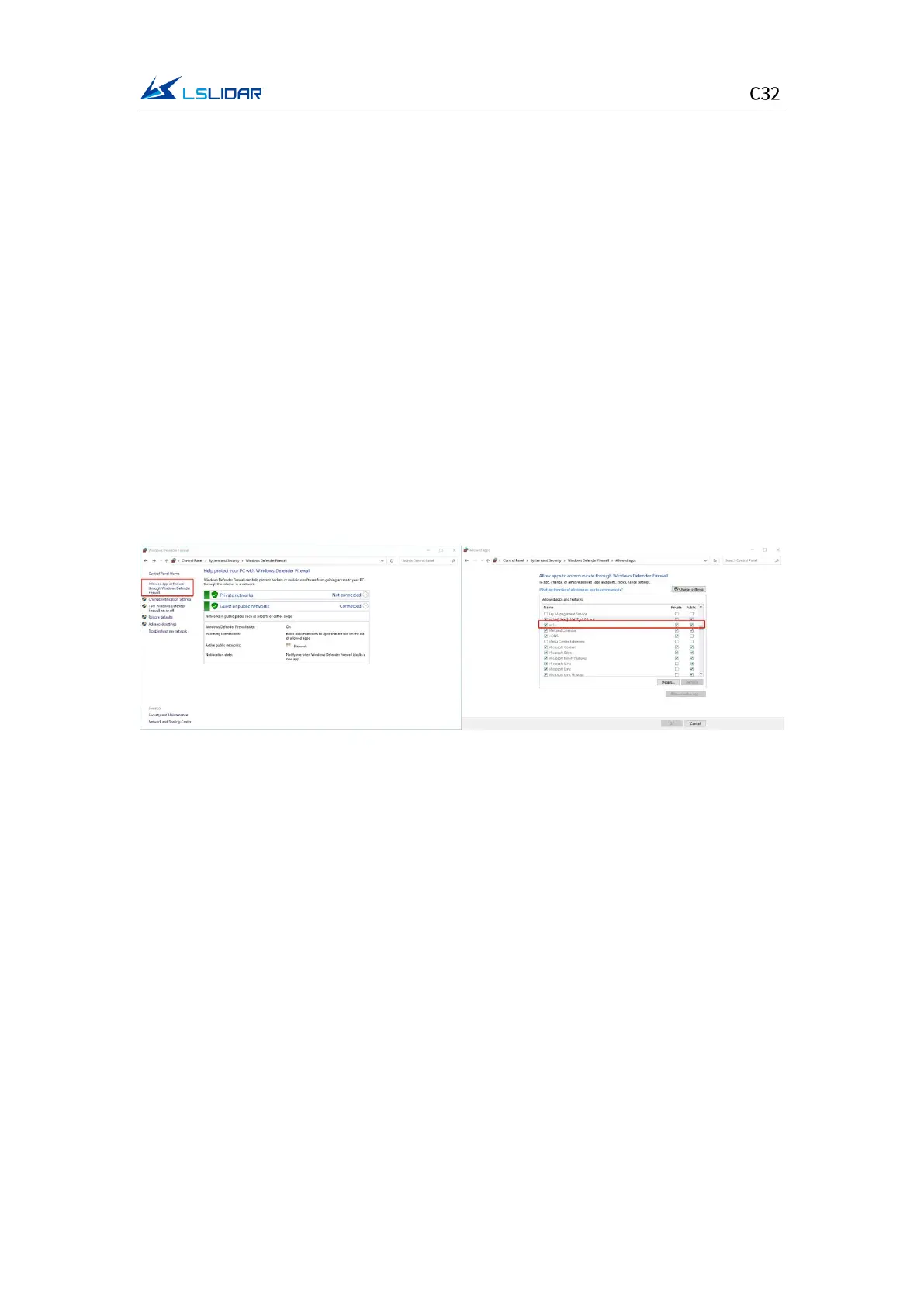
To address this problem, in Control Panel -> System and Security -> Windows
Firewall Settings, click to allow this program to pass through Windows Firewall,
setting steps are as shown in the figures below:
Step 1. In Control Panel -> System and Security -> Windows Defender Firewall,
click “Allow an app or feature through the Windows Defender Firewall”.
Step 2. Browse to find the software installation path, select it and click OK.
Step 3. Tick the part marked in the red box according to the nature of your
network, and click OK to see the data.
Figure 4.6 Windows Defender Firewall Setting
Computer graphics settings
When installing the Windows Client on a desktop or laptop with dual graphics
cards, the default global settings of the computer operating system is to use the
global settings (automatic selection: integrated graphics), which affects the
display efficiency of the software. In order to ensure the use and display
efficiency of the software, you need to manually set the computer graphics.
The condition of dual graphics cards can be checked in the computer
configuration, and the condition of the display adapter can be seen in My
Computer->Properties->Device Manager.
Take a laptop with Intel(R)HD Graphics 530 integrated graphics and NVIDIA
GeForce GTX 960 discrete graphics as an example. The setting steps to manually
switch the applicable graphics card of the software to high-performance discrete
graphics card are as follows:
Step 1. Right-click on a blank space on the desktop to pop up a right-click menu


 To Next Page