LX160
21.09.06
Page 11
8. Set-up menus
We get to the set-up menu by pressing up the MC+ and VOL+ together.
The LCD indicator will display the first set-up menu. With the MC switch we can change
between the set-up menus. Values in set-up menus can be changed with the VOL switch .
8.1. CONP (wind component)
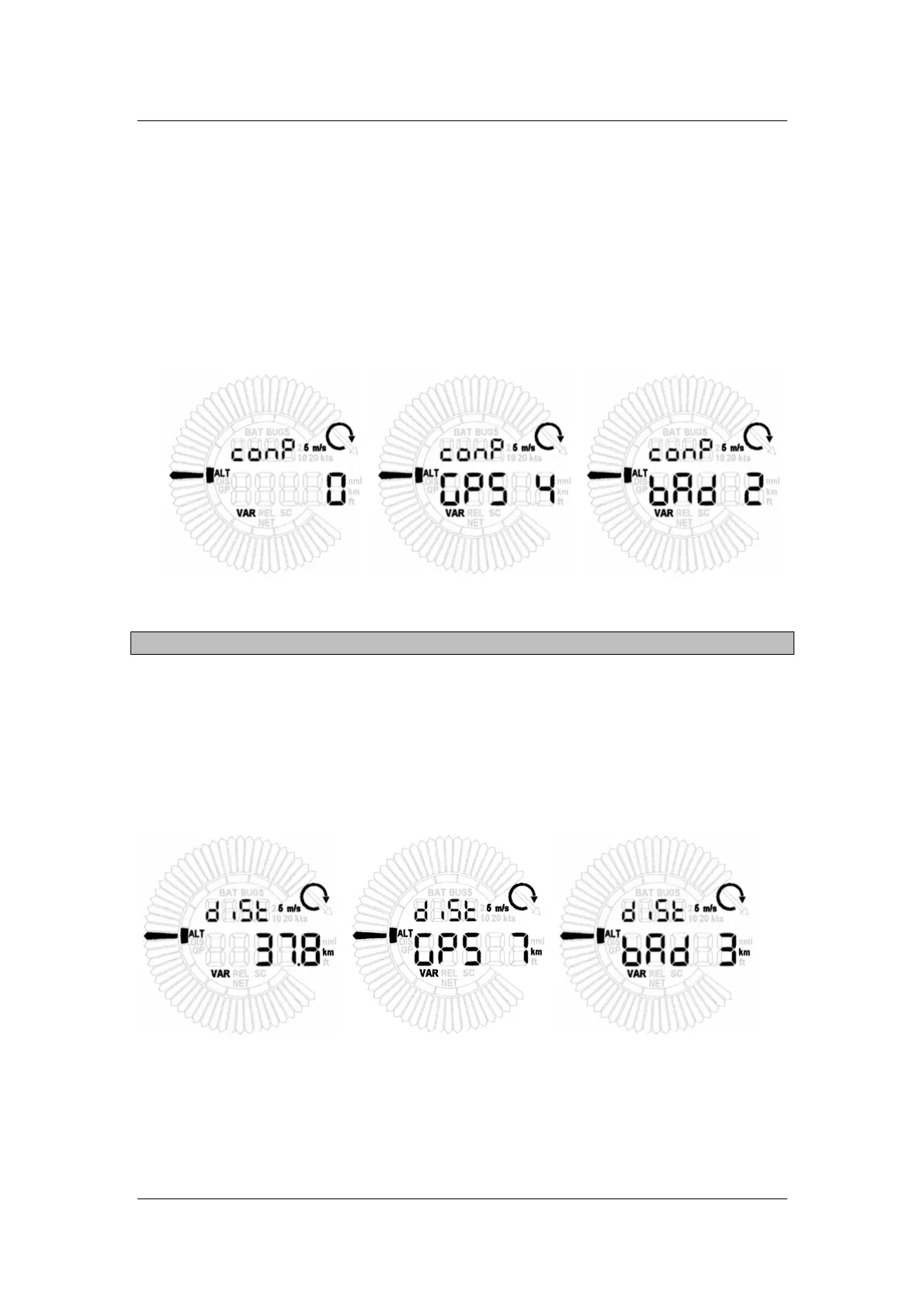
In first setting menu we are setting wind component in units which are selected in units table
Figure 8 Wind component
Wind conponent = TAS – GS
8.2. DIST (distance)
In this menu we are setting the distance to target point. With long press of VOL switch,
distance will increase/decrease for 10 units. Short press of VOL will increase/decrease the
distance for 1 unit. For GPS information, the lower number is available. Information about
GPS and distance is changed every second.
Figure 9 Distance to target point



 To Next Page