MA Lighting Technology GmbH
.
Dachdeckerstr. 16
.
D-97297 Waldbüttelbrunn
.
Fax: +49 931 4979429
.
www.malighting.de
1212
1212
12
Chaser Operation
Chaser Programming
Chaser Playback
Modify Chaser (Edit and insert steps)
Blind Programming
Chase to Memory (Transferring a Chase to a Manual Master)
Preview Chase to Memory (Modify)
Programming Chaser Steps
Preset as Step (Level Chaser)
• Press Chase Programming and select a Chaser program
number with the Encoder wheel, e.g. No. 10.
• Press LEVEL to proceed with Level Chase Programming.
Î Channel levels appear on the LED´s (master independent).
• Adjust channels to prepare for a step and save with ENTER.
(In Blind mode only Preset levels are stored).
In the following menu the desired FADE time is set. This time is
only relevant while the THEATRE MODE is active (see p. 21).
The value for new steps is 0.00 seconds. Confirming this value
by CONT.
DELETE removes one Chase Step.
• Turn the Encoder wheel and see the steps appearing on the
LED´s.
• Use Shift+Live buttons. The steps appears at the output.
Î Programming in Live Mode enables the entire output to be
recorded as a step (Preset and Memories etc.).
• With Quit the desk returns to Top-Menu.
•
Memories as Step (Memory Chaser)
• Press Chase Programming and turn the Encoder wheel to select
a Chaser Program Number e.g. No. O5.
• Press MEMORY and select a memory with Memory Flash but
tons.
Î Press ENTER to record this Memory as a step;
In the following menu the desired FADE time is set. This time is
only relevant while the THEATRE MODE is active (see p. 21).
The value for new steps is 0.00 seconds. Confirming this value
by CONT.
Î Turn the Encoder wheel to view the steps appearing on the
LED´s.
DELETE removes one Memory step.
• While Shift+Live is selected, you can view steps on Stage.
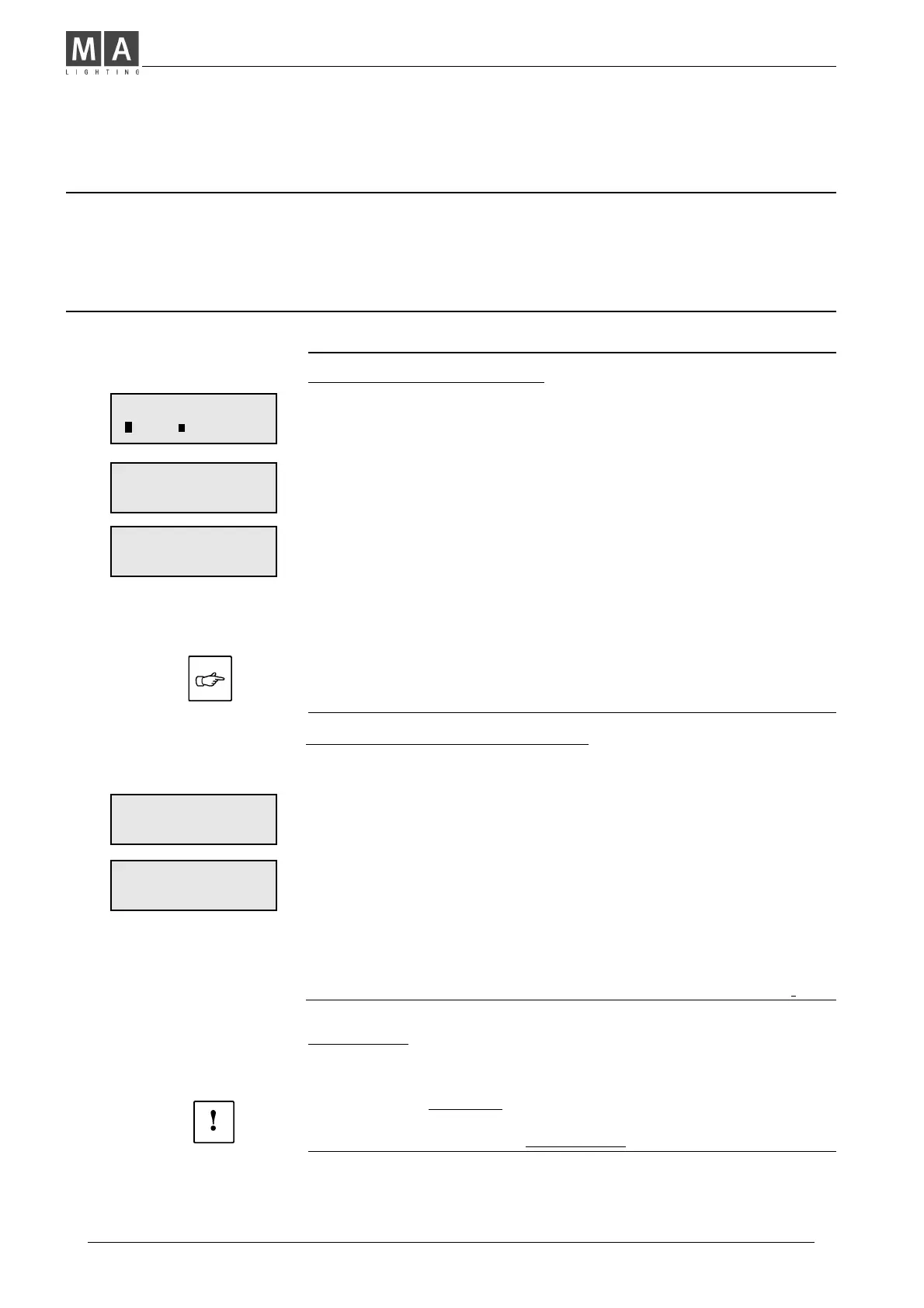
CHASE NO. 1O (OO)
LEVEL MEMORY
STEP: O1
ENTER DELETE
FADETIME: 0.00S
CONT
•
STEP: O1 MEM: 11/5
ENTER DELETE
FADETIME: 0.00S
CONT
Chaser Type
ÎLEVEL or MEMORY show which Chaser type
has been programmed within the selected number.
• Press the unmarked Soft Key:
A menu asks: NEW CHASER?
Î If YES is selected, the entire Chaser will be deleted!
Dipless Crossfade p. 11
Theatre Mode p. 21



 To Next Page