MA Lighting Technology GmbH
.
Dachdeckerstr. 16
.
D-97297 Waldbüttelbrunn
.
Fax: +49 931 4979429
.
www.malighting.de
2020
2020
20
Overview:
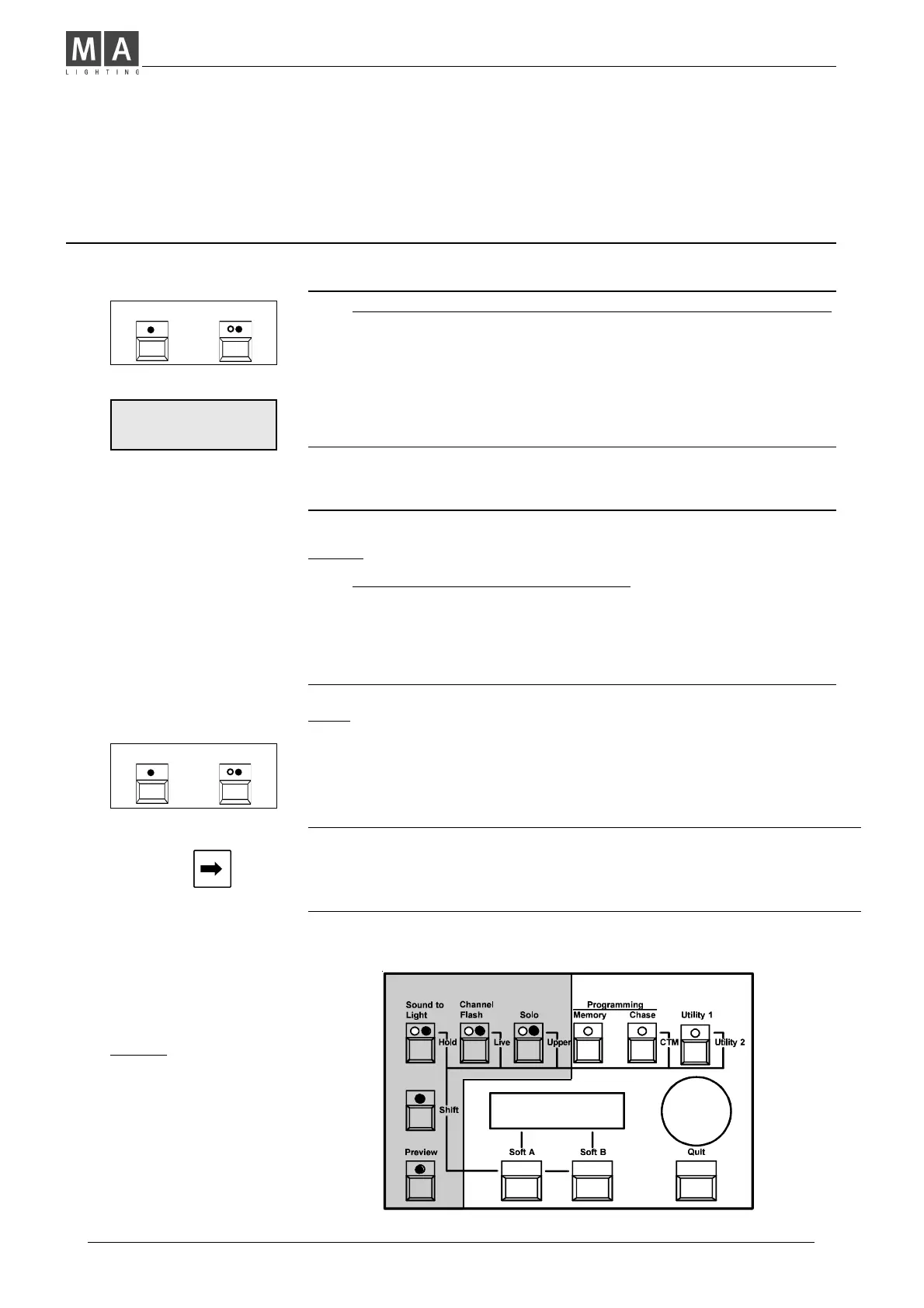
Shift Functions
while Playback.
Shift Operation while Playback:
Output Freeze Function (Hold)
Live / Blind Operation; the difference (Live / Blind Operation)
Wide Mode; 24 Channel Operation (Upper Channels)
Live / Blind Operation
BLIND:
• NOTE: Blind is the Standard setting.
Î Previewed Memories, auto-previewed Chases and Chases
being selected while programming, will be indicated
ON LED´s exclusively.
• This enables discrete Editing and Modifying, even during
the show takes place, without any affect on the outputs.
LIVE:
Î Previewed Memories, auto-previewed Chases and Chases
being selected while programming, will appear
ON STAGE.
Note:Only the selected program remains visible,
if the Main Master is set to zero.
Î Note:Preview auto selects Blind Operation.
Turn on Live afterward selecting preview to see
the memory store live on stage.
SHIFT HOLD
+
SET MAIN TO ZERO
CANCEL
Freezing the Output (Hold)
You want to set up an entirely different setting on desk, discretely?
• Press Shift + Hold buttons.
Î The desk´s output is frozen, now. Any action will not affect outputs.
You may prepare each new setting, discretely.
• Sudden Release: Press CANCEL to skip to the new setting.
• Crossfading to a new setting: Set Main Master to Zero and
push it back to Full again.
Î Hold is auto-released, when Main is set to full.
SHIFT LIVE
+



 To Next Page