Lightcommander Lightcommander
Lightcommander Lightcommander
Lightcommander
11
11
1
2/22/2
2/22/2
2/2
eMail: info@malighting.de
.
Tel.: +49 931 497940
.
User's Manual Lightcommander 12/2
1313
1313
13
Chaser Playback
Auto-Speed Chase (Run Mode)
Î Turn Insert and Manual OFF.
• Select Run (briefly press Sound / Run button two times).
The Step button LED flashes with preset Speed.
• Set up Chaser Master and set Speed with Speed fader.
If required, set X-Fade time with the Crossfader.
Î Press and hold Number and select a Chaser program,
e.g. Chaser No. 1O.
• Auto Preview: The Chaser is indicated on the LED´s.
The output will not be affected.
Î To START and output the Chaser, release button.
• To Restart the Chaser, briefly hit the Number button.
Î Stopping a Chase:
1. Set Chaser Master to zero (Chaser continues), or....
2. Start a Chase without programmed Steps (idling Chaser).
(Chaser stops; Number LED remain off).
• Select Sound Mode to achieve a Bass Step Chase (Sound In).
CHASE NO: 10 (22)
TYPE : LEVEL
Number
Hold button: Previews Chaser
Release button: Starts Chaser
Shift + Number starts
previous Chaser program.
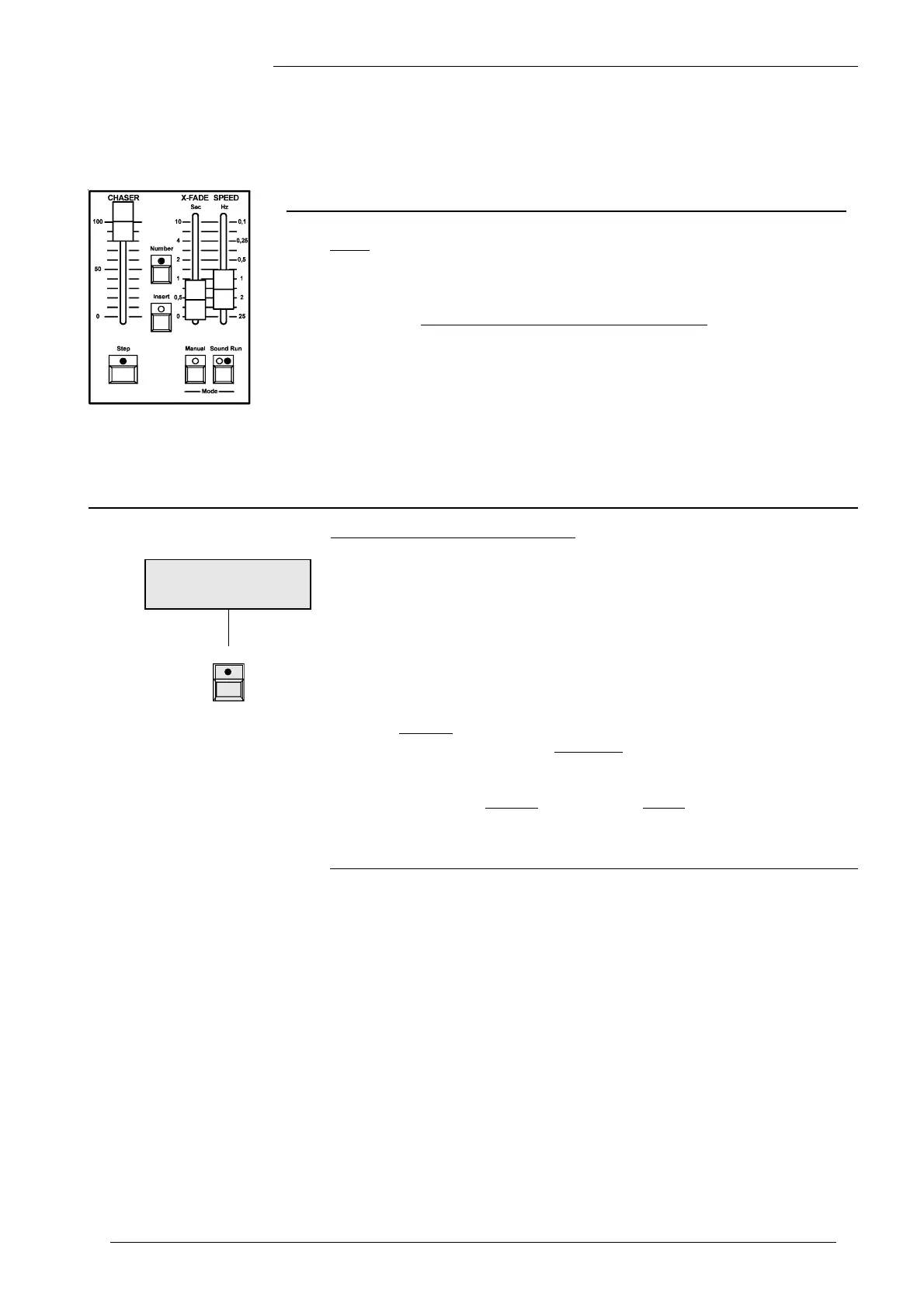
The Chaser Section
Number: Selection and Preview Chaser (hold button).
Î Note: A Chaser with at least one step, will cause the LED
to light, if the Chaser Master is set above 5% level.
Step: LED flashes according to the trigger (Step, Speed, Sound).
Run Mode: The drawing shows Standard Settings:
Brightness, Fade and Speed are set individually.
Sound Mode: Bass Step Chase.
Manual Mode: Manual Fade between Steps.
Insert: Crossfade between Steps and Insert Memories achievable.



 To Next Page