MA Lighting Technology GmbH
.
Dachdeckerstr. 16
.
D-97297 Waldbüttelbrunn
.
Fax: +49 931 4979429
.
www.malighting.de
88
88
8
Preset Operation
Flash button operation
Preset operation
Using Presets only
Fading between Scenes
Channel Flash
Solo Flash
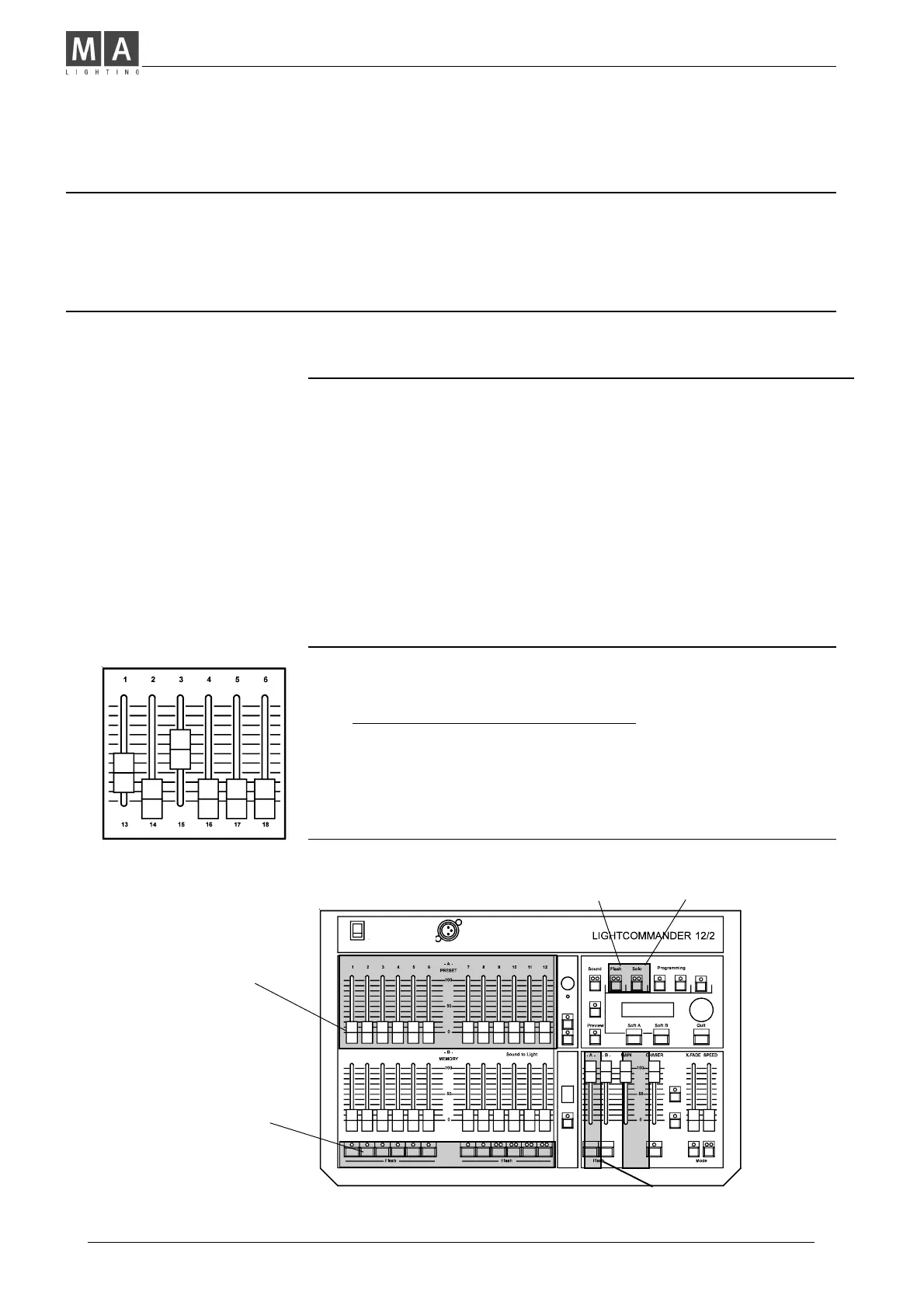
Operating Preset-A-
• Set Main Master and Preset-A-Master to full.
• Adjust individual channels on the preset.
Î You can see the output level on stage;
The LED´s indicate the brightness of the channels.
• You may fade-in and fade-out a scene, using the Preset-A-
Master, or just prepare a new scene and than fade-in.
• Now test the Channel Flash and Solo Flash functions.
Using Flash Buttons
Memory Flash and Solo:
While pressed, individual Memories are added to the current output.
When SOLO is selected, Memory flash swaps the output to the
selected Memory.
Channel Flash and Solo:
If Channel flash is preselected, flash adds individual channels to the
output. When SOLO is selected, Channel flash swaps the output to the
actual flashed channel, only.
Master-A-Flash sets Preset-A- to the level of the Main master.
Master-B-Flash sets all Memory masters to the level of the
Main master.
Main Master sets maximum
level of Flash buttons.
While programming, the Flash
buttons select a channel or
a Memory number.
Preset A
Masters
Channel Flash Solo
Flash buttons



 To Next Page