MA Lighting Technology GmbH
.
Dachdeckerstr. 16
.
D-97297 Waldbüttelbrunn
.
Fax: +49 931 4979429
.
www.malighting.de
1616
1616
16
Advanced Chaser Operation:
Preview Chase to Memory
• Turn Preview on and press Memory Flash Button.
The Chaser appears on the LED´s.
• Speed may now be set directly via the Encoder wheel.
(Single handed operation).
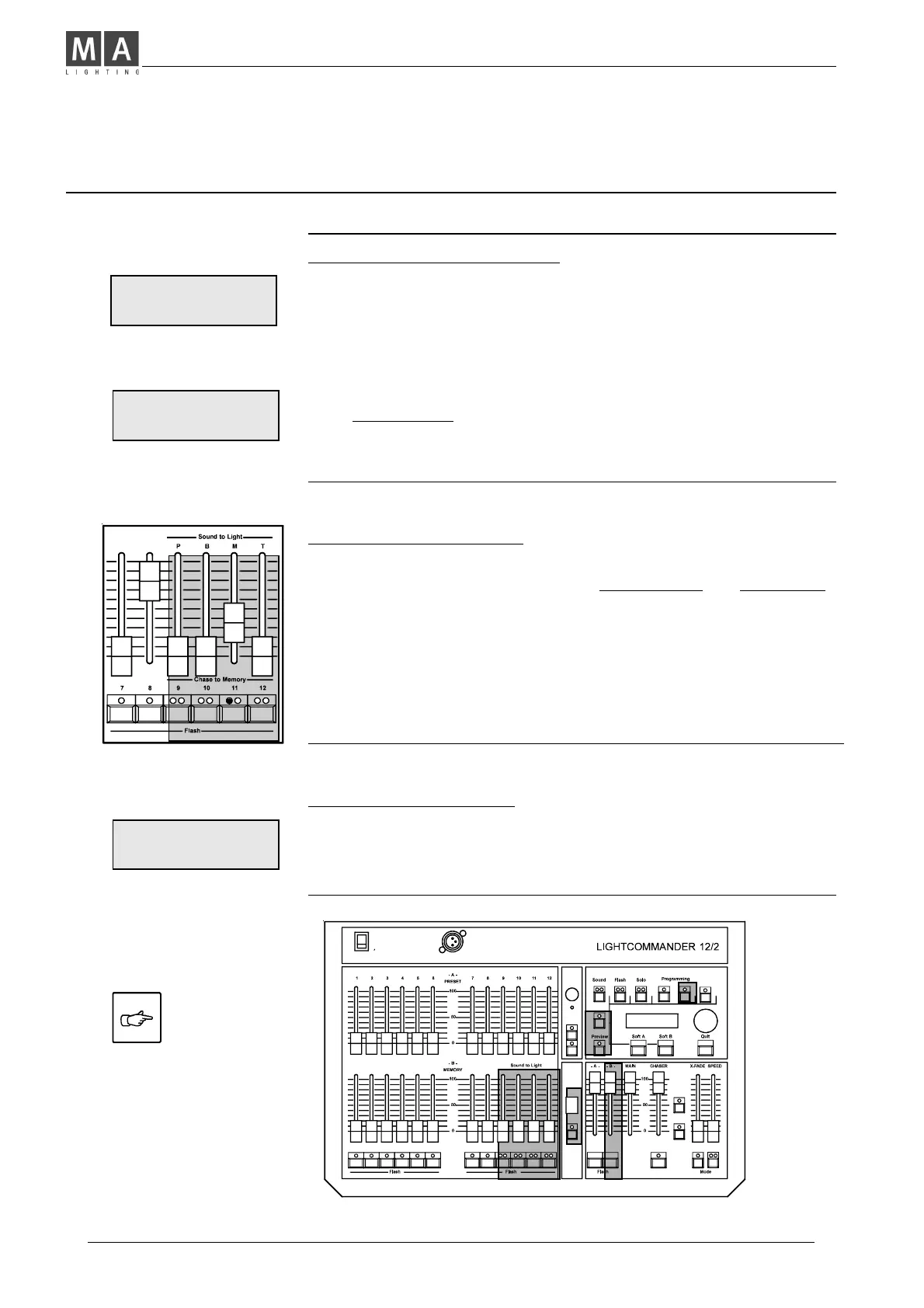
Transferring a Chase to a Memory Master (CTM)
Programming Chase to Memory
• Use Shift + CTM buttons and select a Memory
(Flash button with red and yellow LED´s)
• Use Encoder wheel to select a Chaser program.
Î The Chaser appears to be indicated on LED´s:
Watch this Auto Preview, to ensure the right Chase selection.
Î Auto Preview will not affect the output.
• Set Speed, using LEARN to step ahead at the required rate,
or, hold down LEARN and adjust speed via Encoder wheel.
Î Press Quit to store setup.
The yellow LED flashes according to the preset rate.
(If Sound is selected, according to Bass Rhythm).
Chase to Memory Playback
• Push up the assigned Memory Master to fade in the Chaser.
You may use the Flash button, if Channel Flash and Insert Mode
are selected to be OFF.
Î Pushing Flash, or setting up the fader from zero, will cause
a Restart of the Chaser in the Memory.
Î On each page, 4 Chases with different speeds may be programmed.
Including a Chase in the Chaser section, altogether five Chasers
are allowed to be run simultaneously.
1O/6 CHASE: 10
LEARN 1.OOS BASS
1O/ 2 NO O2 O.25S
LEARN BASS
Note: If Shift+Live buttons
are used, the chaser appears
at the output.
CHASE TO MEMORY
> SELECT MEMORY <



 To Next Page