Lightcommander Lightcommander
Lightcommander Lightcommander
Lightcommander
11
11
1
2/22/2
2/22/2
2/2
eMail: info@malighting.de
.
Tel.: +49 931 497940
.
User's Manual Lightcommander 12/2
1717
1717
17
General Functions
Sound to Light
Remote Step
Switch Channels (Specials)
Store Programs to Card (Backup)
Overview of Shift Operation
Freeze Output (Hold)
Live / Blind Operation
24 Channel Operation (Upper Channels)
Theatre Mode
Sound to Light
Introduction
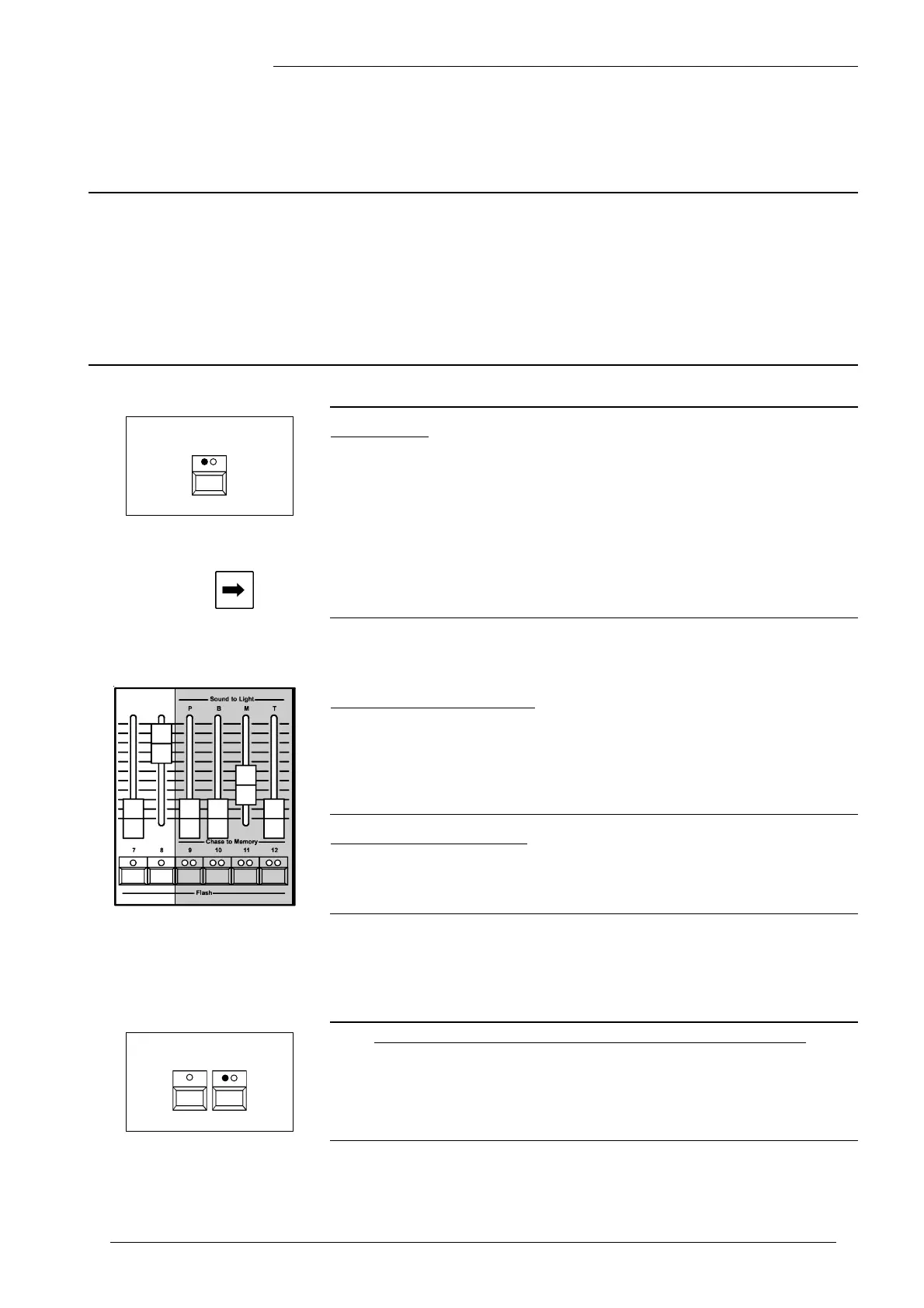
• Within the Sound to Light mode, the levels of Memories 9-12 are
controlled by the audio input (Sound In).
Signal input will be split into three frequency ranges;
• -B- ; -M- ; -T- ; Bass, Mid and Treble are controlling the
associated Memories, depending on input volume.
• -P- = Pause; this Memory is inverse proportional to input volume.
(I.e. audio off causes the memory to be on)
Î The Memory Masters set maximum output of audio triggered Cues.
(100% when set to mid position)
Remote Step / GO
• Use Number to load a Chase into the Chaser (RUN OFF).
• Insert a Foot switch into the Remote Step input.
Î The Chaser jumps one step ahead, each time the contact
is closed. Simultaneous Sound Steps possible.
(Compare with page 13, "Chaser Playback").
Operating Sound to Light
• Feed Sound IN socket with an audio input.
Turn Sound control up, until the LED flashes with Bass Rhythm.
Î Turn Sound to Light on and set the four Sound to Light Memories
to neutral position.
Observe playback and readjust brightness, if required.
Prompt Program Change
• Press Page briefly.
Î This four Memories achieve a sudden change of page.
(There is no need to set Faders to zero, beforehand)
Sound to
Light
Mode
Manual Sound Step



 To Next Page