Lightcommander Lightcommander
Lightcommander Lightcommander
Lightcommander
11
11
1
2/22/2
2/22/2
2/2
eMail: info@malighting.de
.
Tel.: +49 931 497940
.
User's Manual Lightcommander 12/2
99
99
9
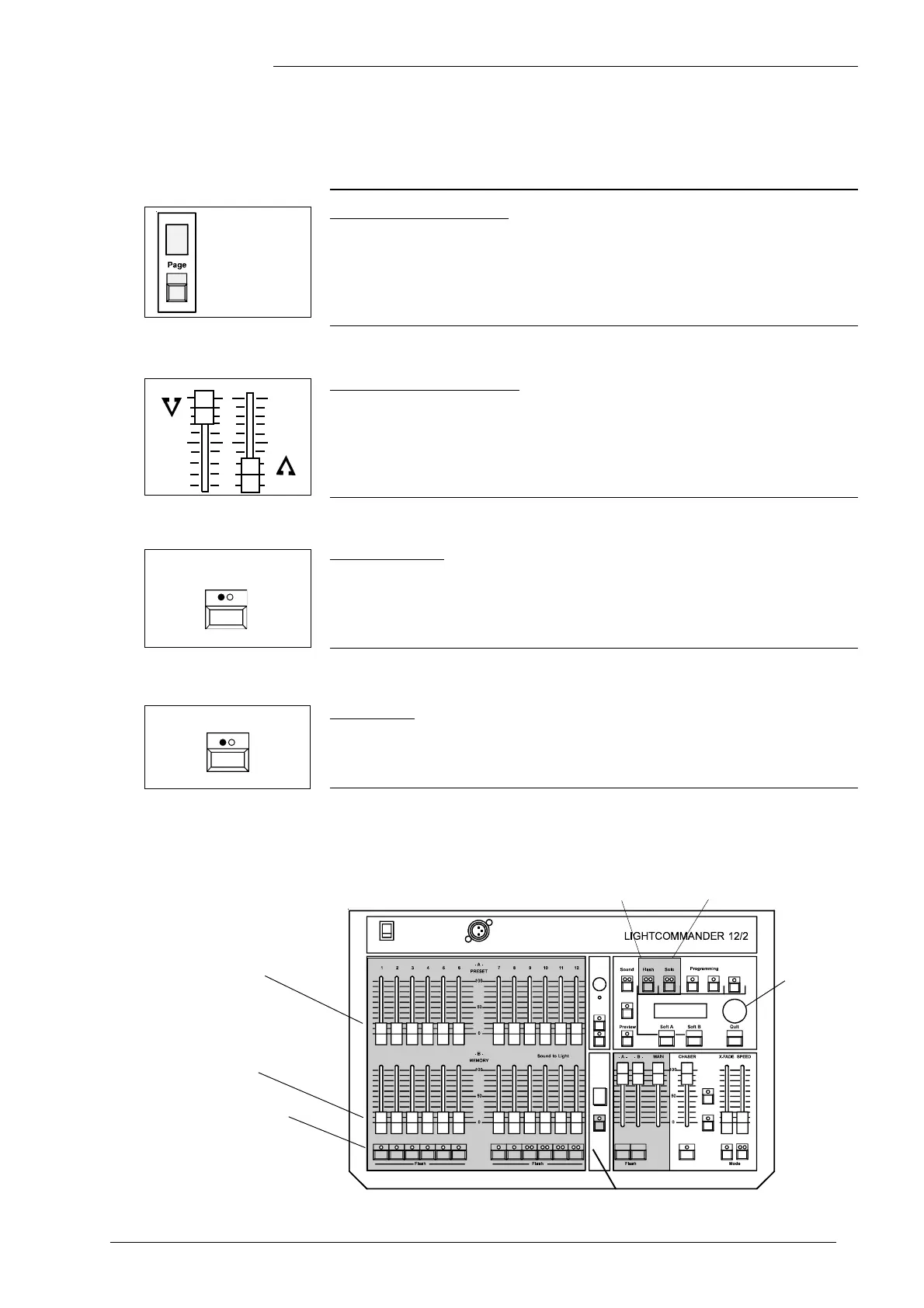
Solo Flash
• Select Solo and bump Flash buttons:
Î Only the selected Channel appears at the output.
(As long as the button is held down, other channels go off).
Î You may also use the Autofade Function with Presets. Further details see page 11,
"Dipless Crossfade" and page 13, "The Insert Mode".
Operating two Presets (Presets only)
Selecting Preset Mode
• Hold the Page button and select -P- using the
Encoder wheel (the display flashes).
Î Preset mode will be auto-selected after 3 seconds.
Î Programming memory is disabled.
The Chaser section remains fully functional.
Fading between Scenes
• Set Main master and Master -A- to full (set Master -B- to zero).
• Adjust a scene on Preset -A- and on Preset -B-.
Î Fade between Master -A- and Master -B- (manual Fade).
Î Note: With Preset mode selected, the -B- Memory faders are
named as Preset -B-.
Channel Flash
Î In Preset mode, the Channel flash function is auto-selected.
• Use the Flash buttons.
The Channel or the entire Preset appears at the output, even if
Master -A- and -B- are set to zero.
Channel Flash Solo
Preset A
Preset B
Page button
Flash buttons
Solo
Page number
Page button
P
Channel
Flash
Encoder
wheel



 To Next Page