Lightcommander Lightcommander
Lightcommander Lightcommander
Lightcommander
11
11
1
2/22/2
2/22/2
2/2
eMail: info@malighting.de
.
Tel.: +49 931 497940
.
User's Manual Lightcommander 12/2
2929
2929
29
62 345 1
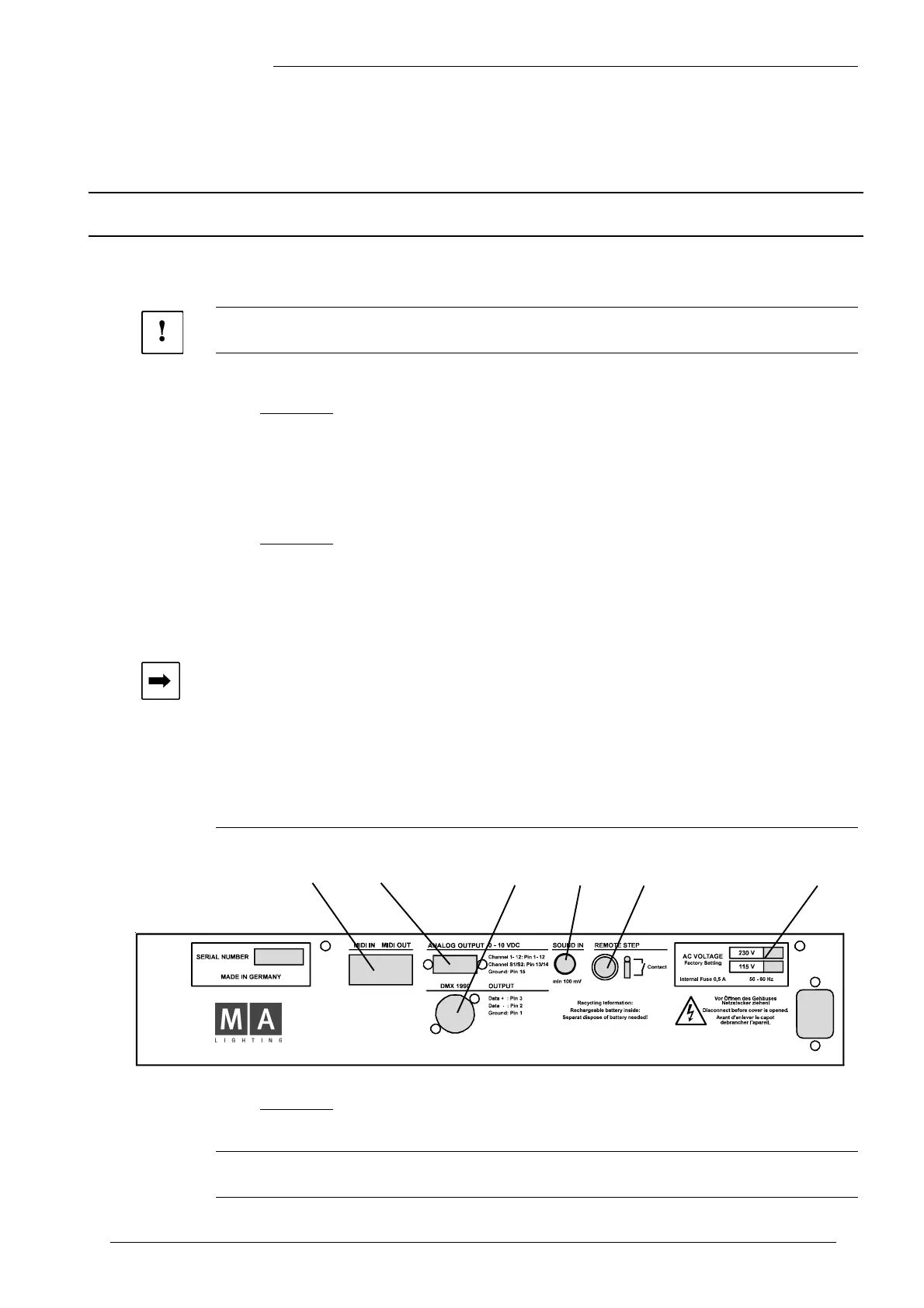
1. Power Input:
The rated voltage is 230 V Alternating Current (50 Hz).
Î The mains supply compensates voltage fluctuations between 180 and 240 VAC.
Î Attention! To meet the security standards, the desk must be operated
with grounded Power outlets!
2. Analog Output; 0-10 V positive direct current:
The control signal is output at a 15-PIN SUB-D Socket.
Pinlayout: Pin 1 -12 Channel 1 -12
Pin 13 -14 Channel S1 -S2
Pin 15 Ground (Earth)
3. DMX Output:
The DMX Output meets USITT DMX 512 (1990) Standard.
The Lightcommander can control each equipment, meeting this standard.
Pinlayout: Pin 1 = Ground Pin 4 = not connected
Pin 2 = Data - Pin 5 = not connected
Pin 3 = Data +
4. Sound input (Sound In):
A RCA socket is used to feed an audio signal. An input transformer
is used to isolate the input. Impedance approx. 1 kOhm.
Î The input needs a minimum voltage feed of approx. 100 mV to be operative.
Setting: Turn Sound input control until the LED flashes with Bass Rhythm.
5. Remote Step (Remote GO):
Use a 1/4 inch Jack, to connect a foot switch to the desk.
Having contact, the Chaser proceeds one Step ahead.
6. MIDI IN / MIDI OUT:
The MIDI Interface meets M I D I Standard.
7. 3 Pin XLR Socket for a desk lamp:
Pinlayout: Pin 1 = not connected
Pin 2 = Ground
Pin 3 = 12 VDC
Î Note: Subject to change without notice.
Technical Specification
Inputs and Outputs (Pinlayout)



 To Next Page