OPERATOR’S STATION
Form 169304 41 Model Year - 2009
(continued next page)
C O N T R O L L O C K S ?
L2 M x x x
||
N O / Y E S E X I T T R A C T O R S E T U P ?
L1 C x x x
||
D R A P E R S P E E D
L2 M x x x
||
5 7 5 . 1 H R S E N A B L E D
L2 M x x x
||
6 4 8 . 6 H R S L O C K E D
L1 C x x x
||
A U G E R S P E E D
L2 M x x x
||
5 7 5 . 1 H R S E N A B L E D
L2 M x x x
||
6 4 8 . 6 H R S L O C K E D
L1 C x x x
||
R E E L S P E E D
L2 M x x x
||
5 7 5 . 1 H R S E N A B L E D
L2 M x x x
||
6 4 8 . 6 H R S L O C K E D
L1 C x x x
||
R E E L F O R E / A F T
L2 M x x x
||
5 7 5 . 1 H R S E N A B L E D
L2 M x x x
||
6 4 8 . 6 H R S L O C K E D
L1 C x x x
||
H E A D E R T I L T
L2 M x x x
||
5 7 5 . 1 H R S E N A B L E D
L2 M x x x
||
6 4 8 . 6 H R S L O C K E D
L1 C x x x
||
E X I T V I E
L2 M x x x
||
N O / Y E S D R A P E R S P E E D
L1 C x x x
||
E X I T T R A C T O R S E T U P ?
L2 M x x x
||
N O / Y E S T I L T C Y L I N S T A L L E D ?
L1 C x x x
||
C A B D I S P L A Y S E T U P ?
L2 M x x x
||
N O / Y E S C A L I B R A T E S E N S O R S ?
L1 C x x x
||
D I S P L A Y L A N G U A G E ?
L2 M x x x
||
E N G L I S H
L2 M x x x
||
R U S S I A N
L1 C x x x
||
D I S P L A Y U N I T S ?
L2 M x x x
||
I M P E R I A L
L1 C x x x
||
C D M B U Z Z E R V O L U M E
L1 C x x x
||
C D M B A C K L I G H T I N G
L1 C x x x
||
C D M C O N T R A S T
L1 C x x x
||
E X I T D I S P L A Y S E T U P ?
L2 M x x x
||
N O / Y E S D I S P L A Y L A N G U A G E ?
L1 C x x x
||
C A L I B R A T E S E N S O R S ?
L2 M x x x
||
N O / Y E S D I A G N O S T I C M O D E ?
L1 C x x x
||
T O C A L I B R A T E S E L E C T
L2 M x x x
||
H E A D E R H E I G H T
L2 M x x x
||
H E A D E R T I L T
L2 M x x x
||
S T O P & E X I T
L1 C x x x
||
H E I G H T S E N S O R C A L
L2 M x x x
||
R A I S E H D R T O S T A R T
L1 C x x x
||
C A L I B R A T I N G H E I G H T
L2 M x x x
||
R A I S E H E A D E R H O L D
L2 M x x x
||
R A I S E H E A D E R D O N E
L1 C x x x
||
H E I G H T S E N S O R C A L
L2 M x x x
||
P R E S S L O
L1 M x x x
||
C A L I B R A T I N G H E I G H T
L2 M x x x
||
H T S E N S O R C O M P L E T E
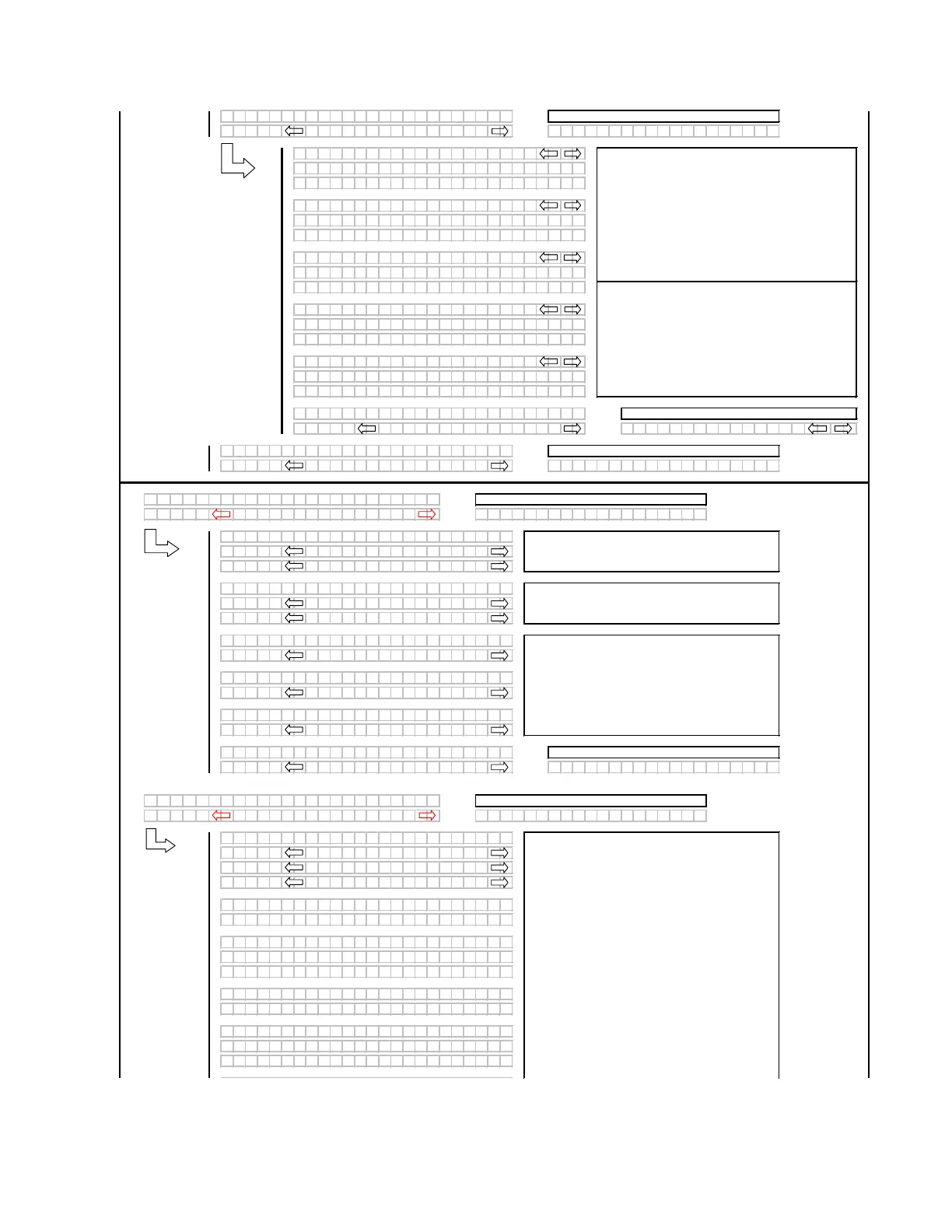
When the control lock outs are viewed, the lower
display line (L2) will show the engine hours and either
ENABLED or LOCKED to indicate the present status
along with the engine hours at which time the function
was either ENABLED or LOCKED.
If any of the HDR ANGLE / KNIFE SPEED or REEL
SPEED sensors are not "installed" (no expansion
module or A30 Auger header selected, they should be
suppressed.
The "arrow" keys are used to change the CDM
buzzer volume, CDM backlighting or the CDM
contrast, with the bar graph indicating the relative
level for each item. When "SELECT" is pressed the
program goes to the EXIT DISPLAY SETUP? menu
selection.
When a function is activated, the display will indicate
the function being calibrated. HOLD will flash until
the system has completed reading in the signal with
the header fully raised.
The operator can select any of the two items
requiring calibration or to STOP & EXIT the menu.
The "arrow" keys are used to select between
IMPERIAL or METRIC. The default value will be
displayed first.
Using the "arrow" keys allows the operator to select
the various functions. Pressing "SELECT" will go to
the EXIT VIEW LOCKOUTS? menu selection.
Use the "arrow" keys to change the default language.
Pressing "SELECT" goes to the next L1 menu
selection.
DONE will flash and prompt the operator to
COMPLETE the sensor calibration by lowering the
header.



 To Next Page