V-MACCo-PilotOperator'sManual95
CO-PILOT®MENUSCREENS
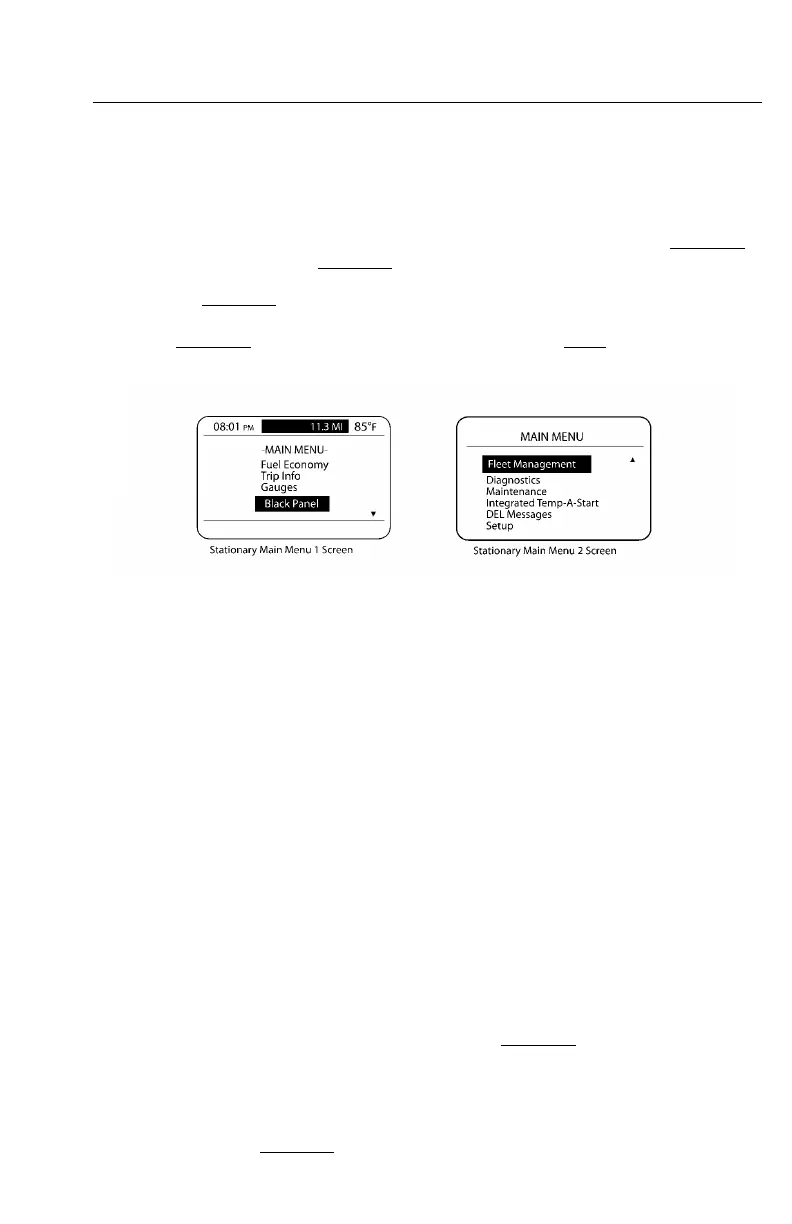
MainMenu—StationaryVehicle
TheMAINMENUscreenconsistsoftwoscreensforastationaryvehicle:stationary
MAINMENU1screenandstationaryMAINMENU2screen.
TocausethestationaryMAINMENU1screentoappear,pressandholdthestalk
switchEnter(↵ ↵
↵
)buttonwhenintheCURRENTCONDITIONSscreen(see).To
causethestationaryMAINMENU2screentoappear,scrolldownonthestalkswitch
Up&Downbutton.
W3036587
Figure42—StationaryMainMenuScreens
Fromthesetwomenus,thedrivercanaccessthefollowinginformationsupplied
inasubmenustructure:
•FuelEconomy(AnytimeandStationaryScreens)
•TripInformation(AnytimeandStationaryScreens)
•Gauges(AnytimeandStationaryScreens)
•FleetManagement(StationaryScreens)
•Diagnostics(StationaryScreens)
•Maintenance(StationaryScreens)
•IntegratedTemp-A-Start(ifavailable;forfuturesupport)
•DriverEventMessages(StationaryScreens)
•Settings(StationaryScreens)
Note:ToviewanyoftheabovesubmenusfromthestationaryMainMenuscreens,
usethestalkswitchUp&Downbuttontohighlightanitemandthenpressthestalk
switchEnter(↵ ↵
↵
)buttontomakeyourselection.
AlsoincludedinthestationaryMAINMENU1istheselectionofablack-outpanel.
Detailedinformationonthesesubmenusandtheirscreensisavailableinand.
https://truckmanualshub.com/



 To Next Page