84V-MACCo-PilotOperator'sManual
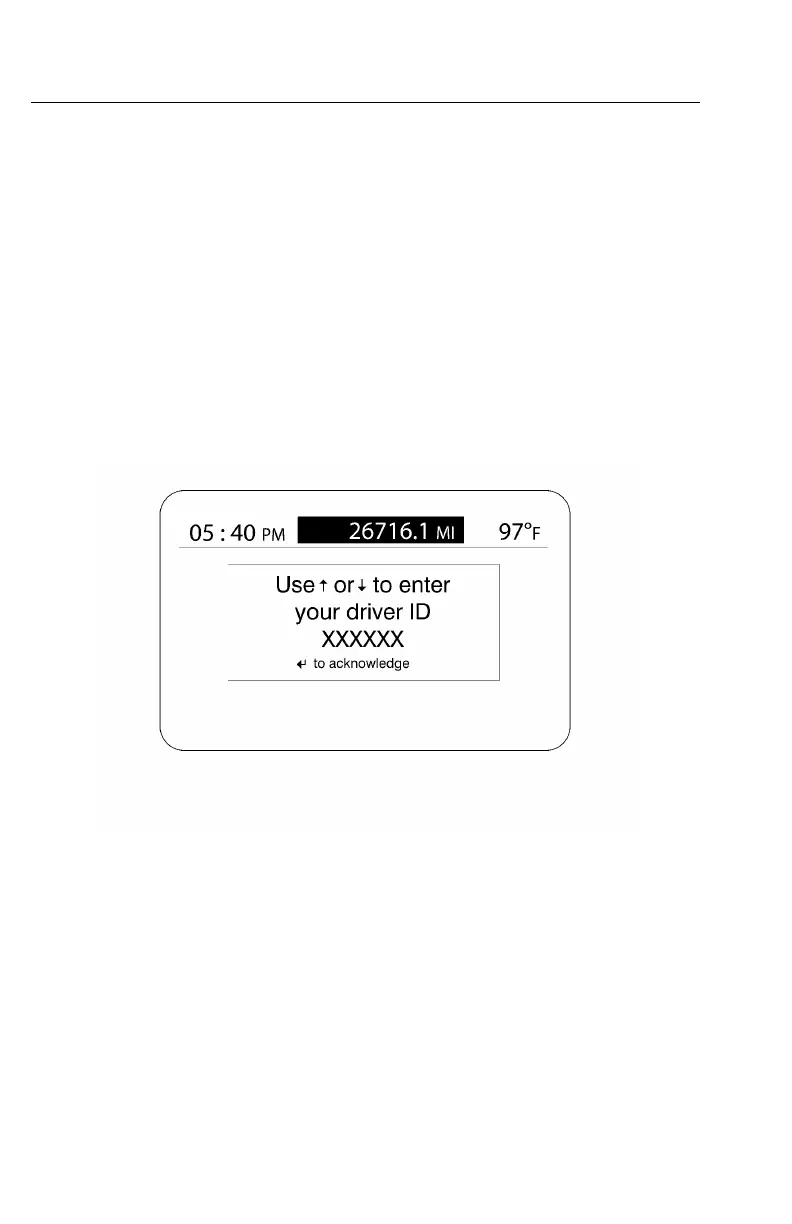
Driver'sIDScreens
ThefollowingscreensallowadriverspecicIDtobeenteredviatheDriver
InformationDisplay.Thisoptionallowsvariousvehicleinformationtoberecorded
forthedriverassociatedwiththedriverID.TheIDcanbechangedfromtheDriver
InformationDisplay(DID)usingthestalkswitchcontrollever.
IfthevehiclehastheDriverIDfeature,whenthevehicleisstartedtheEnterDriverID
screenappearsintheDID.TheoperatorenterstheappropriatedriverIDatthattime.
1TherstnumberwillbehighlightedintheDIDscreen.Usetheupanddown
arrowsofthestalkswitchcontrollevertoscrolltotheappropriatenumber.
2Oncethecorrectnumberisfound,presstheEnterbuttononthestalkswitch
controllever.
3ThenextnumberintheDriverIDsequenceishighlighted.Enterallthenumbers
fortheDriverIDusingthesesteps.
W3067466
https://truckmanualshub.com/



 To Next Page