106V-MACCo-PilotOperator'sManual
Maintenance
TheMAINTENANCEsubmenuscreenisaccessedfromthestationaryMAINMENU
2screen(see).ToviewthescreensoftheMAINTENANCEsubmenu,highlight
“Maintenance”withthestalkswitchUp&DownbuttonandthenpresstheEnter
(↵ ↵
↵
)buttontoselectthescreen.
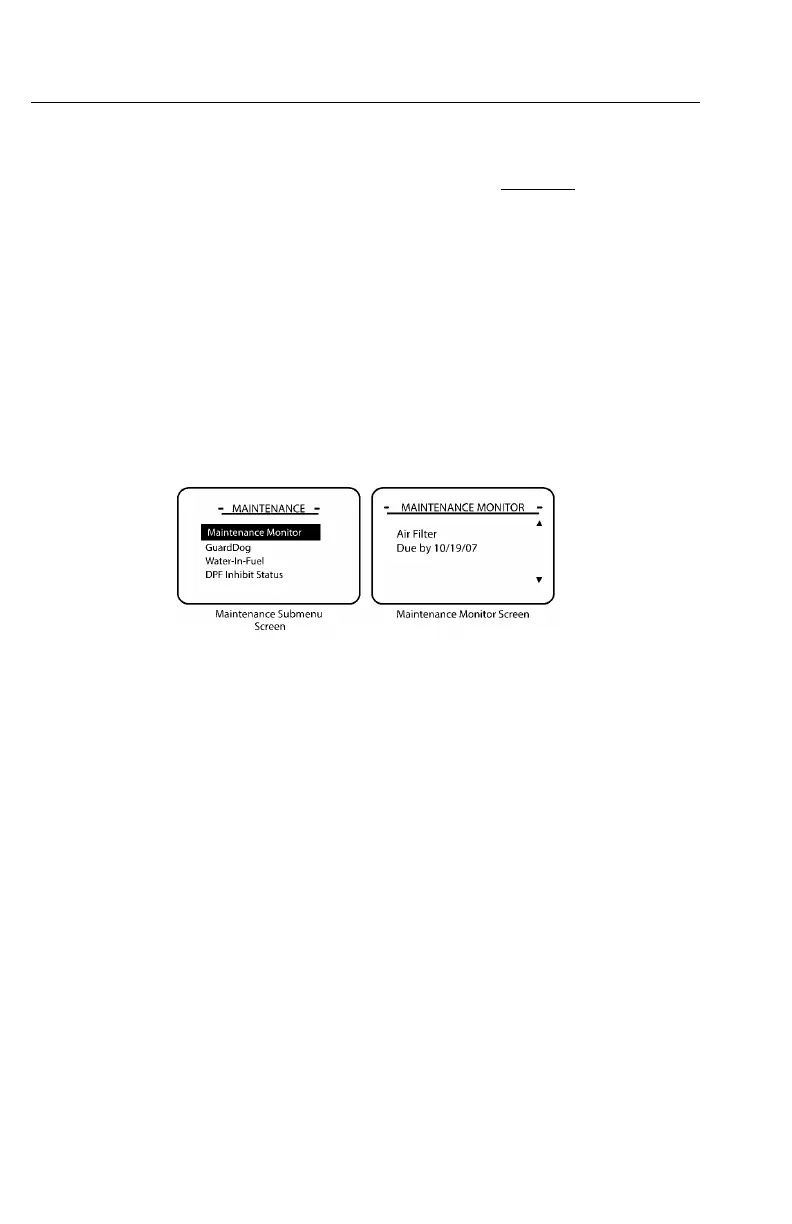
TheMAINTENANCEsubmenuscreencontainsthefollowingmainscreens:
Displaysthemaintenancescheduleforvariousmaintenanceitems,suchasengineoil
andcoolantchange.Maintenanceitemsaredisplayedonthescreenoneatatime
asshownin.Maintenanceitems,whenenabledinVCADSorMACKtraq,canbe
resetaftermaintenancehasbeenperformed.Ifmaintenancehasnotbeenperformed,
resettingthemaintenanceitemwillbeprohibited.
MaintenanceMonitor
C0035402
Figure53—MaintenanceScreens
GuardDog™(optional;mustbeenabled)
GuardDog™,anactivemaintenancemonitoringsystem,usessensorreadingstoshow
thestatusofroutinemaintenancerequirements.Ifthevehicleisequippedwiththe
GuardDog™system,Co-PilotwilldisplayGuardDog™relatedmaintenanceitems
underthefollowingconditions:
•Whenthevehicleisstarted
•Duringdrivingasindividualmaintenanceitemsbecomedue
•ManuallythroughtheGuardDog™Statusscreen
Afterpower-upinitiationandtheMACKLOGOscreenappearance,theCo-Pilot
willdisplaytheACQUIRINGDA TAscreen.Afteractivationonthisscreen,ifno
maintenanceitemisdue,theGUARDDOG™NOMAINTENANCEITEMSDUE
screenwillappear.However,ifmorethanonemaintenanceitemrequiresservice,the
GUARDDOG™MAINTENANCEinterruptscreen(see)willappear.Toviewthedue
maintenanceitems,selecttheGUARDDOG™STATUSscreen.
TheGUARDDOG™STA TUSscreenwilldisplayalistofGuardDog™itemsandthe
correspondingconditionwillbeshownas“low,”“check,”or“OK.”
https://truckmanualshub.com/



 To Next Page