110V-MACCo-PilotOperator'sManual
SetUp
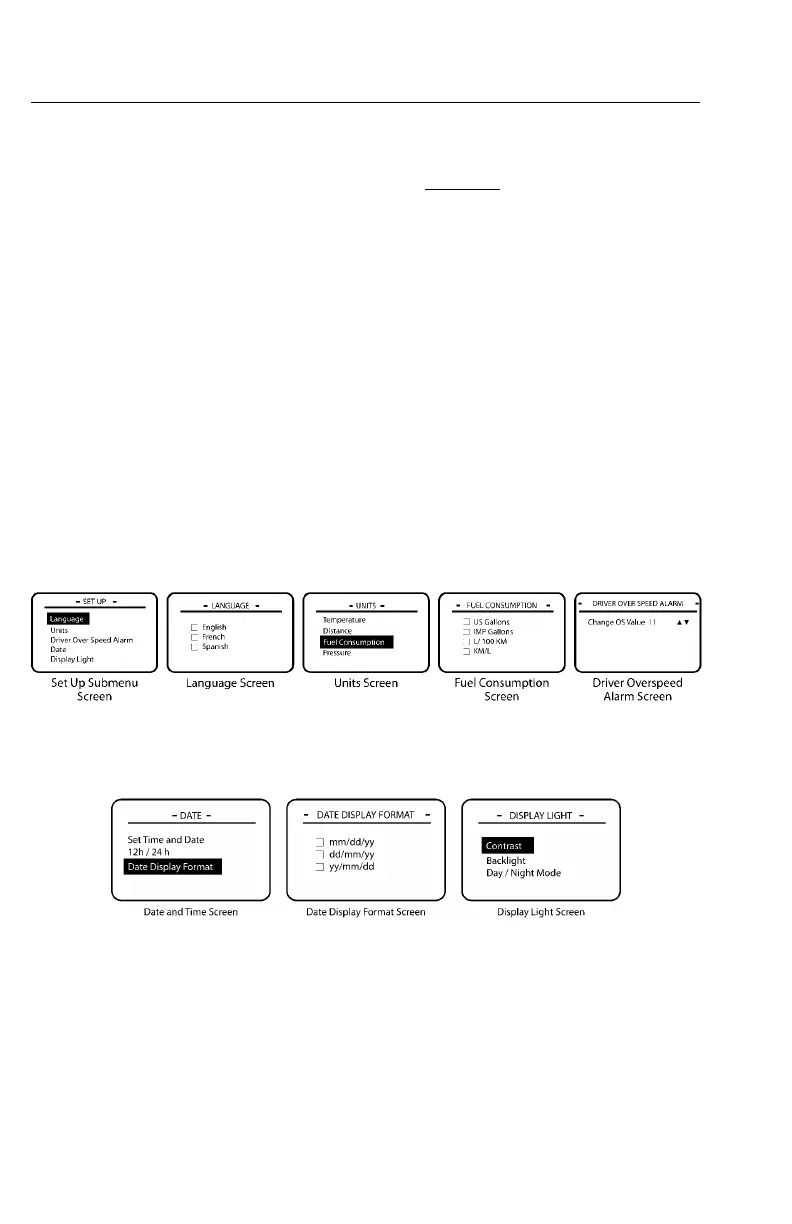
TheSETUPsubmenuscreenisaccessedfromthestationaryMAINMENU2screen
(see).
ToviewtheSETUPsubmenu,highlight“SetUp”withthestalkswitchUp&Down
buttonandthenpresstheEnter(↵ ↵
↵
)buttontoselectthescreen.
TheSETUPsubmenuscreencontainsthefollowingmainscreens:
•Language—Permitstheusertochangelanguageselections.Thedefaultsettingis
English.
•Units—Allowstheusertochangetheunitofmeasurefortemperature,distance,
fuel,andpressure.
•DriverOverSpeedAlarm(ifavailableandforfuturesupport)—Allowstheuser
todesignateapersonalspeedlimit.Ifthisspeedisexceeded,analarmwillsound
andanOverspeedwarninginterruptscreenwillappeartowarnthedriver.
•DateandTime—Permitstheusertosettimeanddate,decidetousea12hour
or24hourclockdisplayandtocongurethewaythedatewilldisplay(i.e.,days,
months,years).
•DisplayLight—AllowstheusertomodifythepaneldisplayoftheCo-Pilot.
C0035405
Figure58—SetUpSubmenuScreens
C0035406
Figure59—SetUpSubmenuScreens
https://truckmanualshub.com/



 To Next Page