V-MACCo-PilotOperator'sManual109
DELMessages
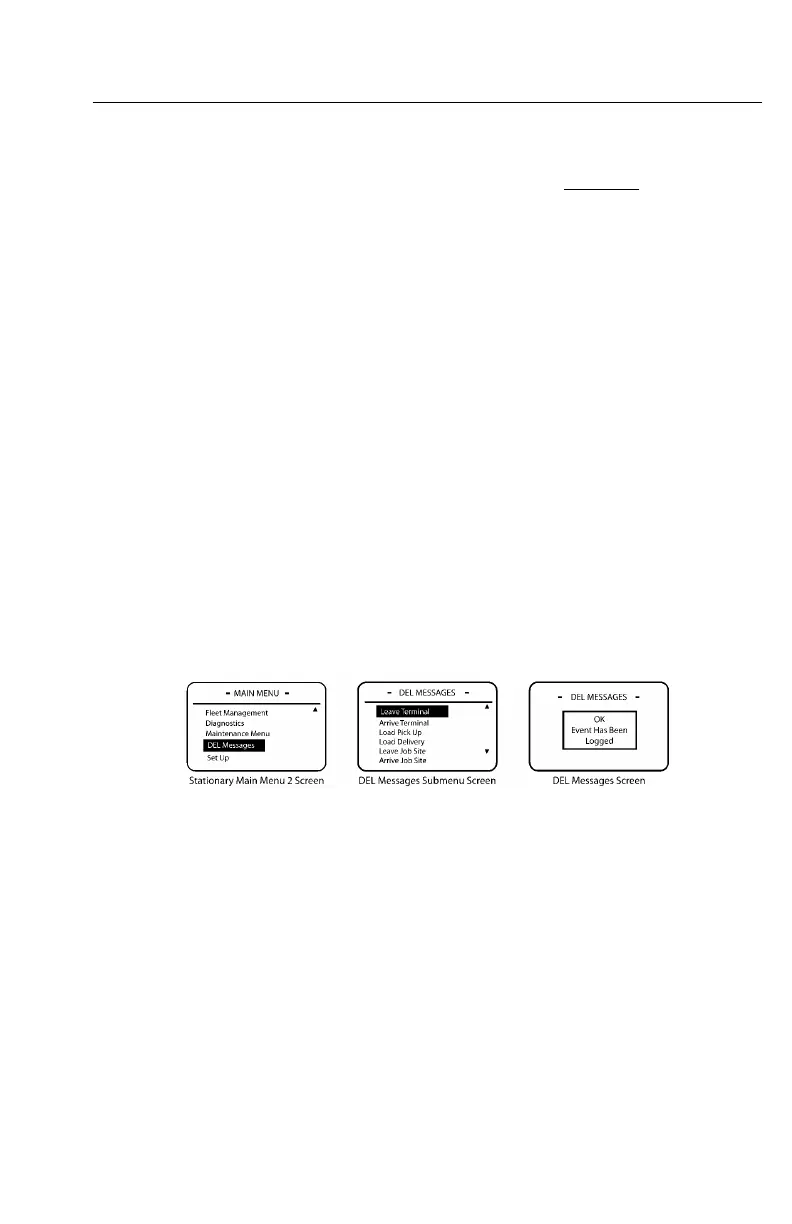
TheDELMESSAGESsubmenuscreenisaccessedfromthestationaryMAINMENU
2screen(see).TheDELMESSAGESsubmenucontainsalistofdrivereventlogging
messages.Adrivermaychoosetologadrivereventloggingmessagedependingon
thedriver'sactivity.Forexample,ifthedriverisgoingtoleaveaterminal,thedriver
wouldselecttheLEAVETERMINALmessage.
ToviewthelistofdrivereventloggingmessagesintheDELMESSAGESsubmenu,
highlight“Messages”withthestalkswitchUp&Downbuttonandthenpressthe
Enter(↵ ↵
↵
)buttontoselectthemessagetolog.
Note:TheDELMESSAGESsubmenuis
optionalandwillonlyappearifenabledin
VCADSsoftwareorMACKtraq.
TheDELMESSAGESsubmenucontainsthefollowingdrivereventloggingmessages:
•LeaveTerminal
•ArriveTerminal
•LoadPickUp
•LoadDelivery
•LeaveJobSite
•ArriveJobSite
C0035404
Figure57—DELMessagesScreens
https://truckmanualshub.com/



 To Next Page