V-MACCo-PilotOperator'sManual97
CO-PILOT®ANYTIMESCREENS
Co-Pilot®Anytimescreensincludethefollowingmainscreens:
•FuelEconomy
•TripInformation
•DigitalGauges
•BlackPanel
Tonavigatethroughthescreens,rememberthefollowing:
•UsethestalkswitchUp&Downbuttontoscrollandhighlightanitem,scrollto
thenextscreen,orenteravalue.
•UsetheEnter(↵ ↵
↵
)buttontoselectascreen,enteravalue,acceptachangeor
returntothepreviousscreen.
•UsetheESCbuttontoreturntothepreviousscreen.
FuelEconomy
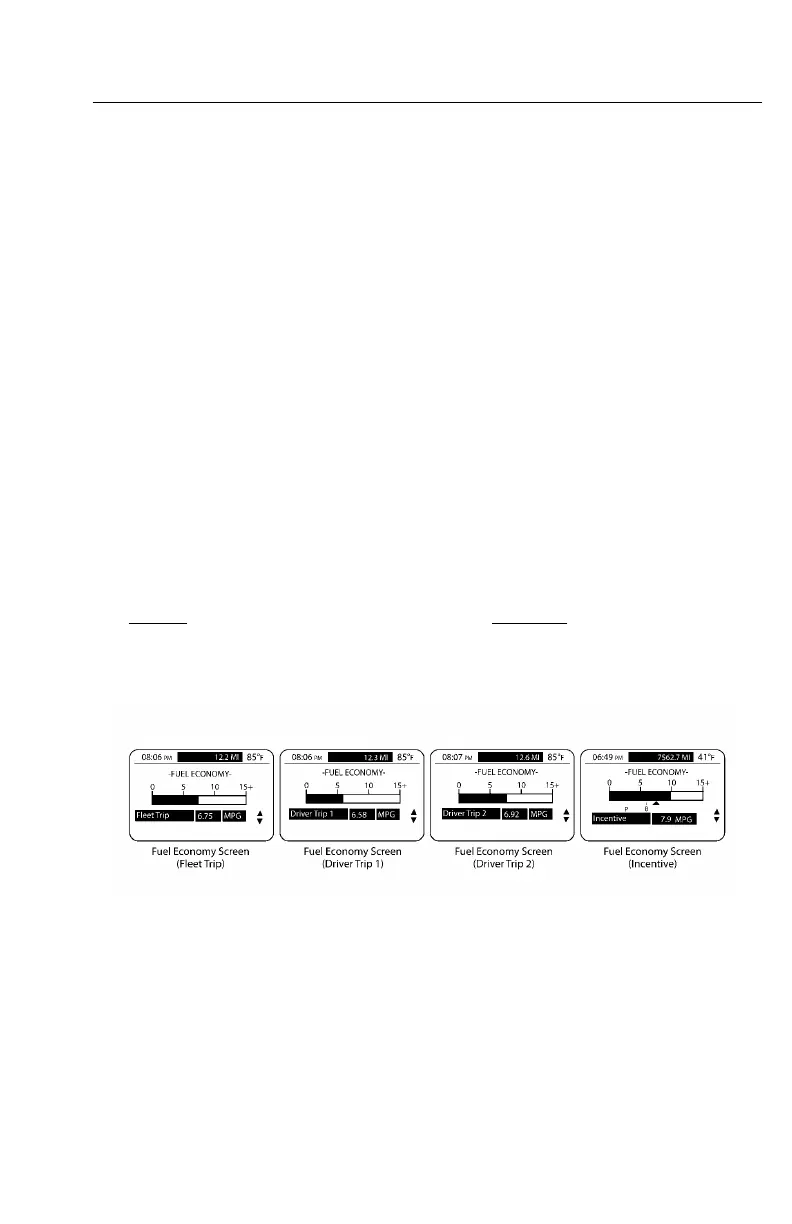
TheFUELECONOMYsubmenuscreenisdisplayedbyselectingFuelEconomyfrom
themovingMAINMENUscreen(see)orfromthestationaryMAINMENU1screen
(see)andpresstheEnter(↵ ↵
↵
)button.Thesescreensshowthecurrent“trip”average
fueleconomy,the“instantaneous”fueleconomyonthescaleandthe“Bonus”and
“Penalty”incentivemodes(onlywhenequippedwiththisfeature).
W3036612
Figure44—FuelEconomyScreens
https://truckmanualshub.com/



 To Next Page