96V-MACCo-PilotOperator'sManual
MainMenu—MovingVehicle
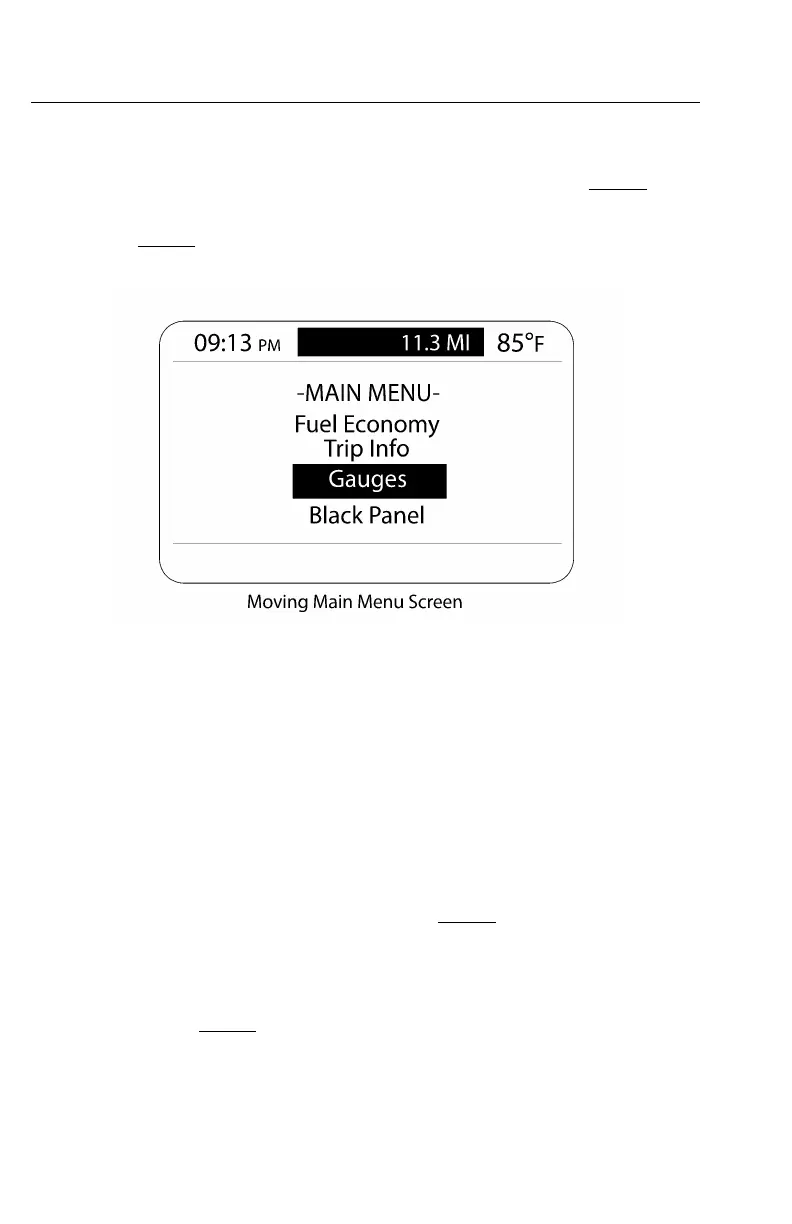
TheMAINMENUscreenconsistsofonescreenforamovingvehicle:moving
MAINMENUscreen.
TocausethemovingMAINMENUscreentoappear,pressthestalkswitchEnter(↵ ↵
↵
)
buttonwhenintheCURRENTCONDITIONSscreen(see).
W3036590
Figure43—MovingMainMenuScreen
Fromthismenu,thedrivercanaccessthefollowinginformationsuppliedina
submenustructure:
•FuelEconomy(AnytimeandStationaryScreens)
•TripInformation(AnytimeandStationaryScreens)
•Gauges(AnytimeandStationaryScreens)
Note:ToviewanyoftheabovesubmenusfromthemovingMainMenuscreen,use
thestalkswitchUp&Downbuttontohighlightanitemandthenpressthestalkswitch
Enter(↵ ↵
↵
)buttontomakeyourselection.
AlsoincludedinthemovingMAINMENUscreenistheselectionofablack-out
panel.Detailedinformationonthesesubmenusandtheirscreensisavailablein
https://truckmanualshub.com/



 To Next Page