120V-MACCo-PilotOperator'sManual
CO-PILOT®OPTIONALSYSTEMSSCREENS
Thevehiclemanagementandcontrol(V-MAC)IVsystemprovidesoptionalfunctions
thatthedrivercanaccessthroughtheCo-Pilot(ifavailableandenabled).TheCo-Pilot
OptionalSystemsscreensincludethefollowingmainscreens:
•IntegratedTemp-A-Start™(forfuturesupport)
•HoursofService(forfuturesupport;informationnotavailableattimeofprinting)
•RoadConnect(optional)
•Accuload(forfuturesupport;informationnotavailableattimeofprinting)
Tonavigatethroughthescreens,rememberthefollowing:
•UsethestalkswitchUp&Downbuttontoscrollandhighlightanitem,scrollto
thenextscreen,orenteravalue.
•UsetheEnter(↵ ↵
↵
)buttontoselectascreen,enteravalue,acceptachangeor
returntothepreviousscreen.
•UsetheESCbuttontoreturntothepreviousscreen.
IntegratedTemp-A-Start™(ForFutureSupport)
IntegratedTemp-A-Start™(iTAS™)savesfuelbyreducingtheamountoftime
spentidlingtokeepthevehicle'sbatteriescharged,theenginewarmandthecabor
sleepercomfortable.OncetheoptionaliTAS™featureisactivatedviaadashswitch,
thesystemwillautomaticallystartandstopthevehicle'sengine.Safetyoverrides
preventthesystemfromactivationifthetransmissionisingear,thehoodisuporthe
parkingbrakeisreleased.iTAS™voltageandtemperaturetargetsettingsarefully
programmablethrougheitherVCADSsoftwareor,ifenabled,viatheCo-Pilotdisplay.
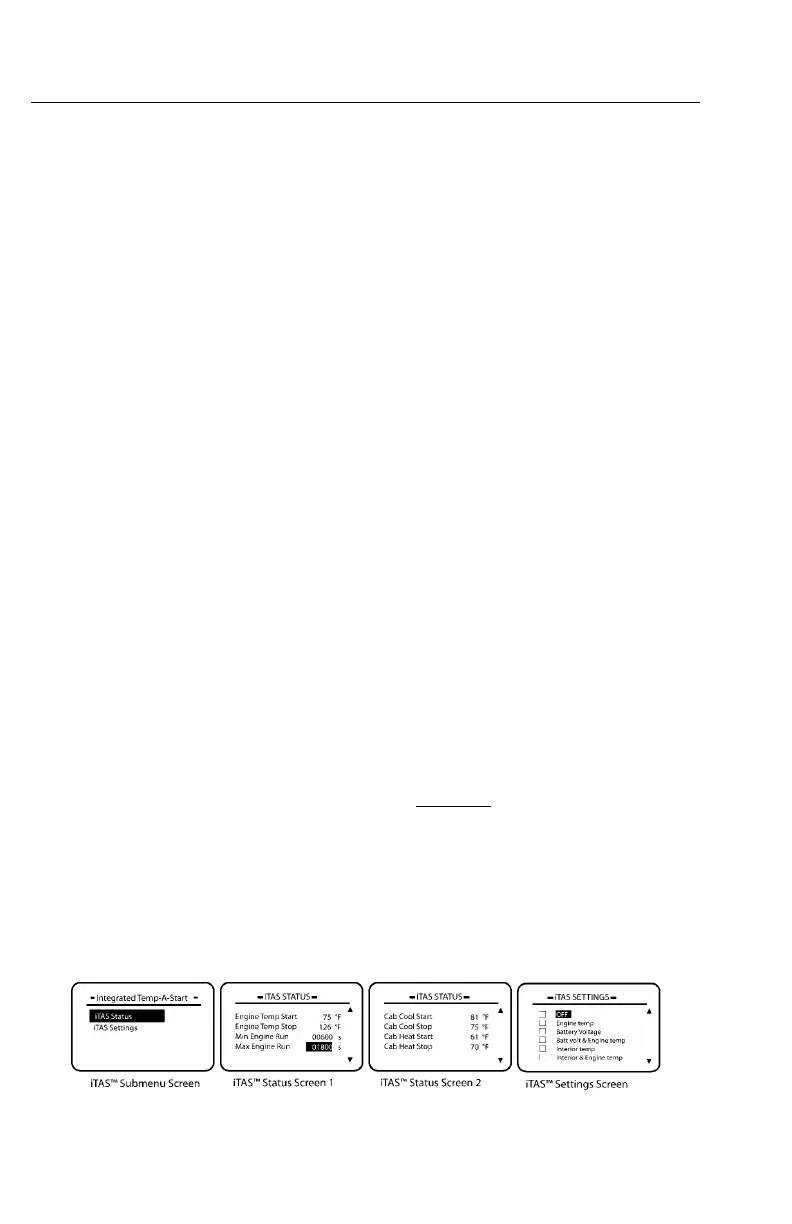
TheiTAS™submenuscreenisselectedfromthestationary
MAINMENU2screen.
ToviewthescreensoftheiTAS™submenu,highlight“iTAS”withthestalkswitch
Up&DownbuttonandthenpresstheEnter(↵ ↵
↵
)buttontoselectthescreen.
TheiTAS™submenuscreencontainsthefollowingscreens:
•iTASStatus—AllowstheusertoviewthecurrentstatusoftheiTASsystemand
toturnonorturnoffsomeofthestatusitems.
•iTASSettings—Allowstheusertosetwhatconditionsneedtobemonitored.
C0035416
Figure74—IntegratedTemp-A-StartScreens
https://truckmanualshub.com/



 To Next Page