48 Magellan SporTrak GPS Receiver
Reference
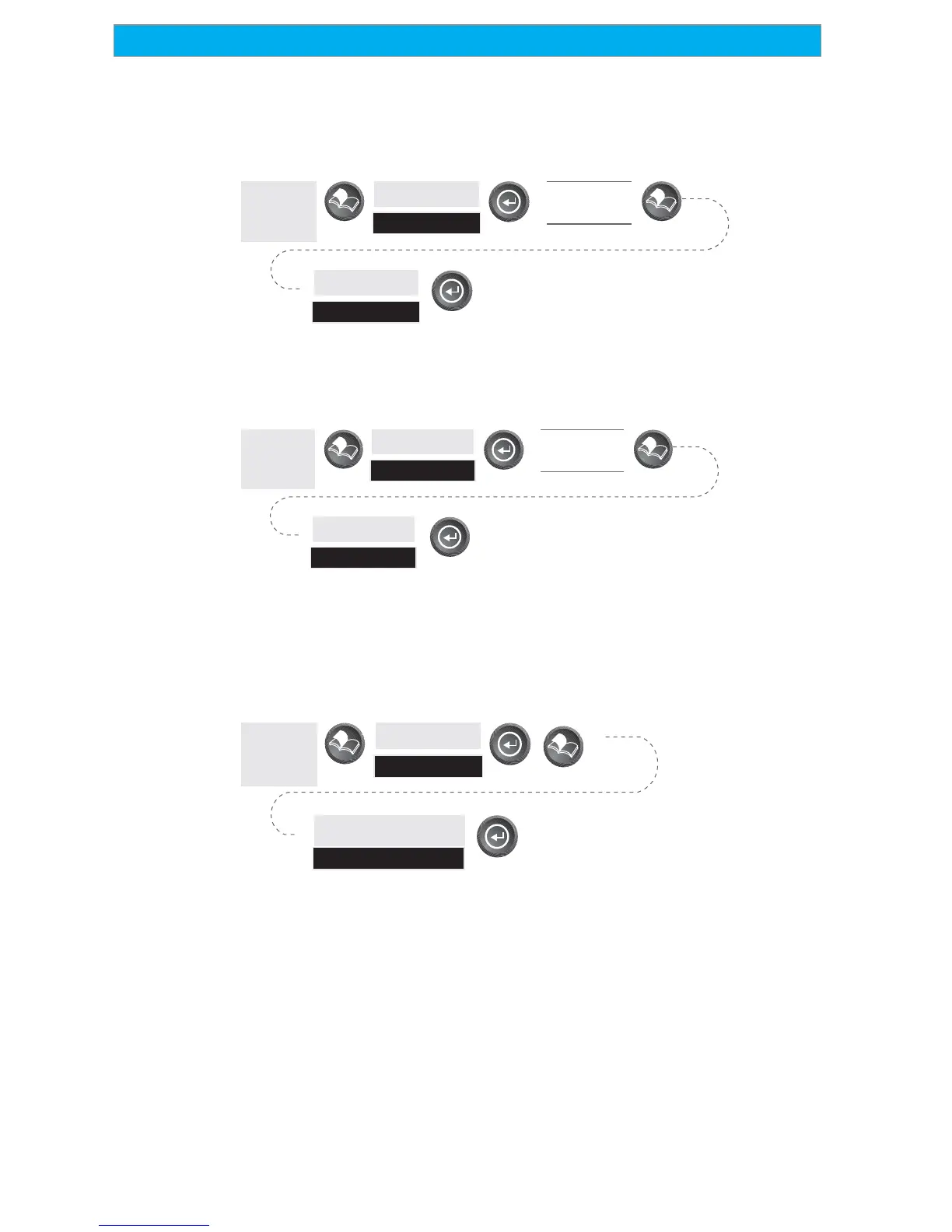
Deleting a Route — Enables the deletion of any route in memory. Useful
when you want to add a new route but no “EMPTY” routes are
available.
From
Any
Screen
Highlight
Routes
Select
Route
Highlight
Delete
Viewing a Route on the Map Screen — Provides you with a graphical
representation of the route selected on the Map screen.
From
Any
Screen
Highlight
Routes
Select
Route
Highlight
Map View
Creating a Route Using Track History — This enables you to
automatically create a multileg route using your track history. This route
will be saved to your route list with a naming convention of “T01P01 to
T01Pxx” where Pxx indicates the number of points in the route.
From
Any
Screen
Highlight
Routes
Highlight
Save Trk to Rte









 To Next Page