59Magellan SporTrak GPS Receiver
Reference
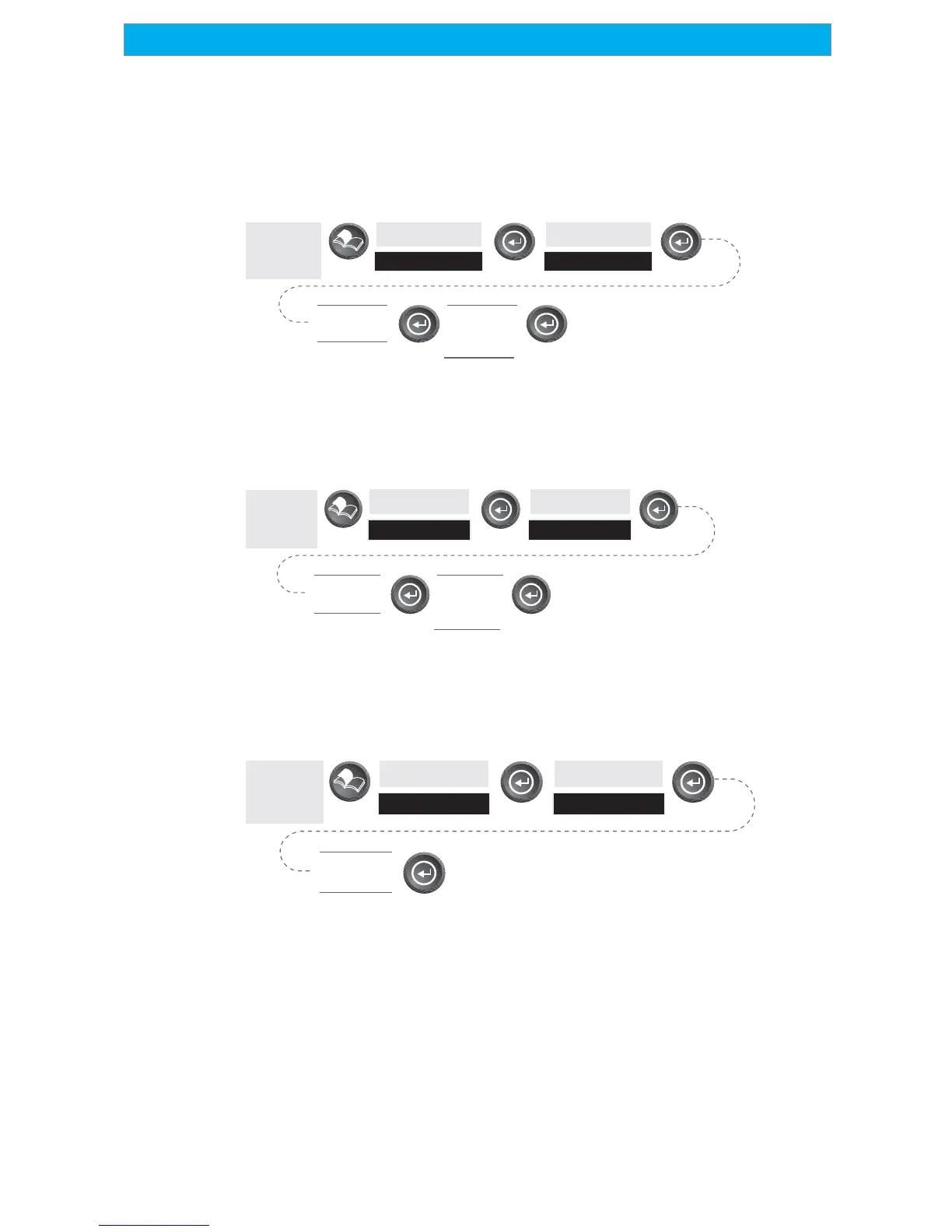
Turning on the Simulator - Auto Mode — This turns the simulator on
and uses a predefined heading and speed rate.
From
Any
Screen
Highlight
Setup
Highlight
Auto
Highlight
Simulate
Confirm
Clearing of
Track
Turning on the Simulator - User Mode — This turns the simulator on and
uses a heading and speed rate that you define.
From
Any
Screen
Highlight
Setup
Highlight
Auto
Highlight
Simulate
Confirm
Clearing of
Track
Turning the Simulator Off — Turns the simulator off and returns the
SporTrak to normal operation.
From
Any
Screen
Highlight
Setup
Highlight
Off
Highlight
Simulate









 To Next Page