Information
4
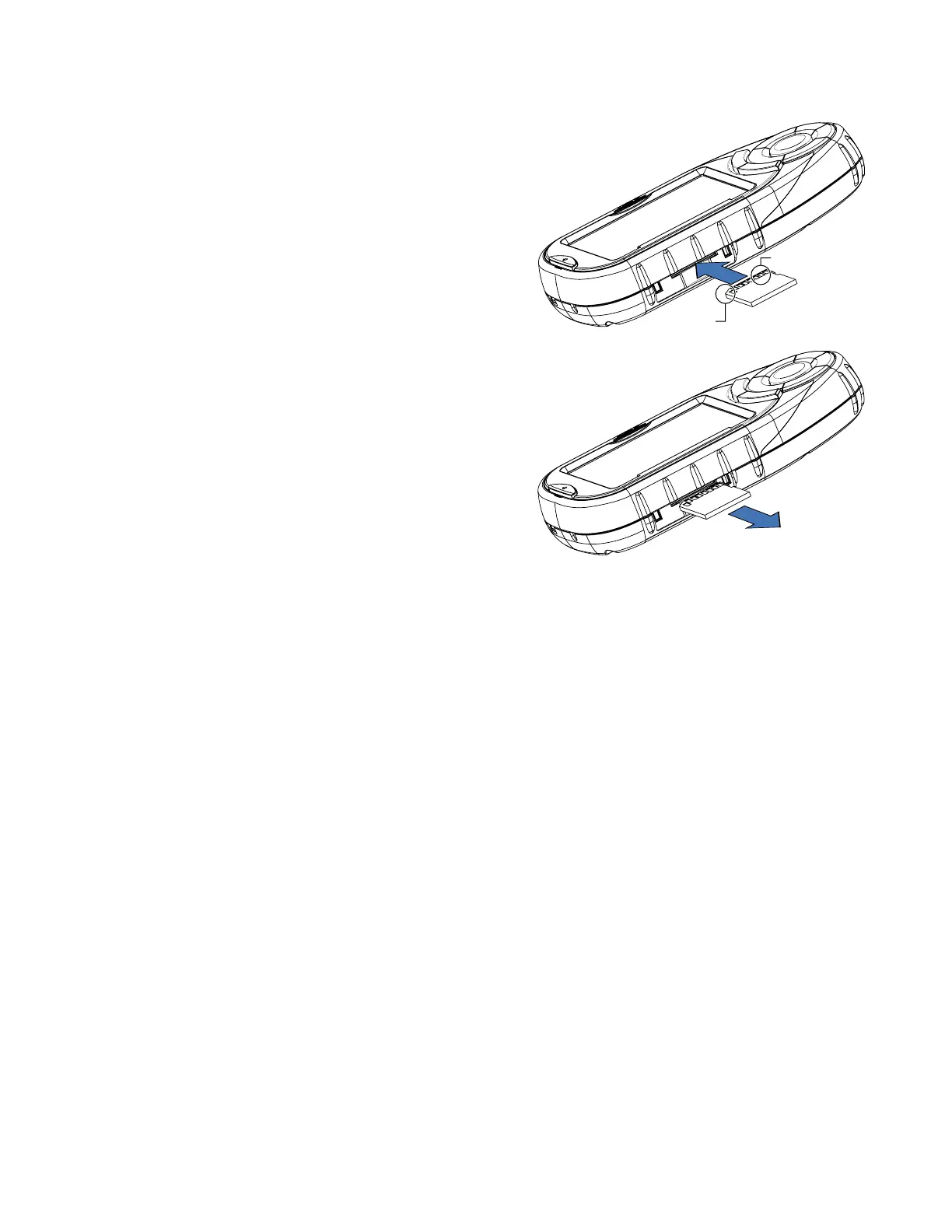
To Insert the SD Card:
Peel back the rubber gasket to expose the SD card slot. Do not
completely remove the rubber gasket.
The SD card can only be inserted in one direction. Do not force
the card into the slot.
Insert the SD card into the slot with the metal contacts going in
first and the beveled edge to the left.
Push the SD card until you hear a click.
Close the rubber gasket.
To remove the SD card:
Peel back the rubber gasket to expose the SD card slot. Do not
completely remove the rubber gasket.
Push the SD card until you hear a click. Do not attempt to pull
the card out of the slot
Remove the SD card from the slot.
Close the rubber gasket.
Beveled Edge
Metal Contacts










 To Next Page