Selecting Destinations
30
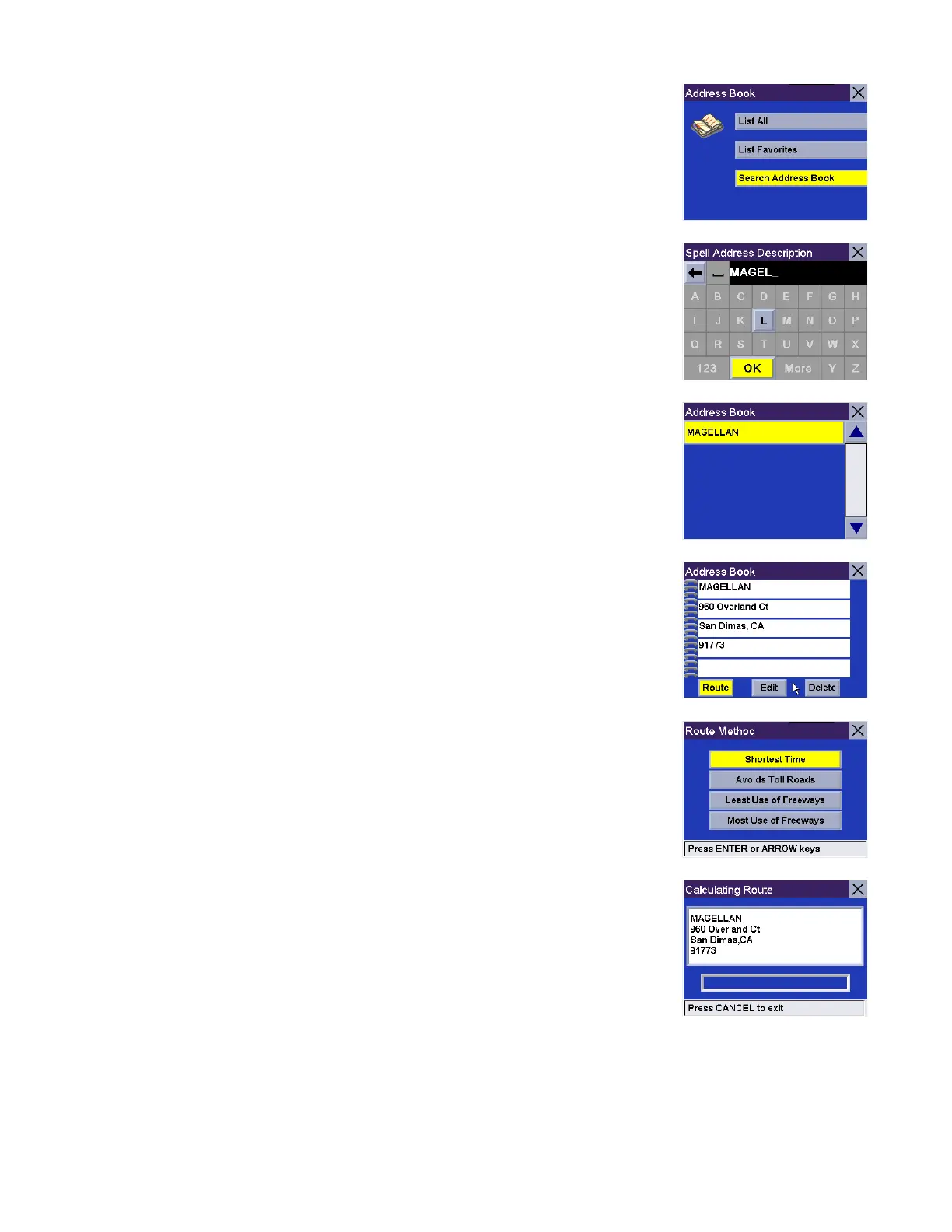
Select Search Address Book.
Enter the characters that may be part of the name you are searching for in your
address book. When you have finished, select OK
A list of addresses matching your criteria is shown. Select the address you wish to
use. You will then have the option of routing to, editing, or deleting this address.
Route - Select Route.
Select the desired Route Method.
The Magellan RoadMate will calculate the route. When the calculations are
complete, the Map screen will be displayed.










 To Next Page